2F-85 & 2F-140 - Instruction Manual
6.1.Gripper cleaning
Maintenance Interval ToolsYouNeed PartsYou Need
Weekly or daily in dirty operating
conditions
l
Flat head precision 2 mm screwdriver
l
4 mm hex key
l
Dry tissue or towel
None (unlessdamage is detected)
Caution
Alwaysturn off the robot and the gripper power supply before performing any maintenance operations.
Caution
The maintenance operator must be grounded to prevent electrostatic discharge that could damage the gripper
electronics.
Caution
The Robotiq 2-Finger Adaptive Gripper isnot waterproof or water resistant without additional protection, only clean the
gripper with a dry towel.
1
Remove the gripper from itscoupling using the 4 mm hex key to unscrew the four (4)M5-0.8 x 25mm screws. Note that each
screw usesa tooth lock washer, do not lose them.
2
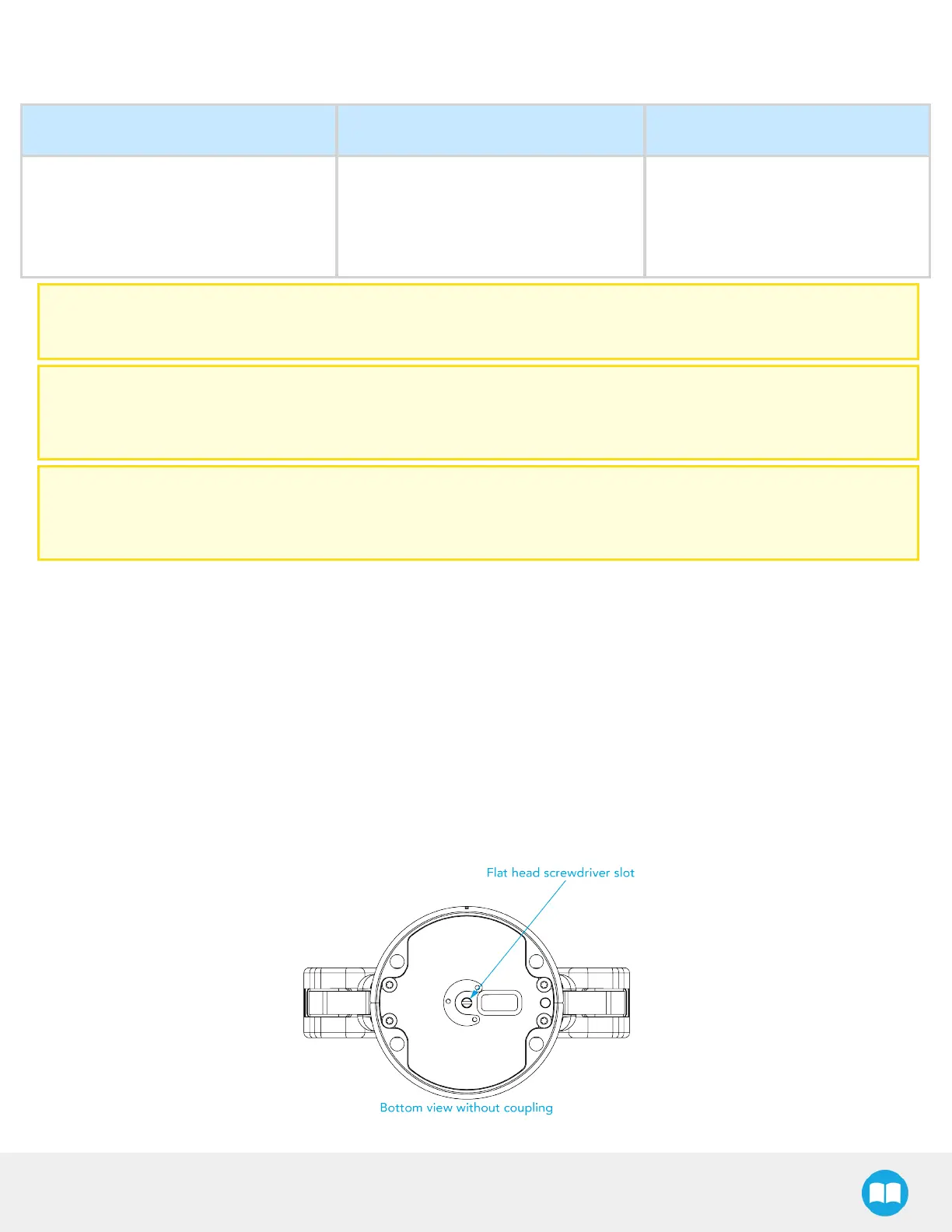
Use the flat head precision screwdriver to open or close the gripper by turning the flat head screw located under the grip-
per, where the coupling connects (illustrated in the figure below).
a
Open or close to accessthe palm pad and other parts of the gripper.
3
Clean the gripper with a dry towel, remove all debris, dirt and dust from the surface of the gripper, clean all fingertips, dry
thoroughly.
4
Clean the coupling with a dry towel, pay particular attention to the electrical contact.
5
Visually inspect the gripper and pay attention to any visible damage.
6
Put the gripper back on and secure it with the four (4)M5-0.8 x 25mm screwsand tooth lock washers.



 To Next Page