2F-85 & 2F-140 - Instruction Manual
4.5.Picking Features
As stated in previous sections, object picking is done via a simple " Go To" command, rGTO bit callsfor movement, while rPRbyte
is the aimed position, rSPand rFRwill be the desired speed and force settingsrespectively. Thissection describes key features in
object picking applications:
l
Force control
l
Re-grasp
l
Object detection
l
Object contact loss
4.5.1.Force Control
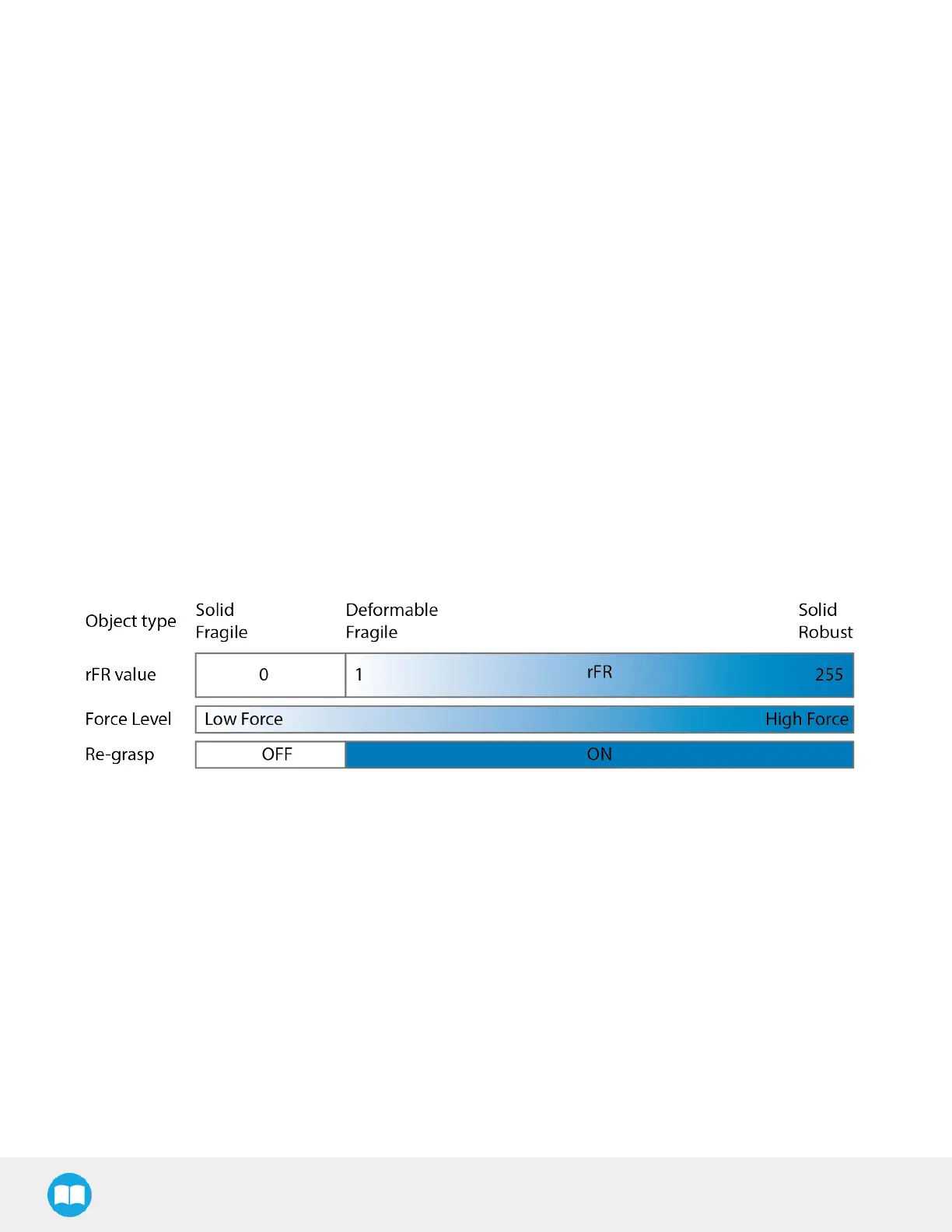
The gripping force is controlled via the rFRbyte (refer to the Robot Output Registers& Functionalitiessection).The gripper
behavior will change according to the rFRforce requested.
l
rFR= 0 : Very fragile objects
l
Lowest force
l
Re-grasp feature is off
l
1 rFR255 : Fragile to robust object
l
Re-grasp feature is on
The table below showsthe expected applied force according to the payload material hardness, speed setting rSPand force
setting rFR. All tests were done with the 2-Finger Gripper with firmware GC3-1.3.9. Data was obtained with a Load Cell from
Phidget, SType, model 3138.
58



 To Next Page