Robotiq Hand-E Gripper - Instruction Manual
8
To get back to normal operations, restart the system.
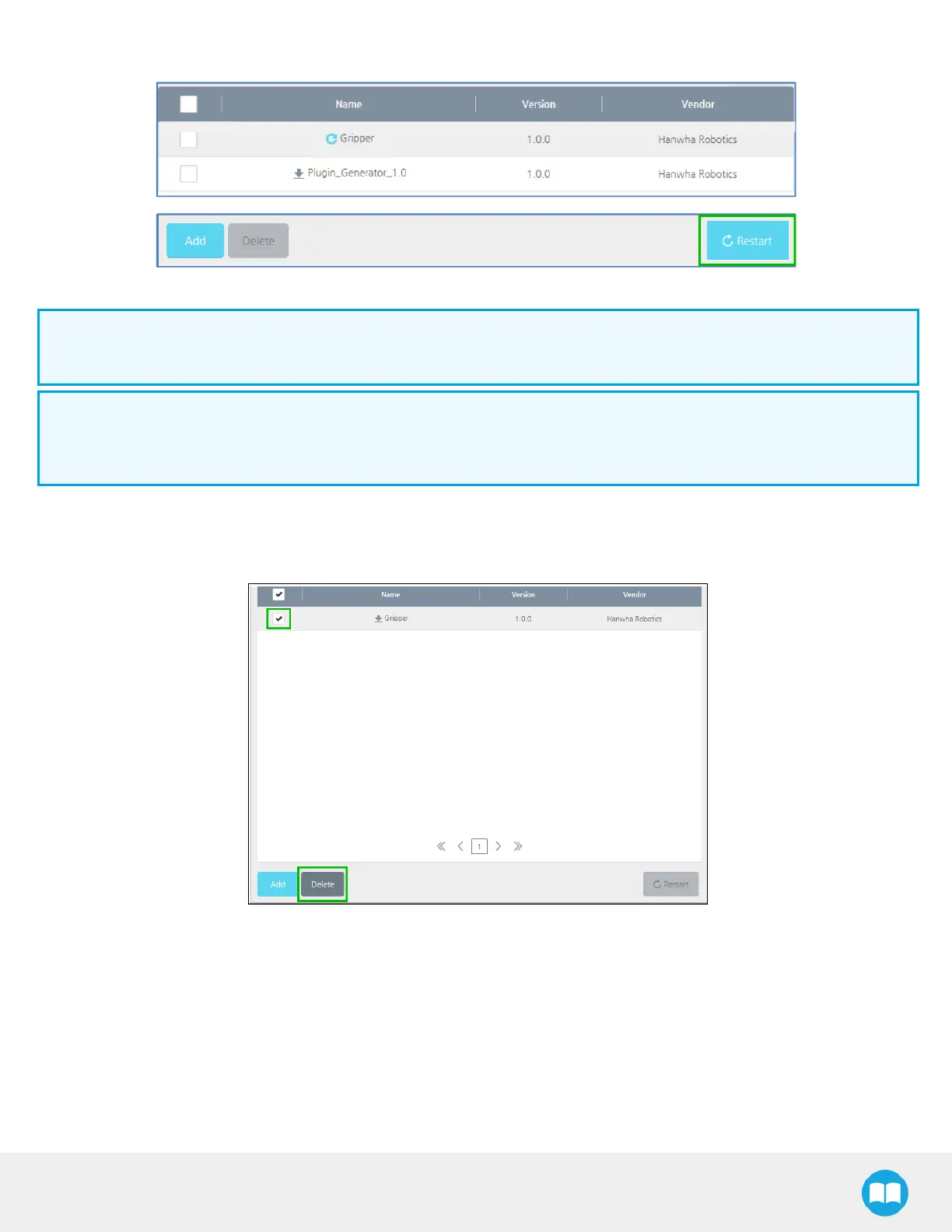
Fig. 3-10: View of the installed plugin with the Restart button highlighted.
Info
To install the plugin, you must be logged in as an administrator.
Info
When the plugin is correctly installed, it appears in the Management Menu. Restart the system should you want newly-
installed plugins to be visible in the Management Menu.
3.7.2. Uninstalling the plugin
1
In the Plugin Management menu, select the plugin you want to delete and press the Delete button.
Fig. 3-11: Plugin Management menu with check box and Delete button highlighted.
2
For normal plugin deletion, restart your system. Use the same procedure indicated in the Plug-In Installation section.
28



 To Next Page