Robotiq Hand-E Gripper - Instruction Manual
Single Gripper
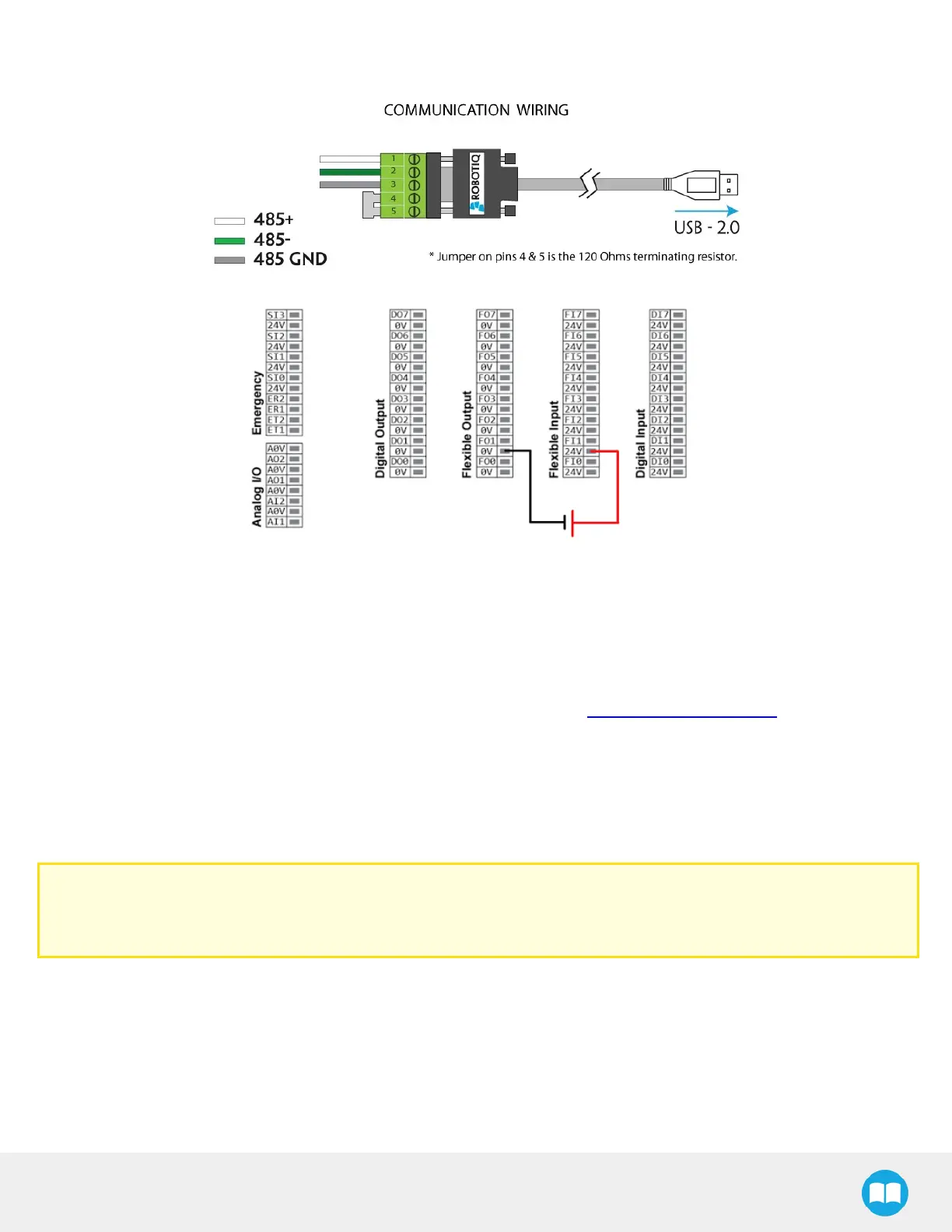
Fig. 3-5: Hand-ERobot Gripper wiring to robot controller.
3.6. Testing the Gripper with the Robotiq User Interface (RUI)
Once installed and properly secured, your Robotiq Hand-E Gripper should be tested with the Robotiq User Interface test software
using the provided USB converter. To do so :
1
Follow the instructions to install the Robotiq User Interface, or RUI (refer to the instruction manual of the RUI)
Use the provided RS-485 to USB converter ACC-ADT-USB-RS485 (refer to the figure below) to plug into a PC with the Robotiq
User Interface installed.
2
Power up your Gripper with the previously recommended power supply.
3
Execute the RUI software and select ''auto-connect'' on the connection screen.
4
You are now connected to your Gripper; you can click "activate" to begin using the Gripper.
Caution
The Activate command will initiate movement of the Gripper for the auto-calibration procedure. Do not interfere with the
Gripper. Be sure you have met robot safety measures.
24



 To Next Page