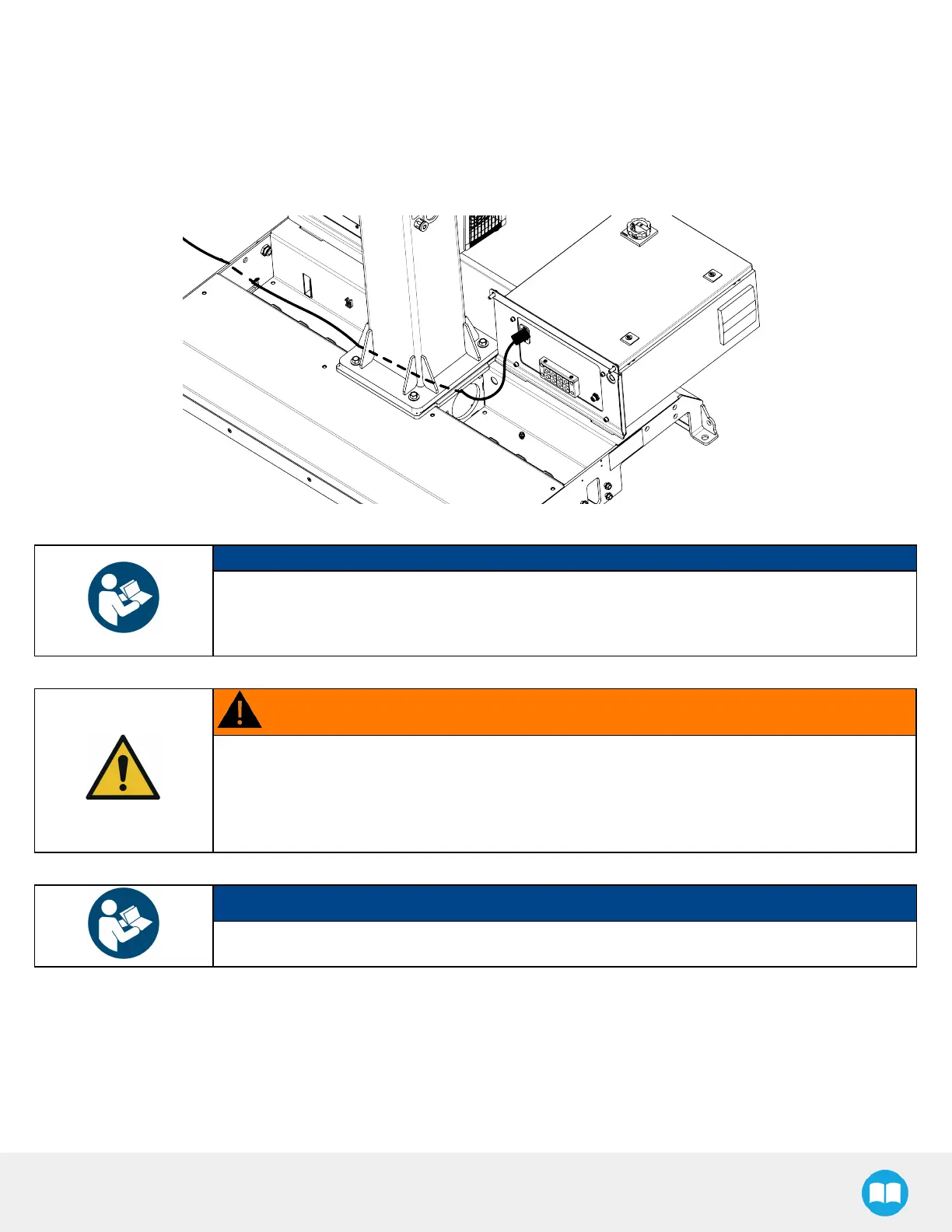
Powerand ControlConnections
1. Run the power cable provided with the robot through the hole on the conveyor side of the base, and channel it through the
cable gutter.
2. Connect the cable to the power entry connector of the Robotiq control box.
3. Secure the cable to the cable gutter using cable ties.
NOTICE
The robot’s power cable and the power cable coming from the Robotiq control box should both be
channeled through the cable gutter.
All other cablesshould be laid directly on the bottom of the cable compartment.
WARNING
Electrical Hazard
The power supply cable should be protected in such a way that preventsany risk of pinching,
cutting or otherwise damaging the sheathing or sleeve of the cable.
Failure to follow these instructionsmay result in material damage, serious injury or death.
NOTICE
The Robotiq control box provides power to the URcontrol box.
4. Connect the female power plug from the URcontrol box bay to the power entry connector of the URcontrol box.
5. Connect the robot cable tucked into the pedestal to the URcontrol box.
6. Open the URcontrol box.
7. Connect the provided USB/Ethernet adapter directly to a USB port of the URcontrol box.
36



 To Next Page