l
If required, duplicate a recipe and tap the OK button, or tap Cancel to go back to the list of recipes.
l
Tap the Edit button under the name of a recipe to bring up the Box, Pallet, Pattern and Settings blocks specific to the recipe to
edit.
BoxBlock
Single Pick(Default Mode)
By default (single pick), the home view of the Palletizer node displaysthe Box, Pallet, Pattern and Settings blocks of the only recipe
available.
Tap the Edit button in the Box block to bring up the Boxmenu.
Multi-Pick(Different Boxesor BoxGroups)
By default, the multi-pick feature is disabled in Settingsmenu.
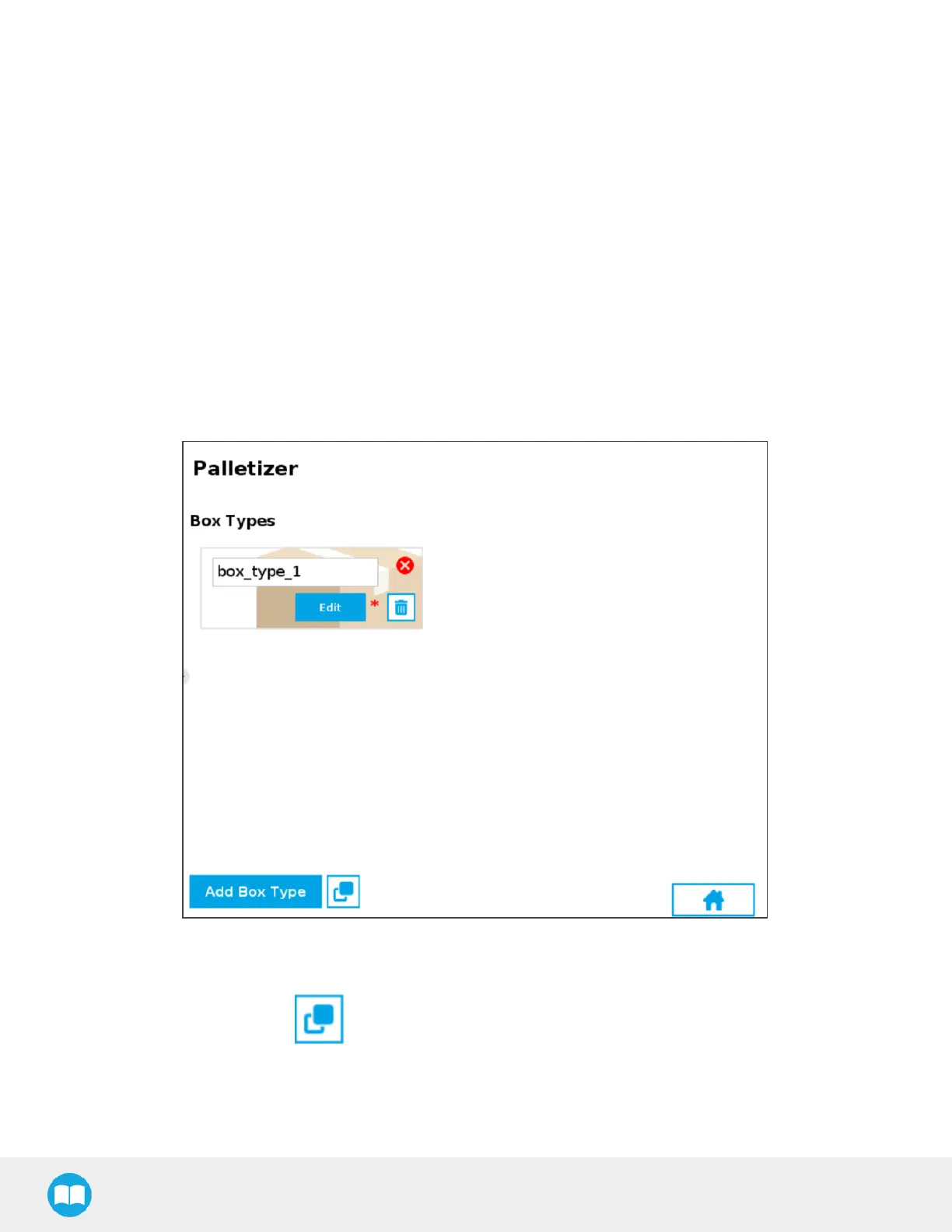
When the multi-pick feature is enabled in the Settingsmenu, selecting the Box block bringsup the Box Types menu (i.e., the list of
box types created).
Fig. 5-9: Box Type Menu (Multi-Pick Feature)
l
If applicable, tap the Add BoxType button to create a new box type, yet to be configured.
l
If applicable, tap the Duplicate icon to open the duplication menu.
84



 To Next Page