d. Define conveyor to avoid collisions
Unticked by default.
Tick the box to unlock the Configure button.
Tapping the Configure button will bring up the Conveyor menu.
Conveyor Menu
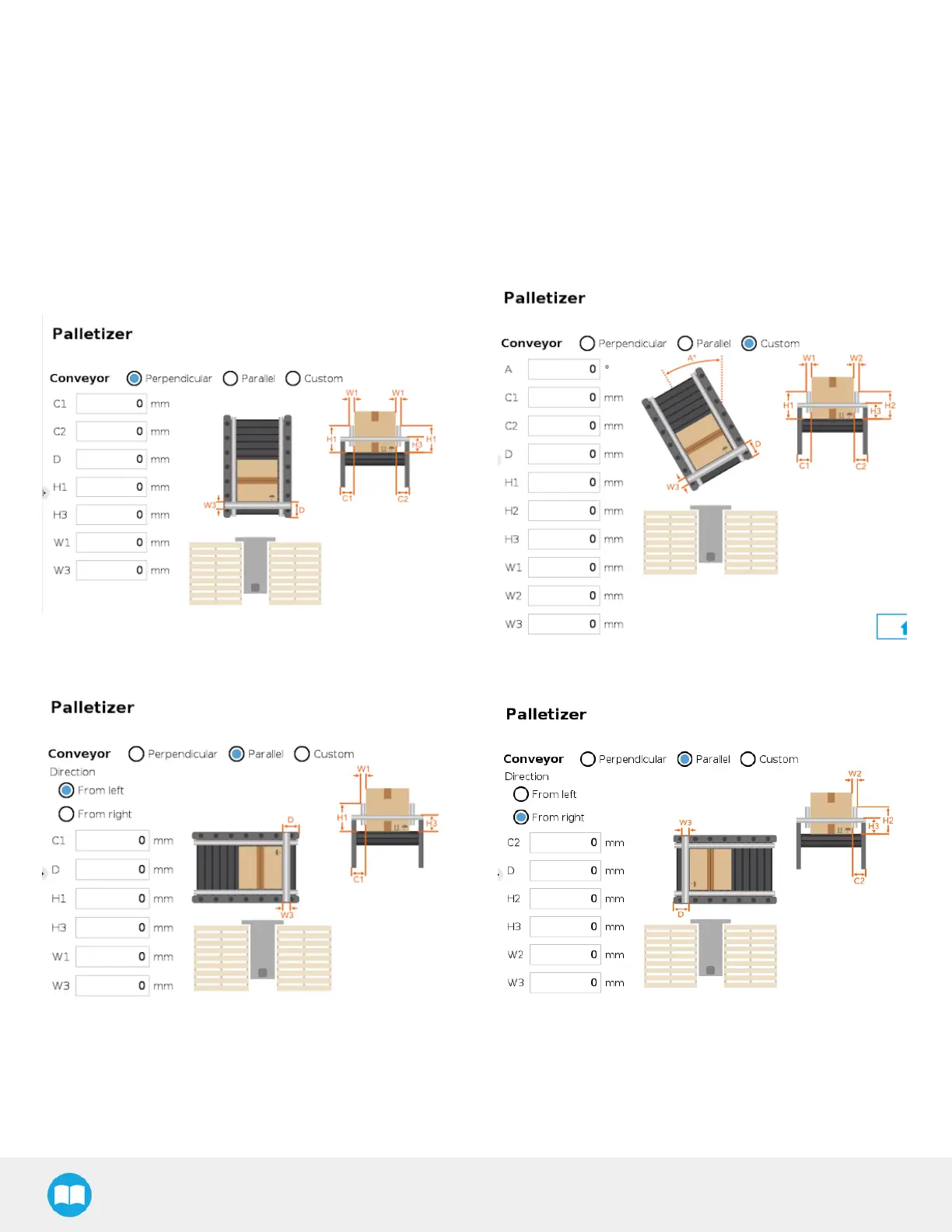
Tick the radio button that correspondsto the palletizing cell (Perpendicular, Parallel, Custom).
Refer to the diagram on the interface and enter the corresponding values.
Fig. 5-16: Perpendicular Conveyor Configuration
Fig. 5-17: Custom Conveyor Configuration
Fig. 5-18: Left-to-Right Parallel Conveyor Configuration
Fig. 5-19: Right-to-Left Parallel Conveyor Configuration
90



 To Next Page