20
© Rodenstock GmbH
Status: September 2023
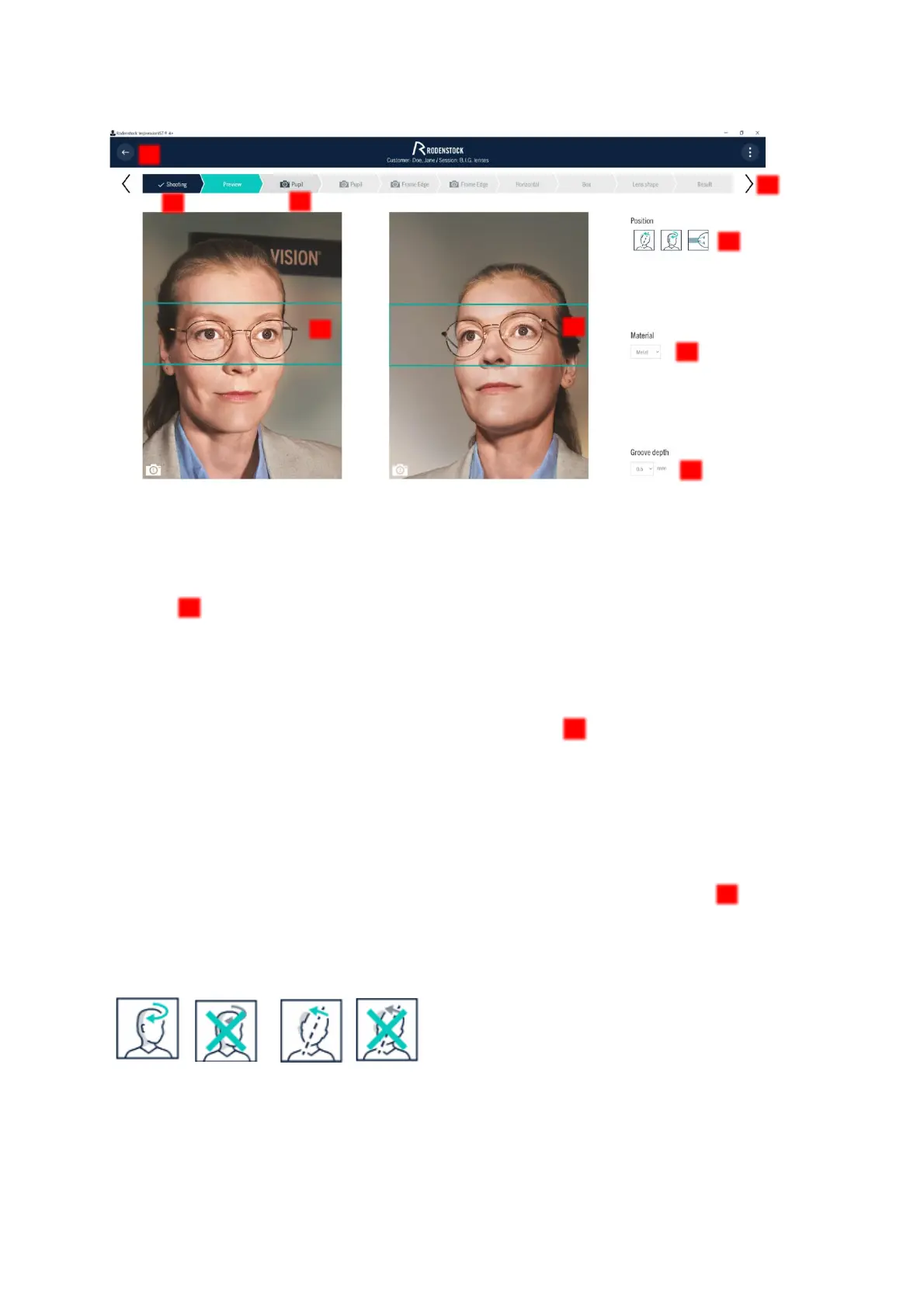
Figure 4-5: Preview to check the images, to set the automatic correction functions and to preselect the image section for evaluation.
4.3.1 Checking the images
Before proceeding, please check that both eyes are clearly visible and not closed and that no disturbing light
reflections are covering the pupils. If the images are not in order, you can discard the images by pressing
"Shooting" to return to the live image view.
• If there are annoying reflections in the image, you can avoid them by moving the camera slide slightly up
or down for the new exposure.
4.3.2 Selecting the correct image section
You can now correct the preselection of the image section that you want to use for further evaluation by
moving it, if necessary. This frame is to be placed so that it encompasses the eye area with the glasses.
• If the pre-selection of the image section is insufficiently precise, the image section can be edited later in
the subsequent work steps in the thumbnail image if necessary.
4.3.3 Automatic correction of head rotation and head tilt
The ImpressionIST® 4+ automatically corrects an unwanted head tilt or head rotation. This is a function that you
can deactivate in certain cases, for example in the case of chronic head tilt, under "Position" and in the
results display.
In the case of chronic head rotation or head tilt, caused for example by years of one-eyedness, deactivate the
automatic correction by clicking on the icon provided for this purpose. It will then appear crossed out. The
individual parameters and the centering data are then calculated for the rotated head posture of your customer.
Figure 4-6: Consider head rotation or head tilt On/Off



 To Next Page