Dependency of the data during the evaluation
(a)
The displayed total pupillary distance (
𝑃𝐷
2
) is very stable.
(b)
1st of the fitting height, measured from the lower frame edge
(c)
2nd approximation of the monocular PD, measured to the center between the nasal measuring points on the
frame.
(d)
Very exact approximation. The parameters change after the definition of the box dimensions only slightly.
4.4.2 1st & 2nd Pupil
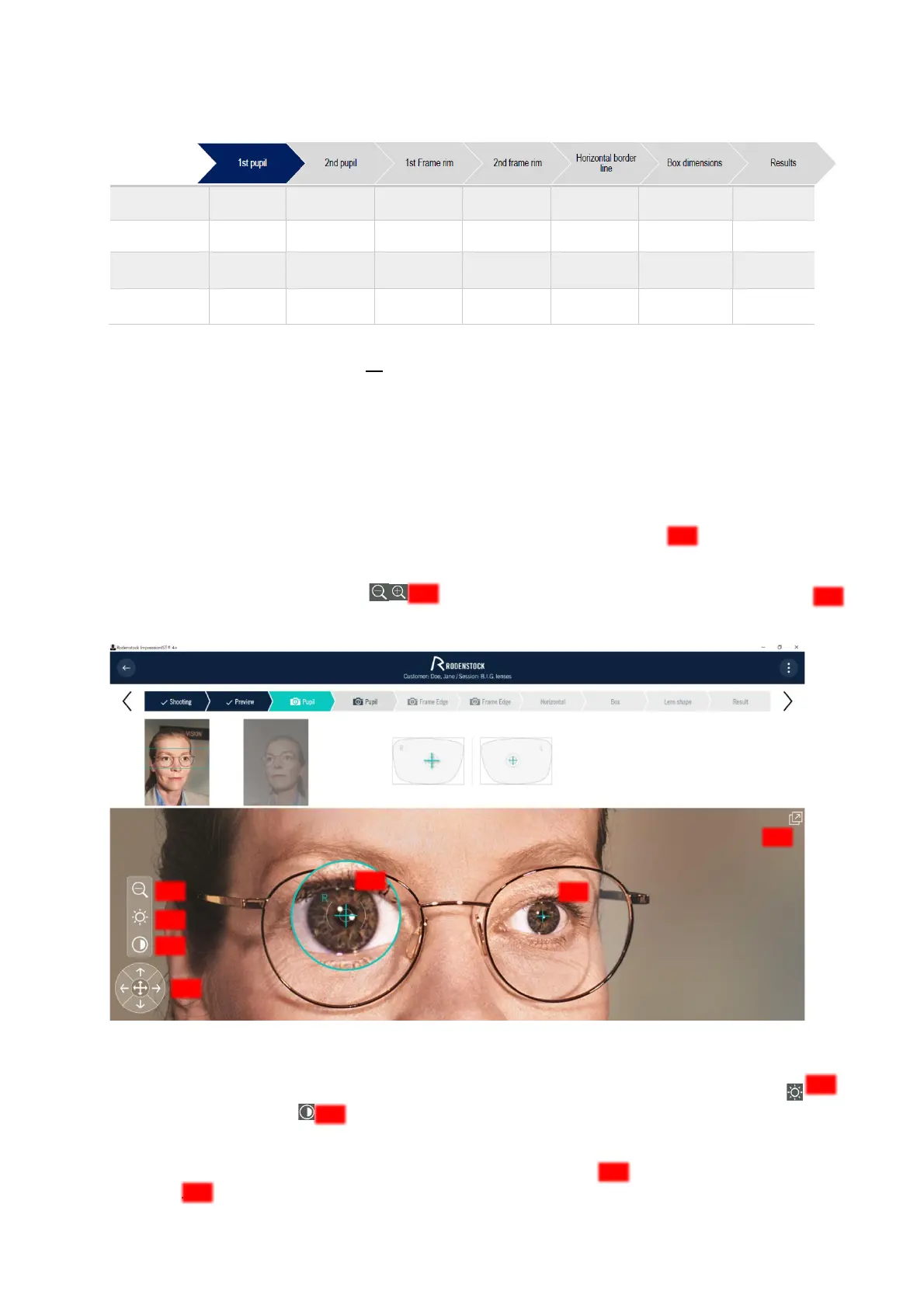
At the beginning of the evaluation, the system automatically searches for the pupil centers . You should
check this preselection and edit it if necessary.
To do this, you can use the zoom function and move the selection crosses or use the displayed arrow
keys. The selection markers can also be moved using the [Arrow] key on the keyboard. Use the [Tab] key to jump
back and forth between the selection markers for the left and right pupil.
Figure 4-9: Pupil selection
The area selected in the colored circle can be edited in contrast and brightness. To do this, click on the icons
for adjusting the brightness or for changing the contrast (Figure 4-9) and move the contrast or brightness
slider that appears.
For a detailed view, you can switch to the zoom view (Figure 4 10) via the icon and return to the initial view
via the icon.



 To Next Page