23
© Rodenstock GmbH
Status: September 2023
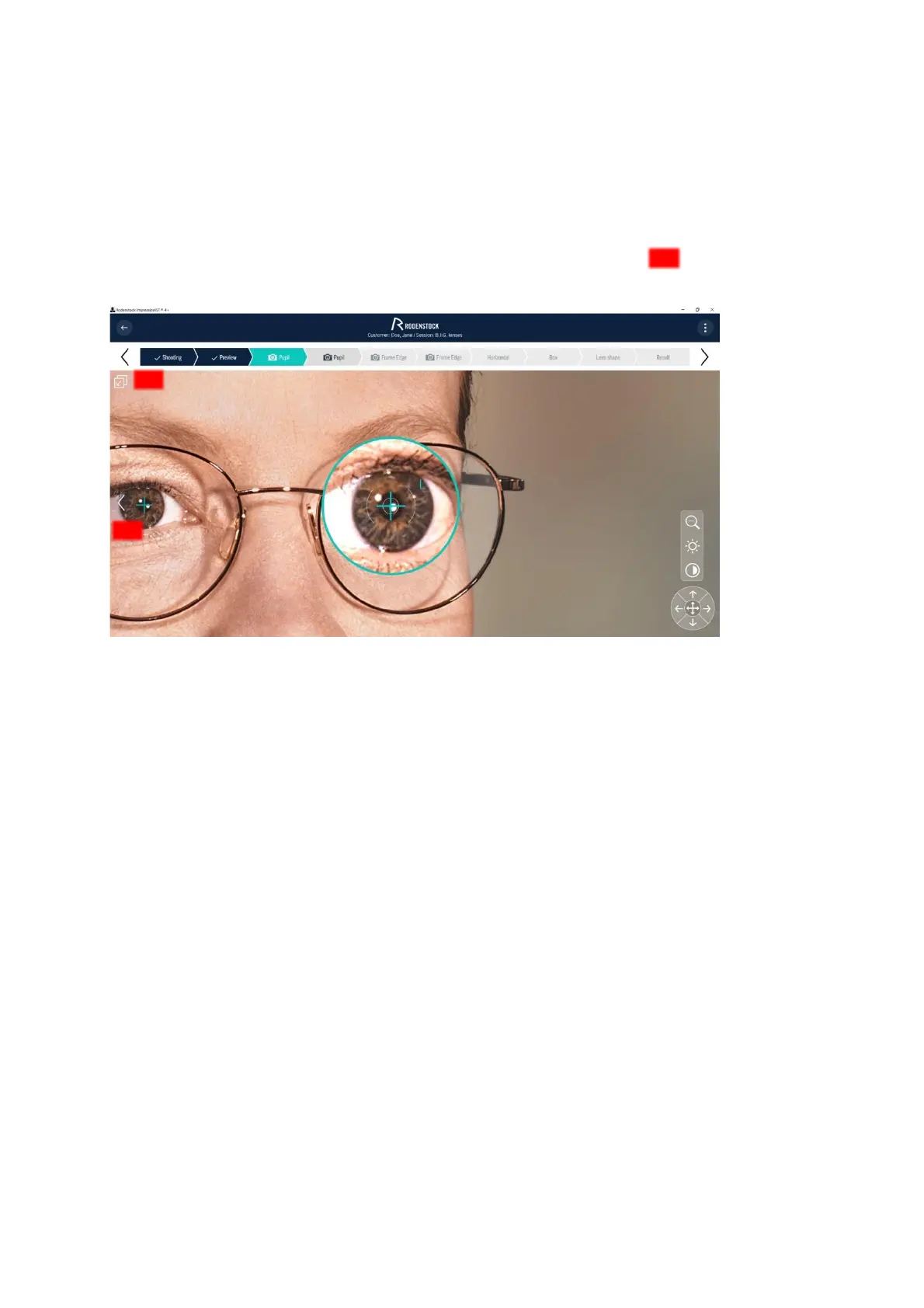
Start the readjustment of the automatic pupil finding by selecting the selection cross on the touchscreen or
monitor. Position the selection cross in the center of the pupil of the right and left eye respectively. By selecting
with the arrow keys in the zoom view, you will achieve a much more precise result than if you perform the
selection manually.
To switch the halves of the face, click on the selection object of the respective eye. If you are in the zoom view,
the face half can be changed simply by using the arrow key on the corresponding edge (Figure 4 10) or by
using the [Tab] key.
Figure 4-10: Zoom view Pupil selection
• If possible, use the zoom function to maximize the accuracy of the result. For accurate detection of the
pupil centers, brightening and contrast enhancement are useful.
Consider the following special cases:
− In the case of deep-set eyes or drooping eyelids (ptosis), the pupil may be obscured. This can make
automatic pupil preselection difficult or impossible. In such cases, position the crosses manually in the
center of the pupil with support from the zoom function.
− In the case of very steep corneal curvatures, e.g. keratoconus or after keratoplasty, the pupil may
appear blurred or distorted due to the uneven corneal surface. Try to select the pupil centers as
accurately as possible using the zoom.
− With very dark eyes, the selection cross is somewhat more difficult to set due to the weaker contrast
between the iris and the pupil. Lighten the image on the right using the brightness slider and increase
the contrast.
• Be sure to mark the center of the pupil accurately, as all other individual parameters relate to this location.
Perform the steps specified in this section analogously for the "2nd pupil" evaluation step.



 To Next Page