33
2. Creating an original pattern
Quick Start
By using the Chord Memory function (p. 56) you can play complex
chords in real time with a single finger.
Prepare for recording
1.
Select part 4.
2.
Press [REC].
The recording menu screen will appear.
3.
Use [CURSOR ] to select “Realtime Rec,” and press
[ENTER].
You’ll be in realtime recording standby mode.
fig.qs-023_50
4.
Press [PLAY] to begin recording.
Now you can record.
Enter a chord
1.
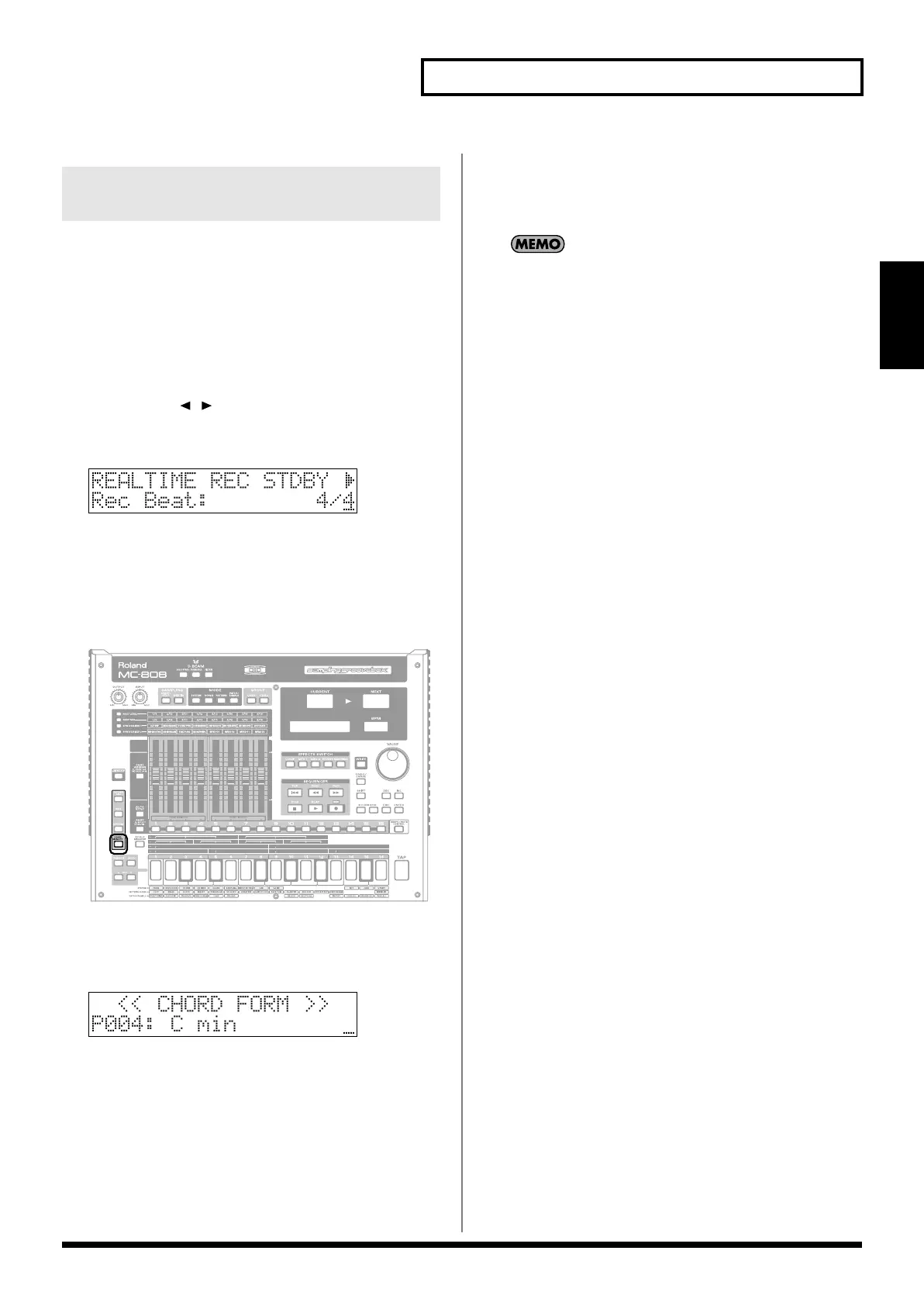
Press [CHORD MEMORY] so it’s lit.
fig.qs-035_50
2.
Select a chord form.
Hold down [CHORD MEMORY] and turn the VALUE dial or
use [INC] [DEC] to select “P004 C min.”
fig.qs-024_50
3.
Press keyboard pad 2 at the timings shown below.
Measure 1 Beat 1 (1-1-000)
Back of beat 2 (1-2-240)
Measure 3 Beat 1 (3-1-000)
Back of beat 2 (3-2-240)
Stop recording
1.
Press [STOP] to stop recording.
2.
Press [CHORD MEMORY] to turn off its illumination.
If your timing was inaccurate, you can use the pattern edit
Quantize function to correct the timing (p. 75). Alternatively,
you can record with Quantize turned on (
“Qtz Reso (Quantize
Resolution)”
(p. 66)).
2-2-5
Using the Chord Memory
function for realtime recording
MC-808_r_e.book 33 ページ 2007年7月17日 火曜日 午後5時1分

 To Next Page
 Loading...