Loading Media
2
Basic
Operation
21
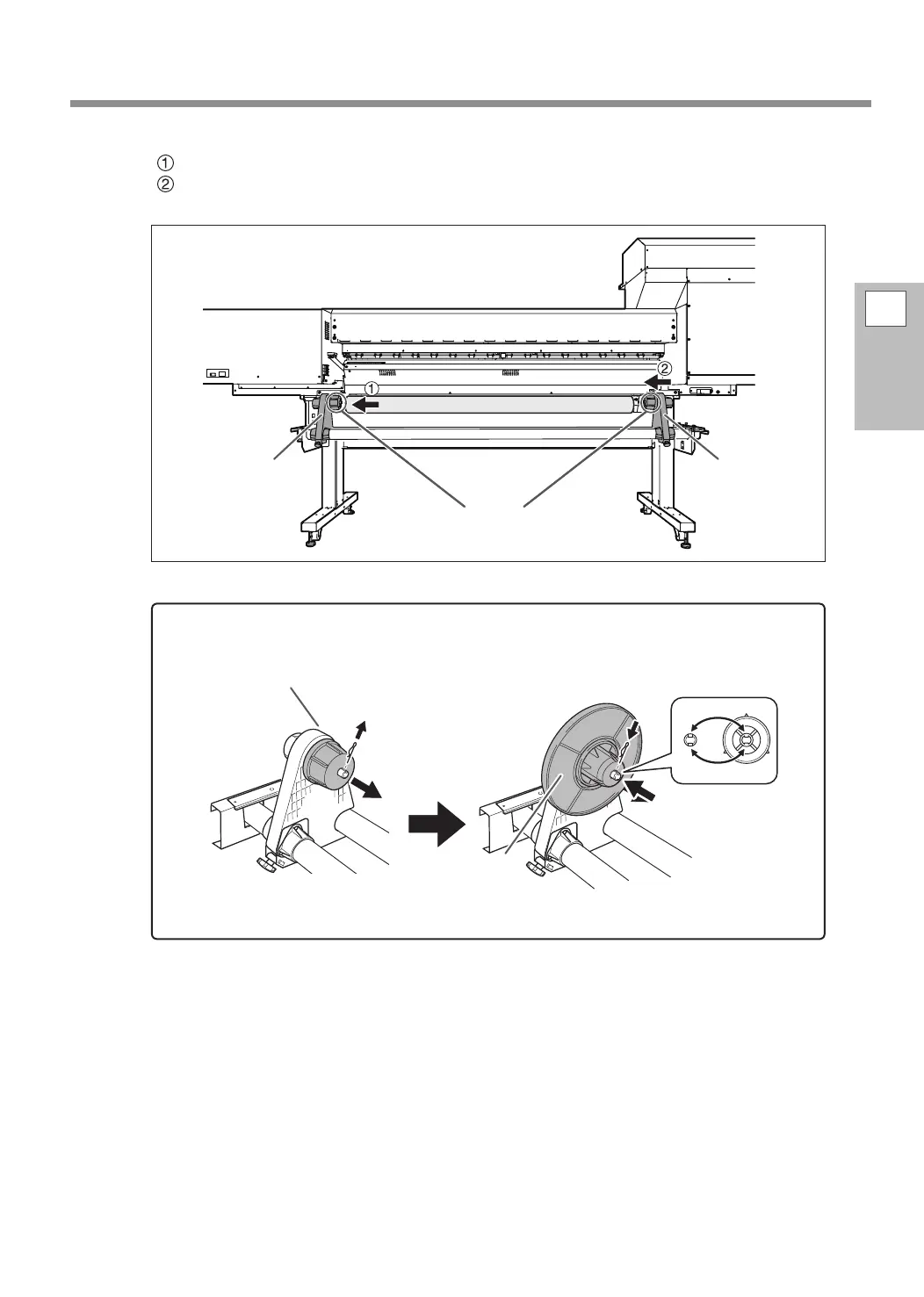
Fit the paper tube (core) of the media onto the end cap of the left media holder.
Move the right media holder to t its end cap onto the paper tube (core) of the media.
Fit the paper tube onto the media holders securely to prevent the media from moving easily.
How to use media anges for paper tubes (cores) with an internal diameter of 2 inches
Note: Media anges for paper tubes (cores) with an internal diameter of 2 inches are optional items.
Left media holder Right media holder
End cap
Media anges for
paper tubes (cores)
with an internal di-
ameter of 2 inches
Insert the pin.
Line up the ridges
and grooves.
Pull out the pin.
If it is dicult to pull
out, use a pair of pli-
ers or a similar tool.
End cap















 To Next Page