Loading Media
2
Basic
Operation
22
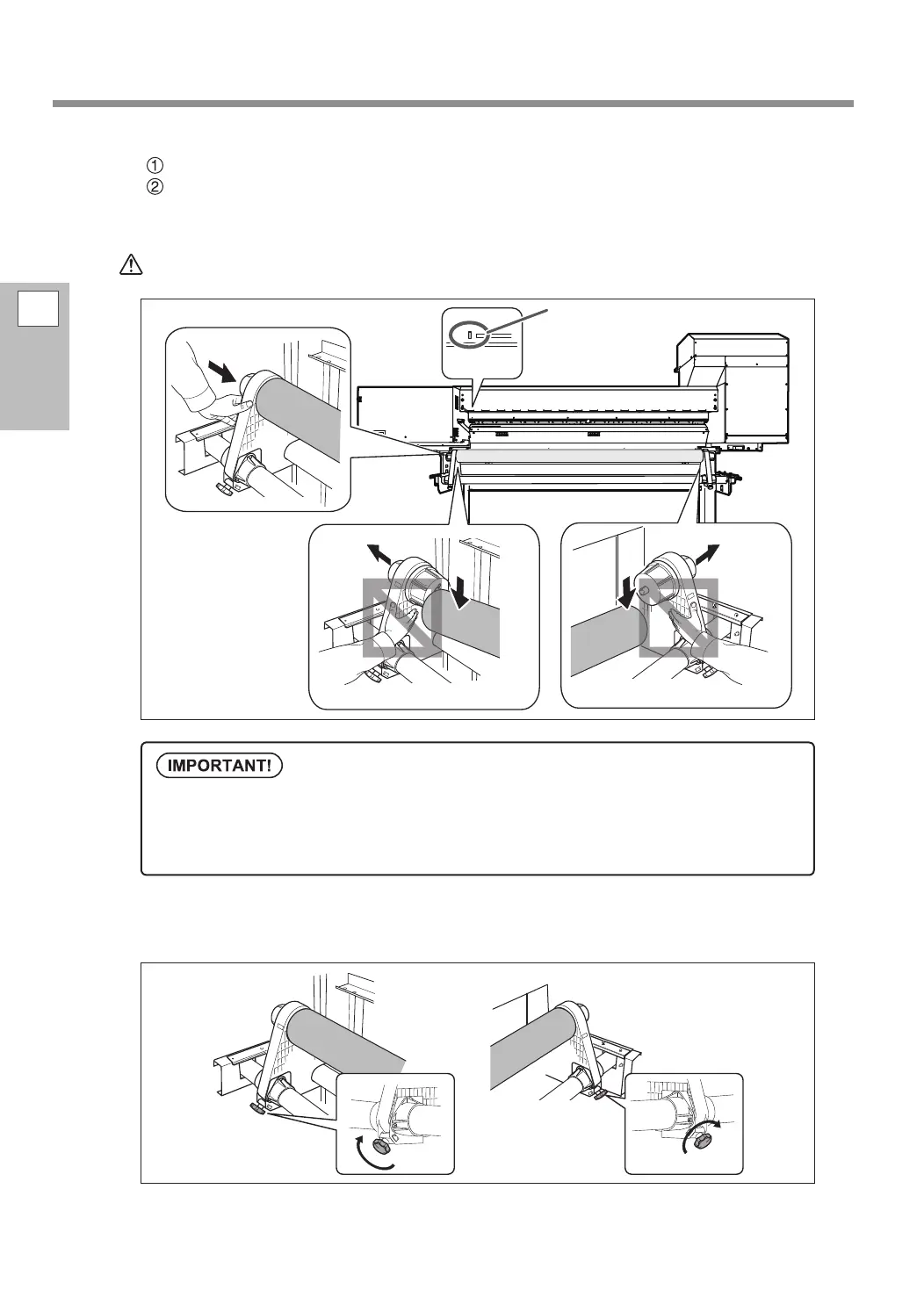
Loosen the retaining screw of the left media holder.
Hold the outside of the media holder and align the left edge of the media with the mark.
When deciding the position, hold both the left and right media holders from the outside and move the
media. Do not move the media by holding it directly.
CAUTION
Do not hold places other than those instructed.
Doing so may cause the media to fall off the media holder and cause injury.
Secure the media holders by tightening the retaining screws slightly.
The retaining screws may be damaged if tightened excessively.
Firmly decide the left and right side positions of the media at this point.
After this procedure is completed, if the left and right side positions do not t the proper positions
when securing the media with pinch rollers, you will have to go back to this step to redo this procedure.
If you just hold the media to readjust its position forcibly, the media will be skewed during printing,
which will have an adverse aect on the printing quality.
R
L
Mark















 To Next Page