Setup of Media
2
Basic
Operation
33
Press or to set the temperature.
Recommended temperature: 50°C
Press to conrm your entry.
For the individual setting method and the description of this setting item, refer to the following section.
P. 86, "Making the Temperature Setting for the Media Heating System"
3.
Adjust the print head height.
Press to select [CHANGE].
Press
to conrm your entry.
When the screen shown on the left is displayed, open
the front cover.
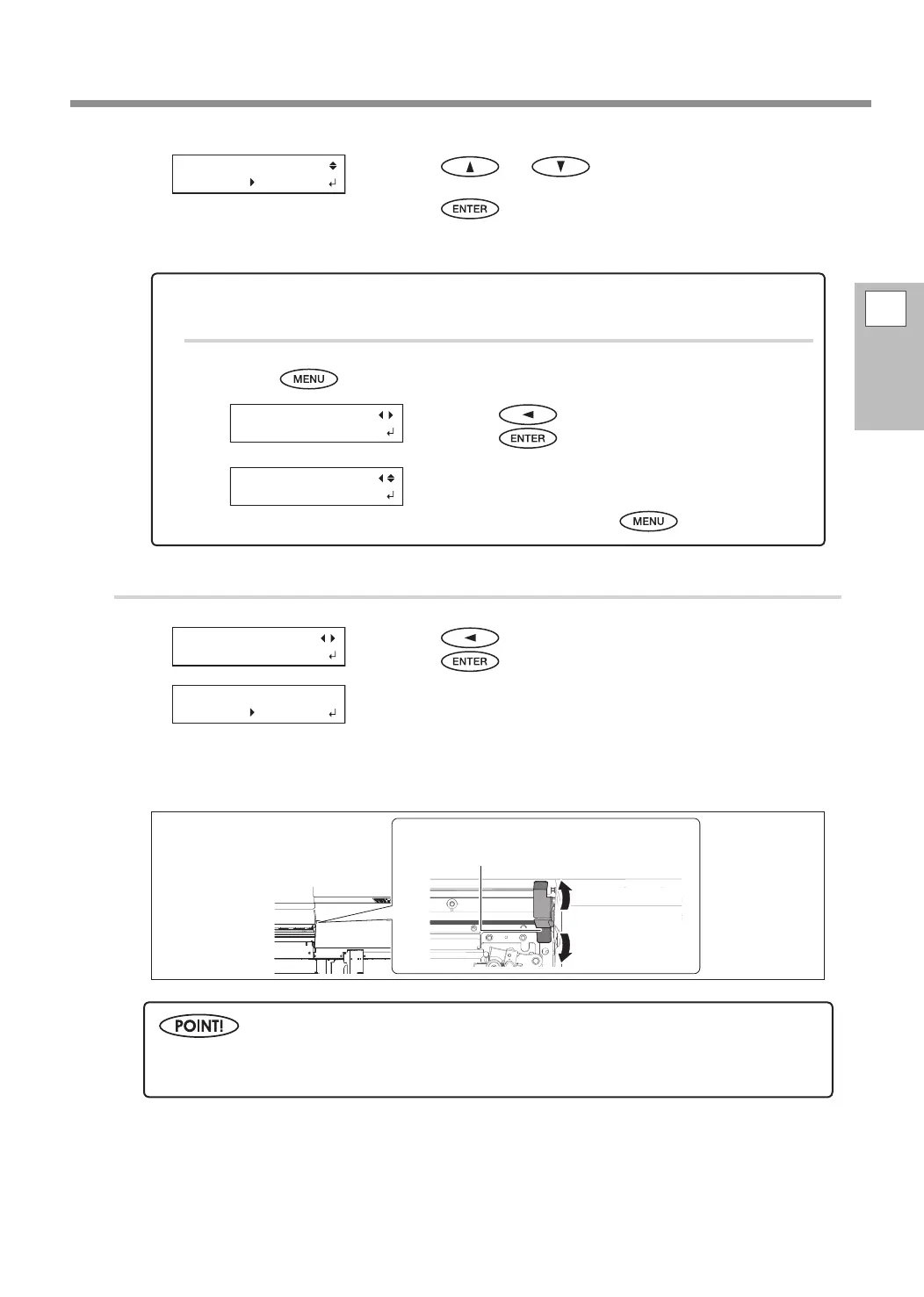
Move the height-adjustment lever to adjust the print head height.
When moving to the [High] direction, the buzzer sounds twice, and to the [Low] direction, the buzzer
sounds once.
Close the front cover.
For the individual setting method and the description of this setting item, refer to the following section.
P. 95, "Adjusting Print Head Height to Match Media Thickness"
To cancel setup
Procedure
Press during setup.
Press to select [YES].
Press
.
The screen shown in the gure on the left appears again.
Selecting [NO] returns you to the screen that was dis-
played when you pressed
.
QUIT SETTING
[YES] NO
MENU
MEDIA SETTING
HEAD HGT LOW
[CHANGE] NEXT
HEAD HEIGHT
HIGH LOW
Normally move the height-adjustment lever to [Low]. For media that is wrinkled or comes loose from
the platen, move the height-adjustment lever to [High].
Height-adjustment lever
Move rmly, until it stops.















 To Next Page