Replacing Consumable Parts
3
Maintenance
75
2.
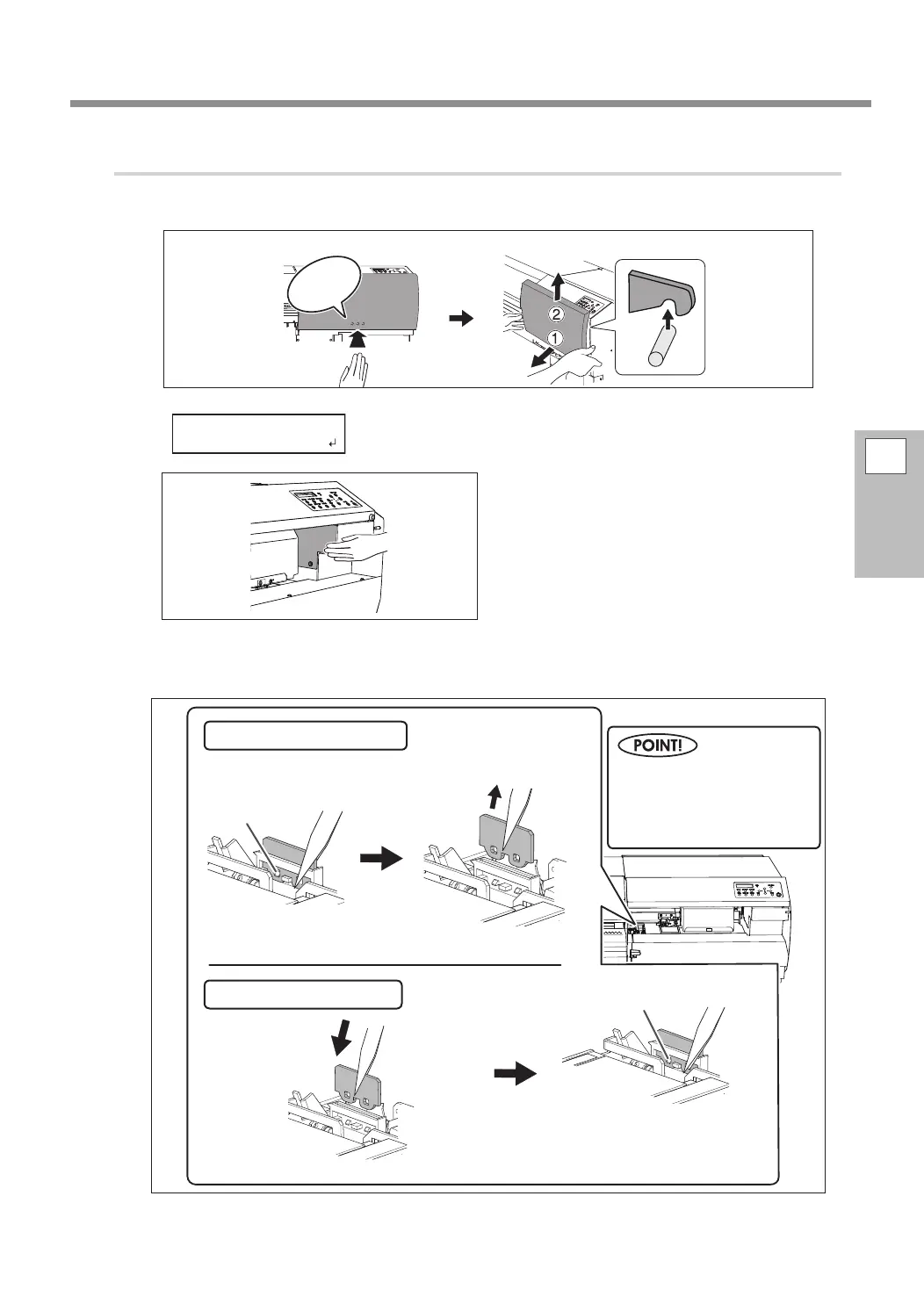
Replace the felt wipers.
Open the right cover.
Preparations are complete when this screen appears.
Touch the location shown in the gure to
discharge any static electricity.
Open the front cover.
Replace the rst felt wiper.
Click!
Pull up and out.
Disconnect the hooks.
Using the tweezers to press on the hook in the hole on
the felt wiper makes it easier to remove the felt wiper.
Tweezers (included)
Hook
Attaching a new felt wiper
Removing an old felt wiper
Hook
Attach the part to the hooks.
Be sure to attach the part to the
hooks. Failure to do so may result
in dot drop-out or other problems.
If the area is dark and dicult
to see, use a flashlight or a
similar device to illuminate
the area.















 To Next Page