Getting Ready to Play
18
Using a USB Flash Drive
If a USB ash drive (separately sold) is connected to the SPD-SX, you’ll be able to do the following things.
• Import audio les from the USB ash drive (p. 39).
• Use the USB ash drive to save or load the SPD-SX’s waves or settings (p. 65, p. 66).
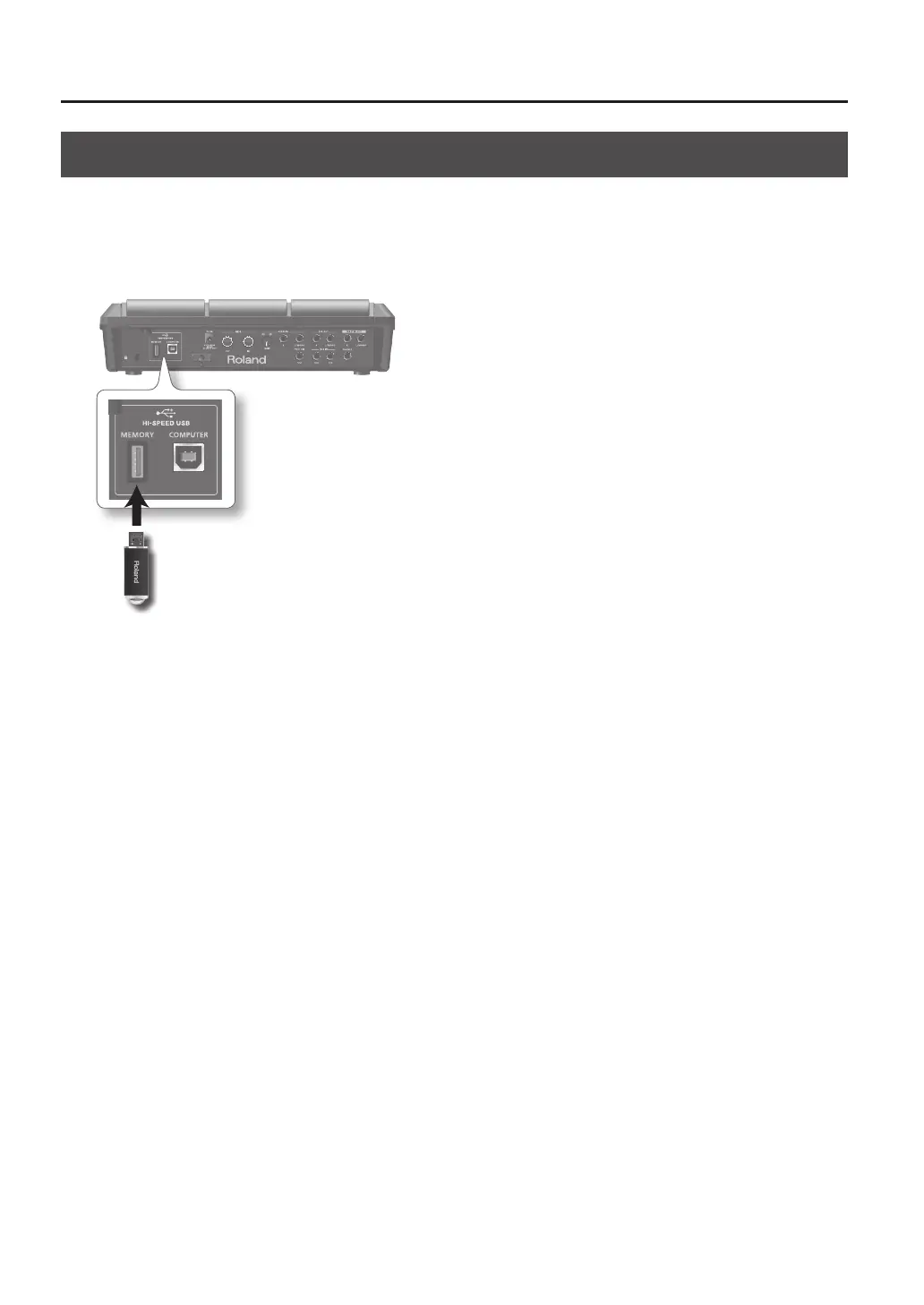
1. Connect your USB ash drive to the USB MEMORY connector.
USB ash drive
* Carefully insert the USB ash drives all the way in—until it is rmly in place.
* Use USB Flash Memory sold by Roland. We cannot guarantee operation if other USB ash drive is used.



 To Next Page