Connecting an External MIDI Device
67
Connecting an External MIDI Device
About MIDI
MIDI (Musical Instrument Digital Interface) is a standard specication that allows musical data to be transferred between
electronic musical instruments and computers.
About the MIDI connectors
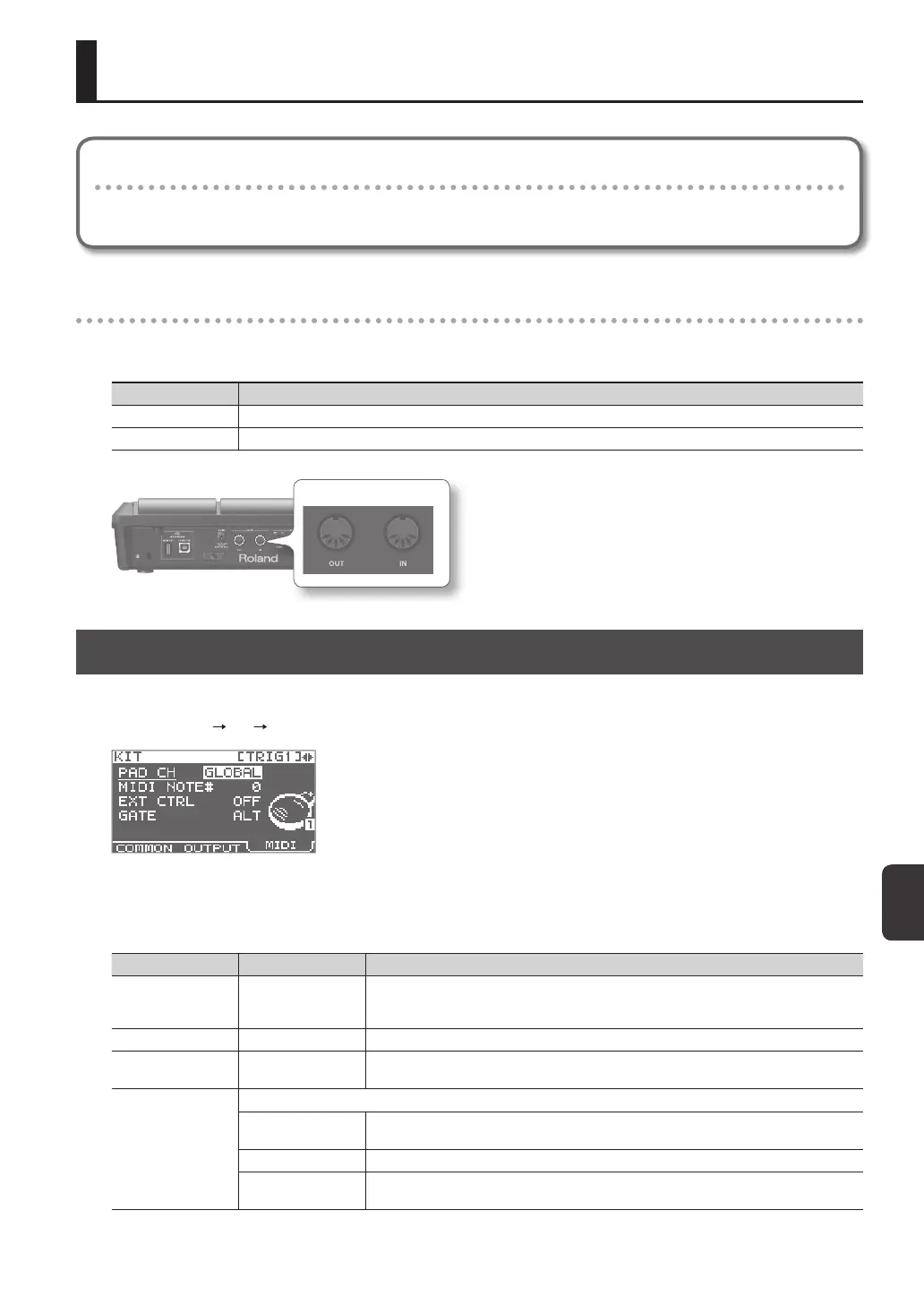
MIDI messages are exchanged using the MIDI connectors. Connect MIDI cables to these connectors as appropriate for your
setup.
MIDI connector Explanation
MIDI IN connector Receives MIDI messages sent by an external MIDI device.
MIDI OUT connector Transmits MIDI messages from the SPD-SX.
MIDI connector
MIDI Settings for Each Pad (MIDI)
Here you can make MIDI settings for each pad. For details on the procedure, refer to “Basic Editing Procedure” (p. 16).
1. Choose MENU KIT MIDI.
2. Select the item that you want to set.
3. Edit the parameter.
Parameter Value Explanation
PAD CH GLOBAL, 1–16
Allows you to set the channel on which transmission/reception takes place, on an individual
pad basis. When set to "GLOBAL," transmission/reception will take place on the channel that's
been set for GLOBAL CH (p. 68).
MIDI NOTE# OFF, 0–127 Species the note number transmitted from the MIDI OUT connector.
EXT CTRL OFF, ON
When set to "ON," notes will be transmitted in accordance with the setting for GATE. At this
time, no sound will be produced when you play the pads.
GATE
Species how notes will be transmitted.
OFF
A note-o will be transmitted immediately after a note-on is transmitted. Choose this setting
if using the SPD-SX to play an external drum sound module.
ALT A note-on and note-o will be transmitted alternately each time you play the pad.
0.1–8.0S
A note-o will be transmitted after the gate time (note length) you specify. The gate time can
be adjusted in 0.1 second steps.



 To Next Page