Overall Settings for the SPD-SX
Overall Settings for the SPD-SX
57
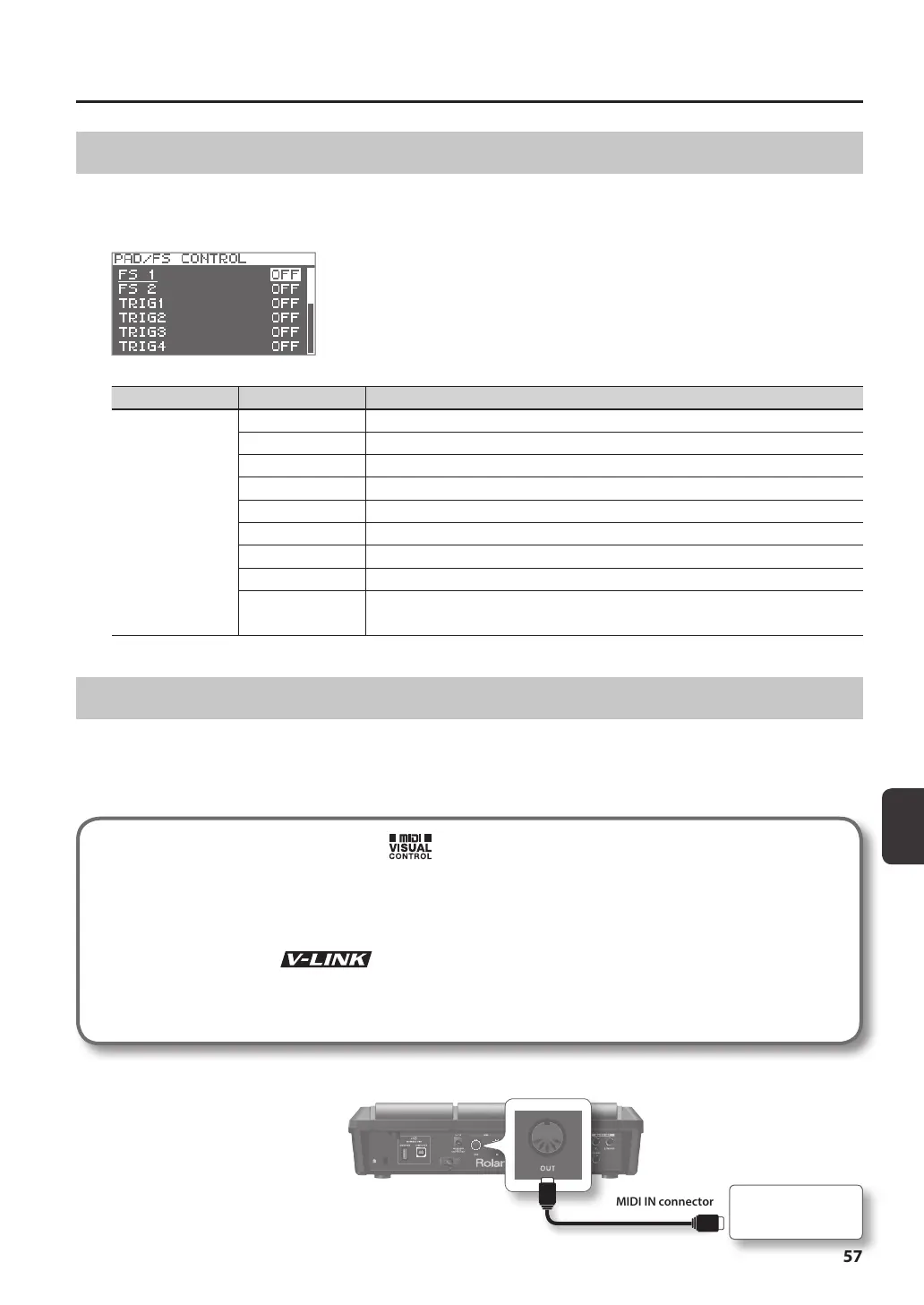
Using a Pad or Footswitch as a Switch (PAD/FS CONTROL)
You can assign a pad to perform a function other than playing a sound. For example, you can play a pad to switch between kits
or turn a kit eect on/o. This is convenient during live performances, since it lets you avoid having to operate the buttons.
* Any pad for which you’ve made PAD/FS CONTROL settings will not produce sound when you play it.
Parameter Value Explanation
FS 1, FS 2, TRIG1–4,
PAD1–9
OFF PAD/FS CONTROL is o.
KIT INC Recalls the next kit.
KIT DEC Recalls the previous kit.
CLICK Turns the click on/o.
TAP TEMPO Sets the tempo by the timing at which you play the pad.
ALL SOUND OFF Stops all currently playing sounds.
FX1 ON/OFF Turns kit eect 1 on/o.
FX2 ON/OFF Turns kit eect 2 on/o.
PAD CHECK
Performs the same operation as the [PAD CHECK] button.
* This can be assigned only to FOOT SW1 or FOOT SW2.
Controlling Images (VISUAL CONTROL)
Visual Control is a function that lets you control images along with your performance.
The SPD-SX lets you do the following when a video device supporting MIDI Visual Control or V-LINK is connected.
• Switch kits in order to switch video materials.
• Control images by turning the [CONTROL 1] knob or [CONTROL 2] knob.
What is the MIDI Visual Control?
MIDI Visual Control is an internationally-used recommended practice that was added to the MIDI specication so that
visual expression could be linked with musical performance. Video equipment that is compatible with MIDI Visual
Control can be connected to electronic musical instruments via MIDI in order to control video equipment in tandem
with a performance.
What is the V-LINK?
V-LINK is a function that allows music and images to be performed together. By using MIDI to connect two or more
V-LINK compatible devices, you can easily enjoy a wide range of visual eects that are linked to the expressive elements
of a music performance.
Example connection
Use a MIDI cable to connect the SPD-
SX’s MIDI OUT connector to the MIDI
IN connector of your Visual Control
compatible device.
MIDI OUT connector
Visual Control
compatible device
MIDI IN connector



 To Next Page