Connecting an External MIDI Device
68
MIDI Settings for the Entire SPD-SX (MIDI)
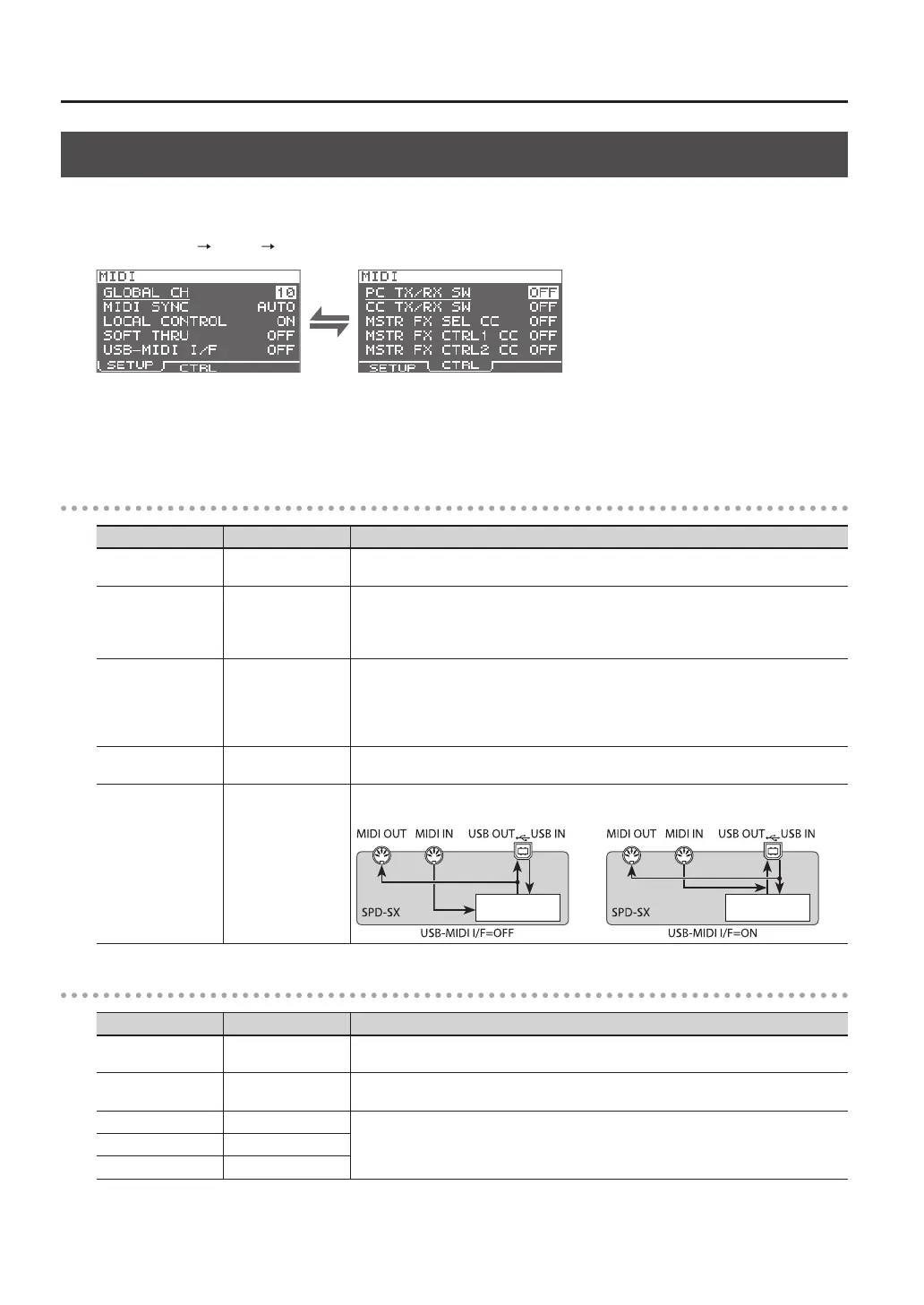
Here you can make overall MIDI settings that apply to the entire SPD-SX. For details on the procedure, refer to “Basic Editing
Procedure” (p. 16).
1. Choose MENU SETUP MIDI.
2. Select the item that you want to set.
3. Edit the parameter.
SETUP
Parameter Value Explanation
GLOBAL CH OFF, 1–16
Species the transmit and receive channel. If you choose "OFF," MIDI messages will not be
transmitted.
MIDI SYNC OFF, AUTO
Species whether to synchronize the SPD-SX’s playback tempo.
If you choose “AUTO,” MIDI clock (F8) messages received via the MIDI IN connector or
the COMPUTER connector will be detected automatically, and the SPD-SX’s tempo will
synchronize to these messages.
LOCAL CONTROL OFF, ON
Local Control is a setting used when recording your pad performance into an external MIDI
sequencer.
When recording, turn LOCAL CONTROL “OFF” so that when you play the pads, the perfor-
mance data will not be sent directly to the SPD-SX’s internal sound generator, but will be
routed through the external sequencer and then sent back to the SPD-SX.
SOFT THRU OFF, ON
If this is “ON,” data received at the MIDI IN connector will also be transmitted from the MIDI
OUT connector along with the performance data of the SPD-SX itself.
USB-MIDI I/F OFF, ON
If this is “ON,” MIDI messages transmitted or received via the COMPUTER connector will be
transmitted and received without change via the MIDI connectors.
Internal sound
generator
Internal sound
generator
CTRL
Parameter Value Explanation
PC TX/RX SW OFF, ON
Enables (ON) or disables (OFF) transmission and reception of program change messages
between the SPD-SX and an external MIDI device.
CC TX/RX SW OFF, ON
Enables (ON) or disables (OFF) transmission and reception of control change messages
between the SPD-SX and an external MIDI device.
MASTER FX SEL CC OFF, #01–#95
The control change message specied here will be transmitted and received. If this is “OFF,” no
MIDI message will be transmitted and received.
MASTER FX CTRL1 CC OFF, #01–#95
MASTER FX CTRL2 CC OFF, #01–#95



 To Next Page