Importing Audio Files
40
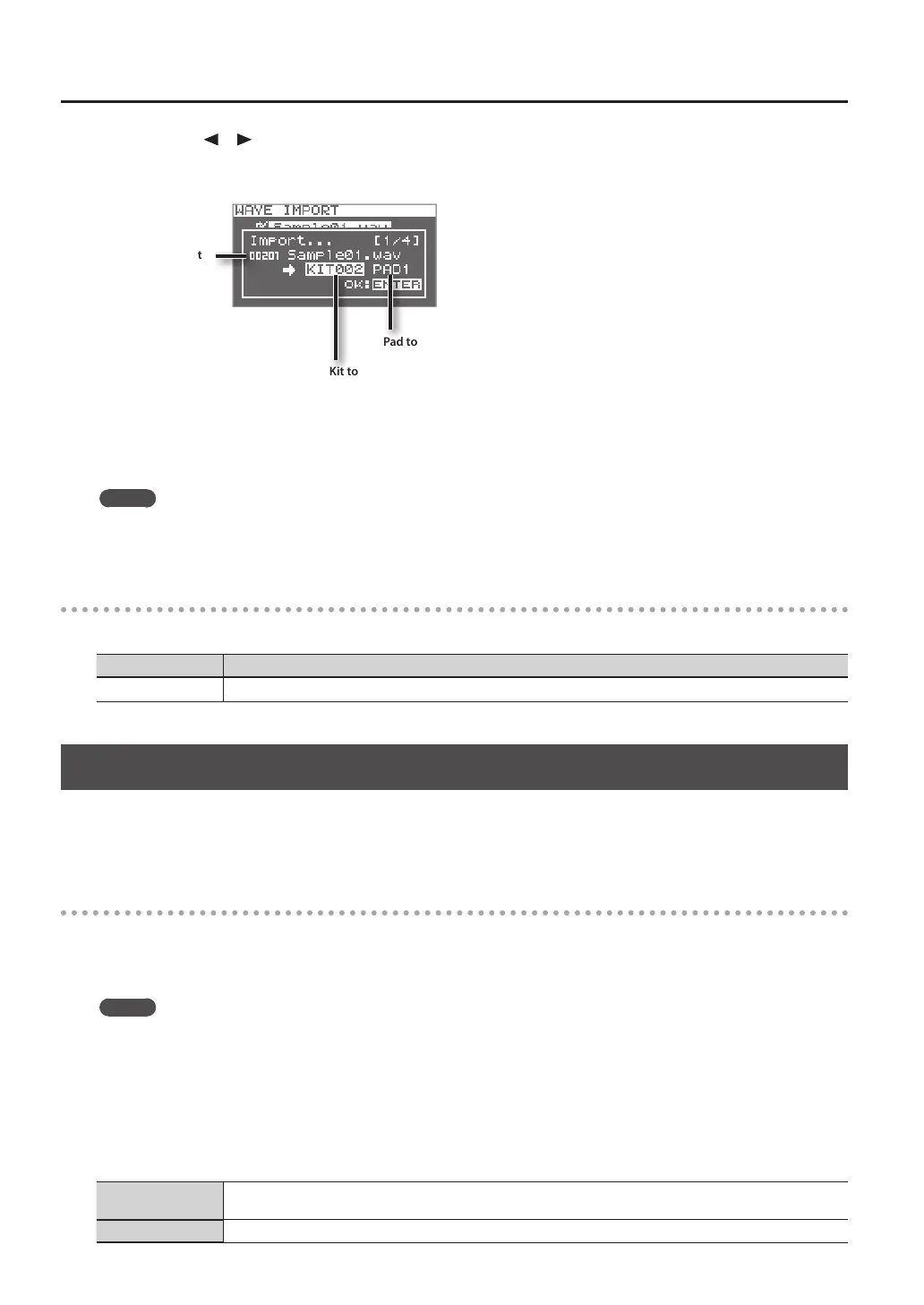
6. Use the cursor [ ] [ ] buttons and the [-] [+] buttons to select the kit and pad to which you want to assign
the audio le.
* You’ll only be able to select an empty kit that contains no waves for any of the pads.
Pad to which the le will be assigned
Kit to which the le will be assigned
Audio le to import
7. Press the [ENTER] button.
The audio le will be imported.
If you want to import multiple audio les, repeat steps 6 and 7 to specify the assignment destination for each audio le.
MEMO
Wave numbers will automatically be assigned to the imported waves.
You can view these waves in the WAVE LIST (p. 64).
WAVE IMPORT screen quick menu
In the WAVE IMPORT screen, pressing the [QUICK] button will display the following quick menu.
Menu Explanation
REMAINING MEM Indicates the remaining amount of internal memory and the remaining amount of time for sampling.
Importing Audio Files from Your Computer
By using “SPD-SX Wave Manager,” provided on the included CD-ROM, audio les from your computer can be imported into the
SPD-SX as waves.
* If you want to use SPD-SX Wave Manager, set USB MODE to “WAVE MGR” (p. 63).
SPD-SX Wave Manager
• Audio les (WAV/AIFF) saved on your computer can be imported as SPD-SX waves.
• WAV/AIFF les from your computer can be assigned directly to a kit.
• You can edit the name of the kit and wave.
MEMO
For details on how to use the software, refer to the Help documentation included with SPD-SX Wave Manager.
1. Install SPD-SX Wave Manager.
For details on how to install SPD-SX Wave Manager, refer to “ReadmeEN.txt” on the included CD-ROM.
2. Connect the SPD-SX to your computer (p. 18).
3. Start up SPD-SX Wave Manager.
Windows
Click [Start], then move the mouse cursor to [All Programs] and then [SPD-SX Wave Manager], and click [SPD-SX Wave
Manager].
Mac OS X In [Applications], double-click [SPD-SX Wave Manager].



 To Next Page