20
Performing
Playing the Pads
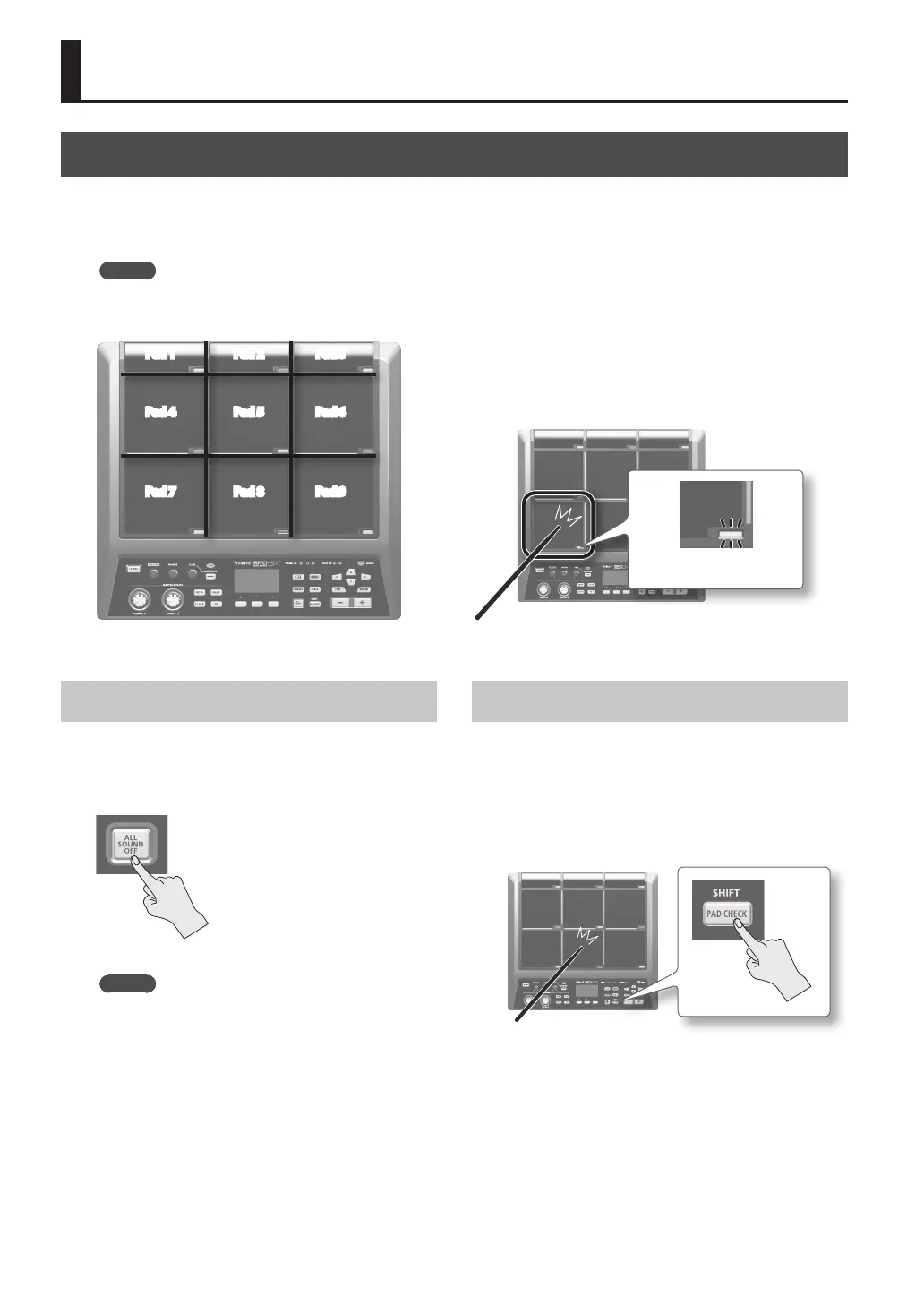
The SPD-SX has nine onboard pads (pads 1–9).
When you play a pad, the indicator of that pad will light.
* Though you can play with your hands, the SPD-SX is designed to respond optimally when played with sticks.
MEMO
• Use the shoulder of the stick to play pads 1–3.
• You can specify how the indicators for the pads will light (p. 59).
Pad 4
Pad 7
Pad 1 Pad 2 Pad 3
Pad 8
Pad 6
Pad 9
Pad 5
Example: When you play pad 7
Pad indicator 7 will light
Stopping All Sounds
Here’s how to stop all currently playing sounds.
1. To stop all sounds, press the [ALL SOUND OFF]
button.
MEMO
You can also stop all currently playing sounds by
playing a pad or pressing a footswitch (p. 57).
Using Headphones to Check Sounds
If desired, you can check the sounds only through
headphones. This is useful during a live performance
when you want to verify sound assigned to a pad
without anyone else hearing it.
1. While holding down the [PAD CHECK] button,
play the pad whose sound you want to check.



 To Next Page