Appendix
Publication PUB089-005-00_0618 109 of 116
Restarting the processor doesn’t delete the tag names
nor any project schedule that the card may have.
When the card re-starts it will create a new FF entry in
the NI Configurator tool’s list of devices.
Delete the old entry by right-clicking on the original
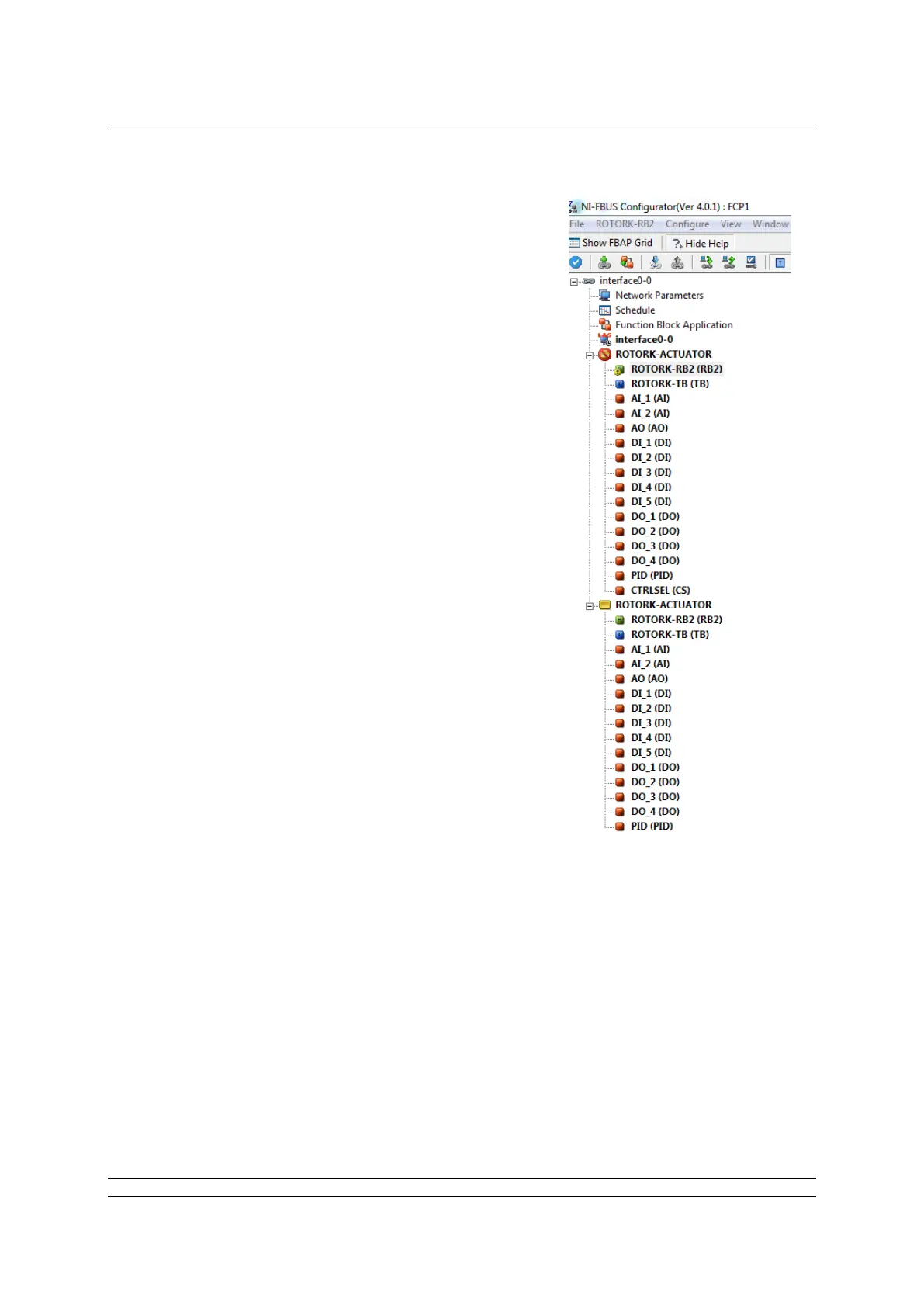
actuator tag (now marked by an error symbol, as shown
on the right) and selecting “Delete”.
Fig F.5: Device view following a processor restart


 To Next Page