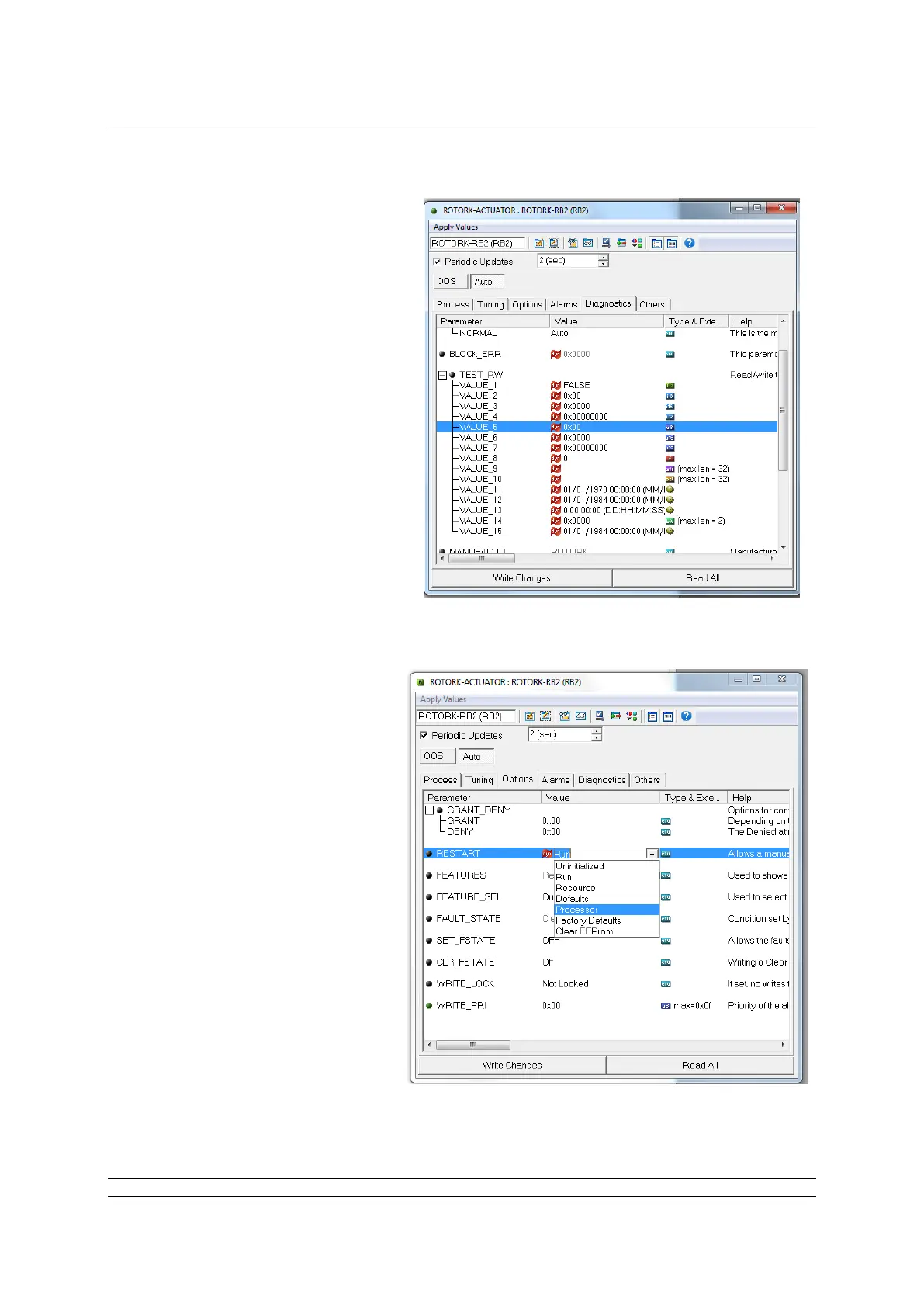
Then click on the “Diagnostics”
tab and highlight “VALUE_5” in
the “TEST_RW” area
To change the ITK rev enter the
value 0x46, 0x51 or 0x61 and
click on “Write Changes”
Fig F.3: Access the RB, diagnostics tab
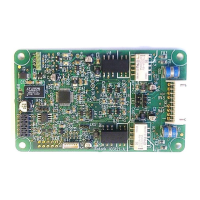
For this value to be taken by the
FF card it will needs to be reset.
To do this, click on “Options” and
on the RESTART line, select
“Processor” and “Write Changes”
If an error message appears, click
on OK. This will restart the
processor and clear the
EEPROM, so the restart process
could take up to a couple of
minutes to complete.
Fig F.4: Restart the processor


 To Next Page