Section 4 Control Denitions HP7A Manual
www.rottlermfg.com
4-6
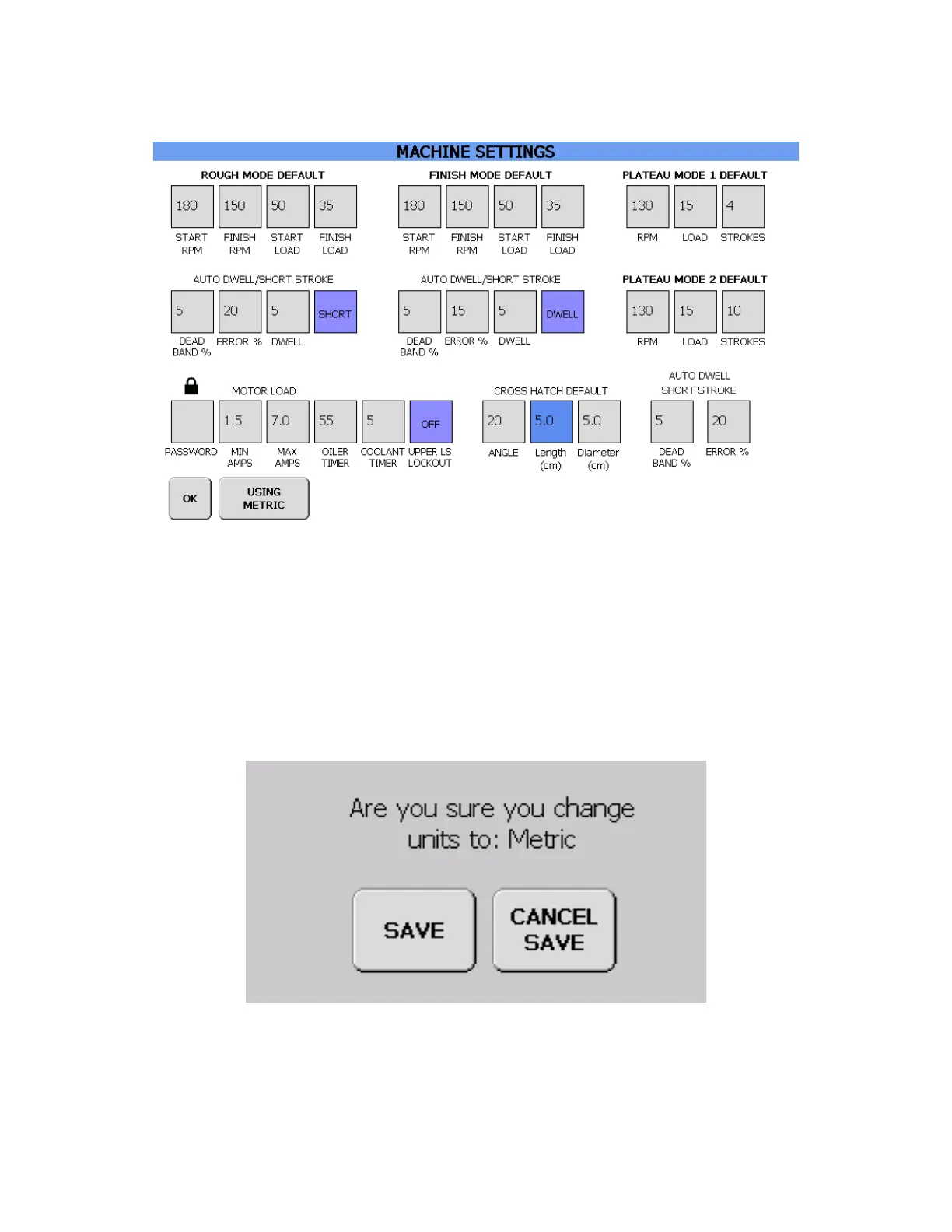
MACHINE SETTINGS SCREEN
Here is where the different operation modes are set up. Touching one of value boxes in the different
MODE sections will cause the keypad to pop up so that a value can be entered. In the 2 AUTO DWELL/
SHORT STROKE sections the last box can be toggled between SHORT, DWELL, and OFF. The MOTOR
LOAD section is locked out, and can’t be changed without rst entering a pass code to access the value
boxes.
At the bottom of the screen is a button labeled USING STANDARD. Touching this button brings up the
following pop up asking if you want to change to metric values.
Touch SAVE to covert to metric values. The program will change to metric values and return to the
MACHINE SETTINGS screen. Touch the OK button to return to the PROGRAM SELECT screen.



 To Next Page