Section 5 Operating Instructions HP7A Manual
www.rottlermfg.com
5-27
AUTO CROSS HATCH FUNCTION
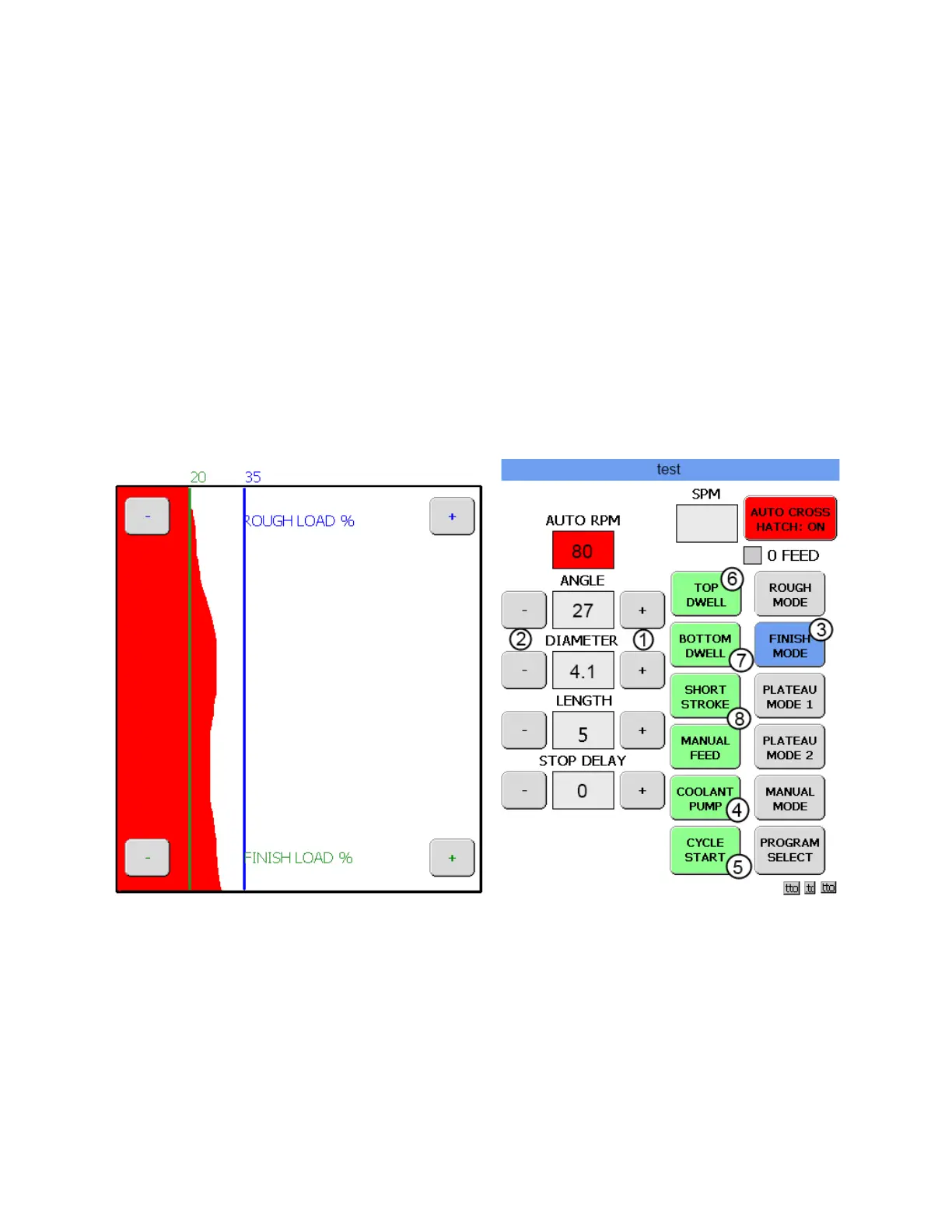
In this mode the desired cross angle can be entered in the ANGLE box. Use the + (1) and – (2) buttons to
input the DIAMETER and LENGTH of the block being honed. The RPM will be automatically adjusted to
create the desired angle while the hone is stroking.
The AUTO CROSS HATCH process can be used in any Operation mode. Generally this feature is only
used in the FINISH MODE and PLATEAU MODE 1.
Continue to hone in MANUAL MODE until you feel comfortable operating in this mode. When you feel
ready, touch the CYCLE START button (5) to stop the hone. Turn off the coolant.(4)
Move the hone head to the next cylinder and after everything is set up, touch the FINISH MODE button.
(3) If the Save changes box appears, touch SAVE to save program settings. The following screen will
appear.
Start the coolant pump (4) and touch the CYCLE START button (5) to begin the honing process. Once the
ROUGH LOAD has been achieved activate the different manual process buttons and observe what each
one does. When touched and held on, the TOP DWELL button (6) will cause the stroke to stop at the top
of the bore. When touched and held on, the BOTTOM DWELL button (7) will cause the stroke to stop at
the bottom of the bore. When touched and held on, the SHORT STROKE button (8) will cause a short
stroke to happen at the bottom of the bore.
This concludes the introduction process. Continue to practice on the test block until you feel comfortable
operating the HP7A.



 To Next Page