Section 4 Control Denitions HP7A Manual
www.rottlermfg.com
4-8
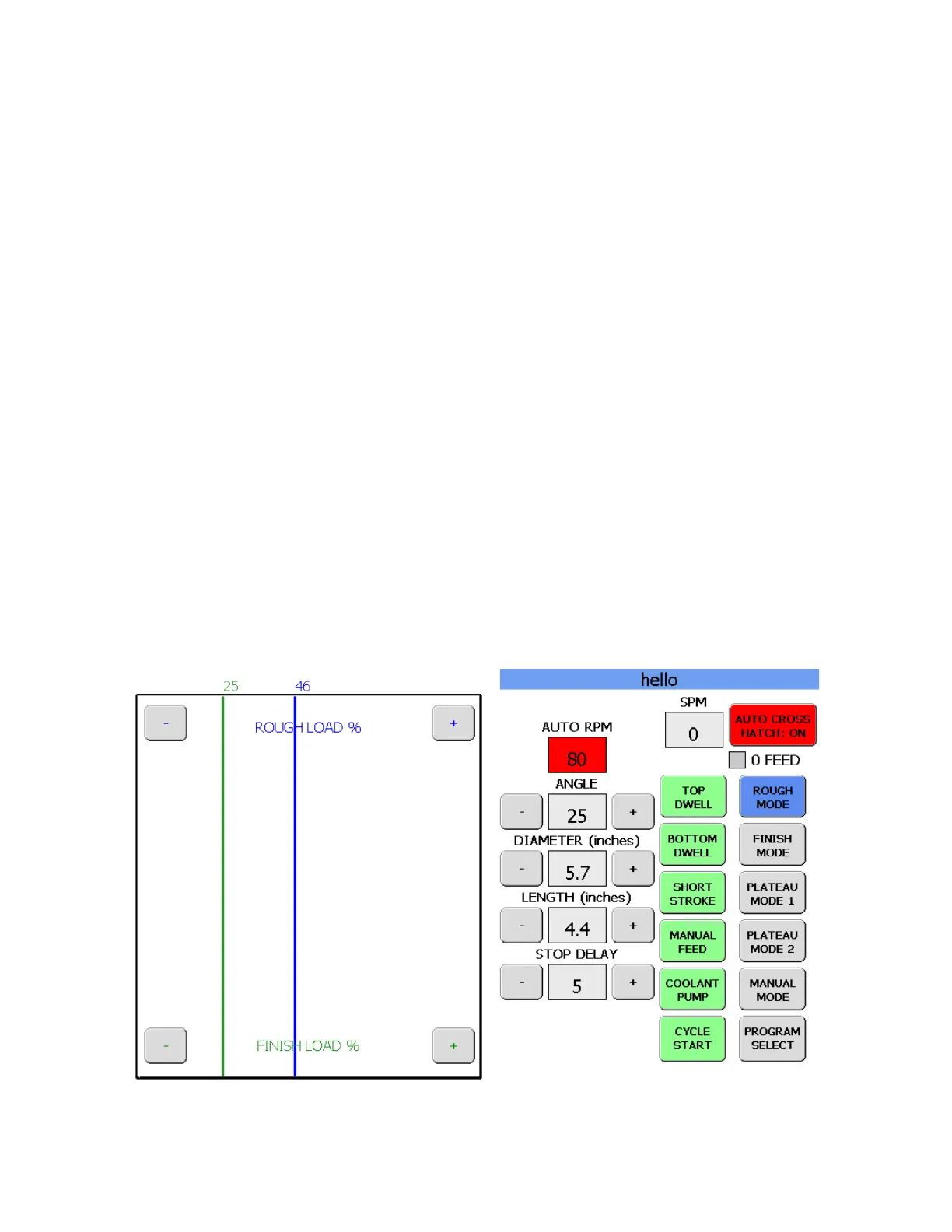
BOTTOM DWELL BUTTON
Holding the BOTTOM DWELL button will cause the machine to dwell at the bottom of the bore until the
button is released.
TOP DWELL BUTTON
Holding the TOP DWELL button will cause the machine to dwell at the top of the bore until the button is
released.
ROUGH RPM BOX
ROUGH RPM section value box shows the preset rough RPM. The + and – buttons allow the operator
increase or decrease the ROUGH RPM at any time, whether the machine is running or idle.
FINISH RPM BOX
FINISH RPM section value box shows the preset rough RPM. The + and – buttons allow the operator
increase or decrease the FINISH RPM at any time, whether the machine is running or idle.
STOP DELAY BOX
STOP DELAY allows the operator to adjust motor shut off timing. This is used when the standard shutoff
delay is affected by incoming voltage variances
The left side of the screen will have the stock removal, stone load graph. The 2 vertical lines are the
rough load setting and the nish load setting. Above them is the value that they represent. The upper
section has the rough load + and – buttons. The bottom section has the nish load + and – buttons.
These buttons can be used to increase or decrease the load setting at any time. When the load setting is
changed the line and the value above it will also change.
AUTO CROSS HATCH BUTTON
When the AUTO CROSS HATCH button is ON and different center section will appear.
AUTO CROSS HATCH SCREEN



 To Next Page