Section 5 Operating Instructions HP7A Manual
www.rottlermfg.com
5-20
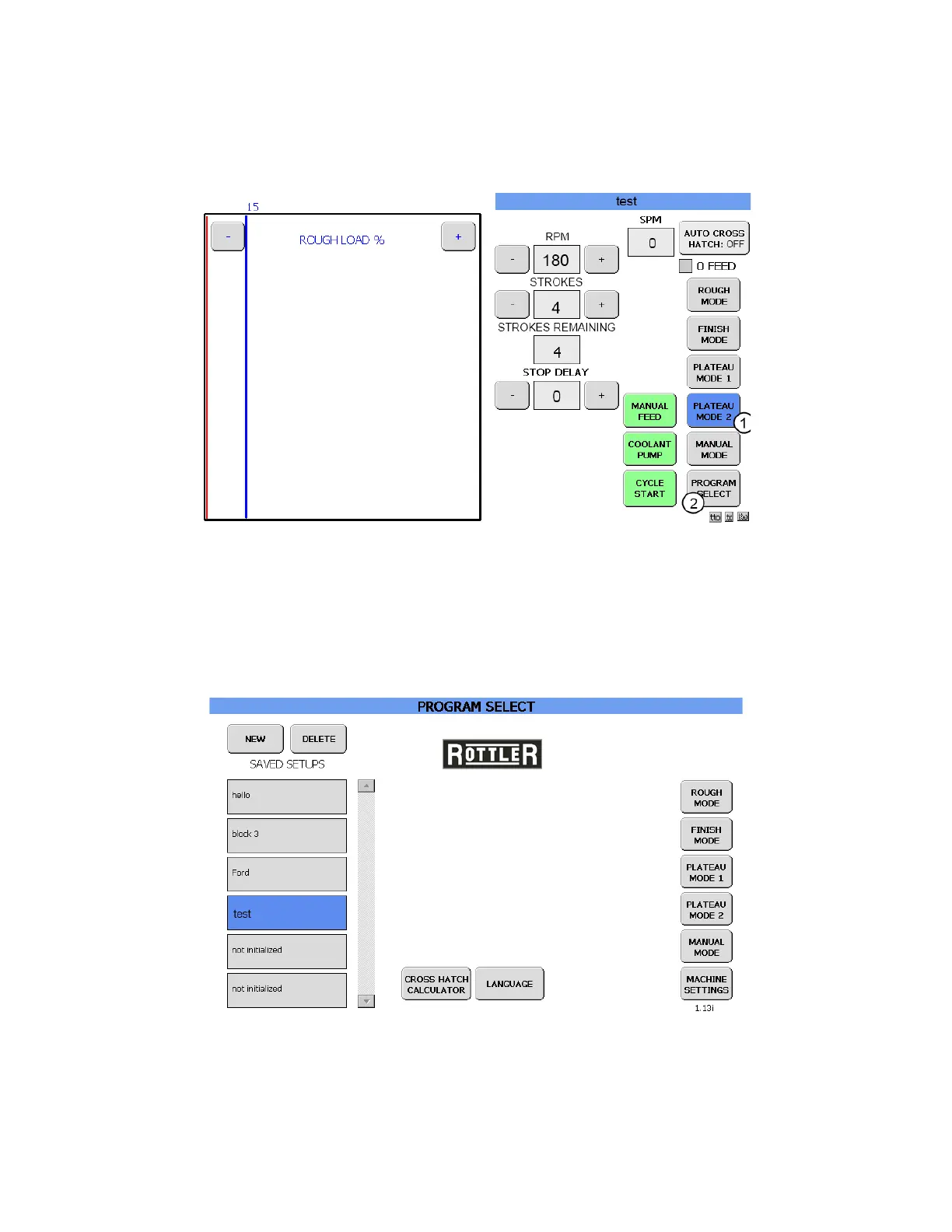
PLATEAU MODE 2 SCREEN
Touch the PLATEAU MODE 2 button (1) and the PLATEAU MODE 2 screen will appear.
In this instance the default setting will be used.
Touch the PROGRAM SELECT button (2) to take you back to the PROGRAM SELECT screen. If the
Save changes to: pop up box appears touch the SAVE button to continue. The PROGRAM SELECT
screen will now appear.
The program that was created will be in the SAVED SETUPS column, and it will be highlighted.



 To Next Page