Section 4 Control Denitions HP7A Manual
www.rottlermfg.com
4-7
In the PROGRAM SELECT screen touch the selected block program button or one of the operation
MODE buttons to bring up the standard operation screen.
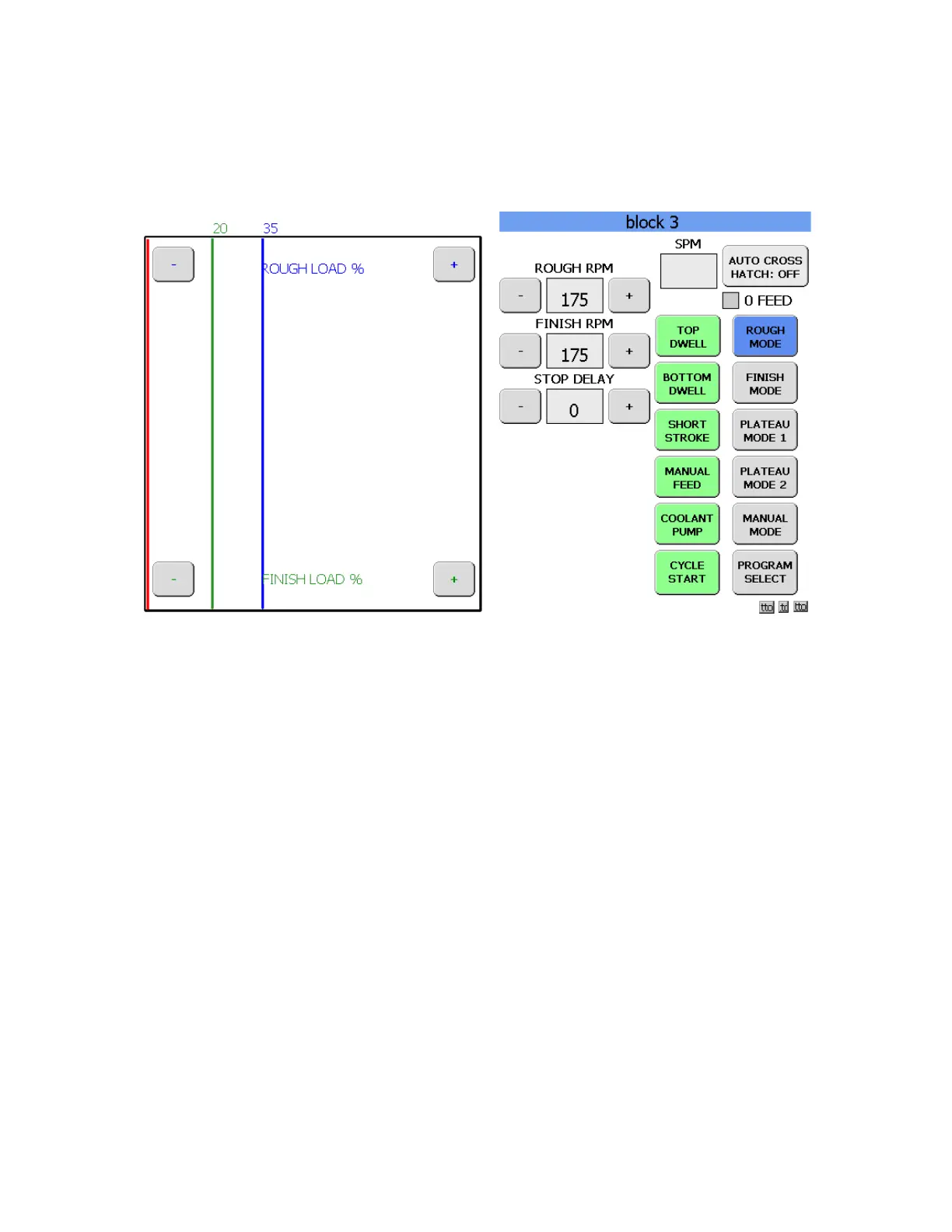
OPERATION SCREEN
The right side of the screen contains the controls that will be used during the honing process. On the left
side of the screen is the active graph that shows in real time the stock removal of the hone stones.
The SPM value box shows the stroke speed in real time. The AUTO CROSS HATCH: button turns the
auto cross hatch function on or off. The 0 FEED box will turn red when the preset zero point is reached.
The different MODE buttons will load the preset values into memory. The PROGRAM SELECT button will
take you back to the PROGRAM SELECT screen.
CYCLE START BUTTON
The CYCLE START button will begin the auto cycle process allowing the machine to run through
preset values of the current block program until the cycle is complete at which time the machine will
automatically shut off. Touching the button while the machine is running will shut off the honing process.
Touching to button again will resume the honing process.
COOLANT PUMP BUTTON
The COOLANT PUMP button will turn the coolant pump on or off at any time during the honing process.
MANUAL FEED BUTTON
The MANUAL FEED button will activate the feed actuator to feed the hone head out. This button is a
momentary button and contact must be maintained until the action has occurred. The longer the button is
held on the greater the number of feed outs that will occur.
SHORT STROKE BUTTON
Holding the SHORT STROKE button will cause the machine to short stroke at the bottom of the bore until
the button is released.



 To Next Page