Section 5 Operating Instructions HP7A Manual
www.rottlermfg.com
5-15
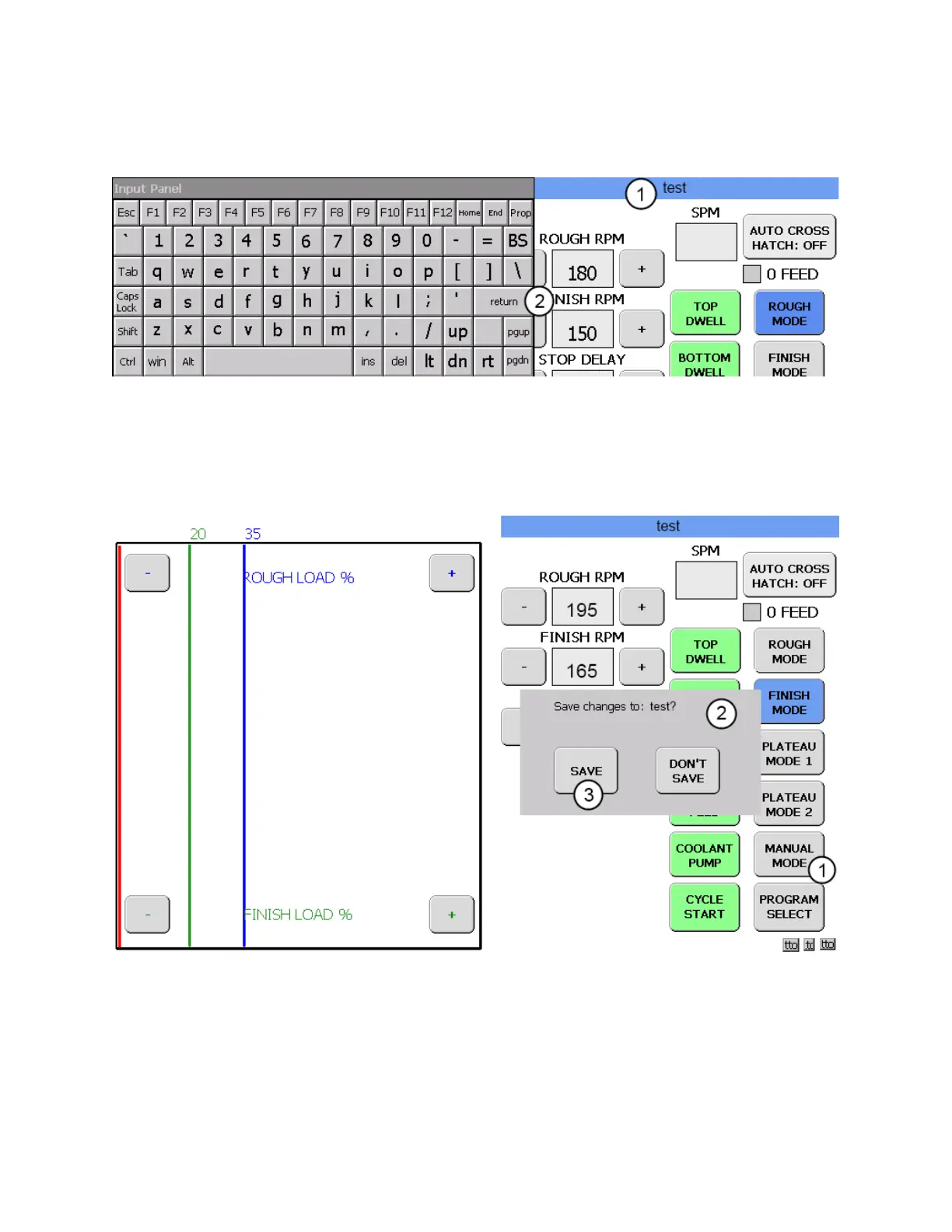
The program name will appear on the blue title bar as it is being typed.(1) In this instance the new block
program was named test. Touch return (2) when the name has been completed.
OPERATION SCREEN
The OPERATION screen will now appear. The hone is now ready to use with the factory default settings.
If you want to use a different set of values for the various honing modes they can easily be changed.
Now that the hone is ready to operate we will rst determine the stroke rate and verify bottom limit
clearances. To do this the machine will be run in MANUAL MODE. Touch the MANUAL MODE button.
(1) A Save changes box will appear.(2) Touch the SAVE button (3) and the MANUAL MODE screen will
appear.



 To Next Page