55
Navigating the Web Interface
Monitoring the Wireless Bridge Status
Monitoring the Wireless Bridge Status
The Status > Wireless, Status > Bridge and Status > QoS pages provide information
that can be useful for monitoring your ZoneFlex 7731 Wireless Bridges. The following
section details the status information available from each of these pages.
Monitoring the Wireless Link
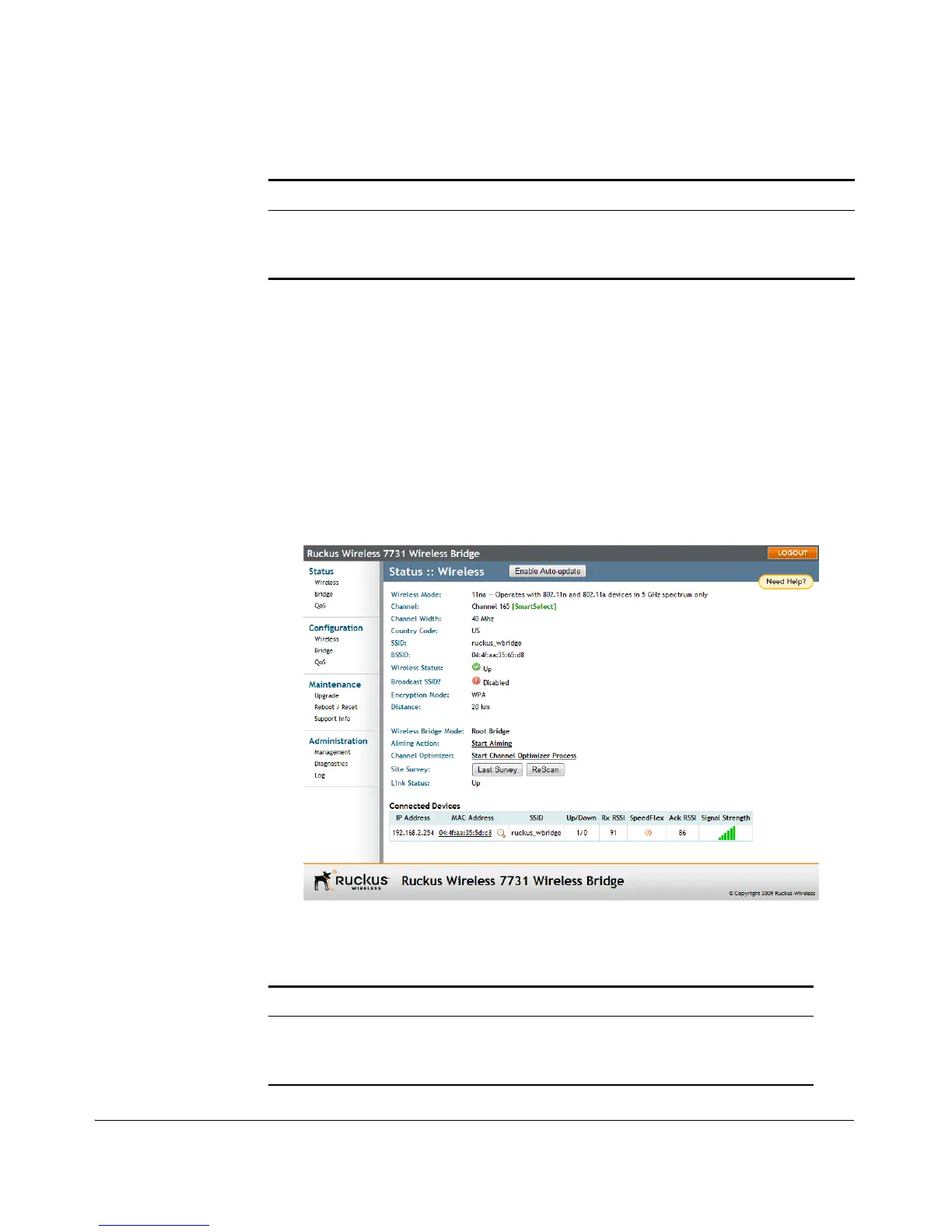
The Status > Wireless page also serves as the home page, and provides general
information on the status of the wireless link.
Figure 50. The Status > Wireless page
Help Button Click this button to open a help window with
information related specifically to the options
currently displayed in the workspace.
Table 7. The Status > Wireless page
Item Description
Wireless Mode For the ZoneFlex 7731, Wireless Mode will always
be “11na -- Operates with 802.11n and 802.11a
devices in 5 GHz spectrum only.”
Table 6. ZoneFlex 7731 Wireless Bridge Web interface elements
Element Description



 To Next Page