66
Configuring the Wireless Bridge
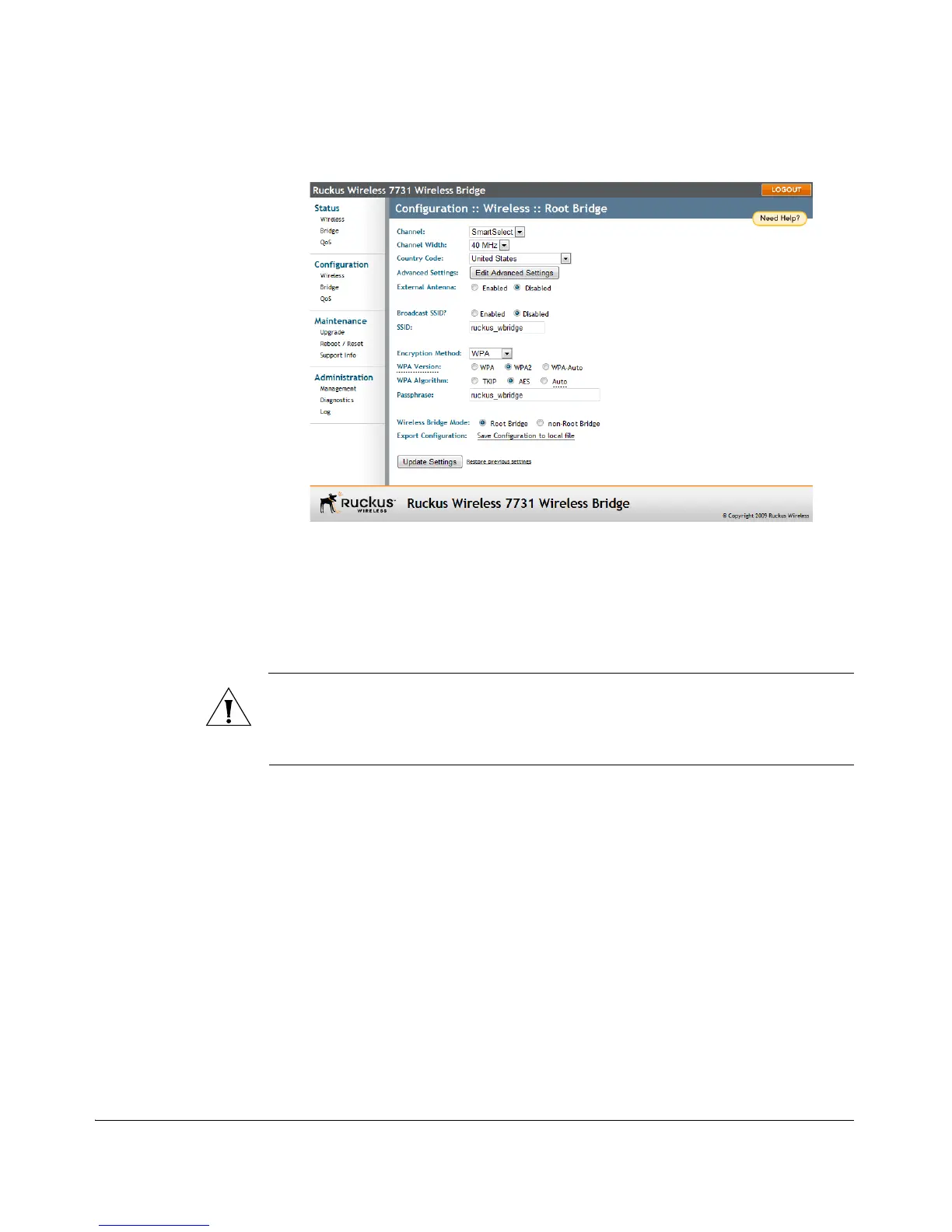
Configuring Wireless System Settings
Figure 55. The Wireless Configuration page
Advanced Wireless Settings
These settings should only be changed by an experienced administrator. Advanced
wireless settings include transmit power, protection mode, beacon interval and
distance.
CAUTION: Do not customize these options unless you are an experienced network
administrator or are under the guidance of an IT/support professional. Incorrect
settings can severely impact wireless performance. In general, Ruckus Wireless recom-
mends that the default settings be retained for best performance.
To configure the advanced wireless settings
1. On the Configuration > Wireless page, click Edit Common Settings. The
Configuration :: Wireless :: Advanced :: [Root Bridge / Non-Root Bridge] page
appears.



 To Next Page