77
Configuring the Wireless Bridge
Role Reversal
Role Reversal
If for some reason you decide that a different location for the Root Bridge is desirable
for an installed device, you can manually change the role of a Non-Root Bridge to a
Root Bridge, and vice versa. This procedure requires that you log in to both units
directly using an admin computer, as changing the role of either will disrupt the
wireless link.
To reverse the role of the Root or Non-Root Bridge:
1. Configure the admin computer for direct connection to the bridge (see “
Step 3:
Prepare the Administrative Computer” on page 16).
2. Connect the admin computer to the Ethernet port of the unit whose role you want
to change.
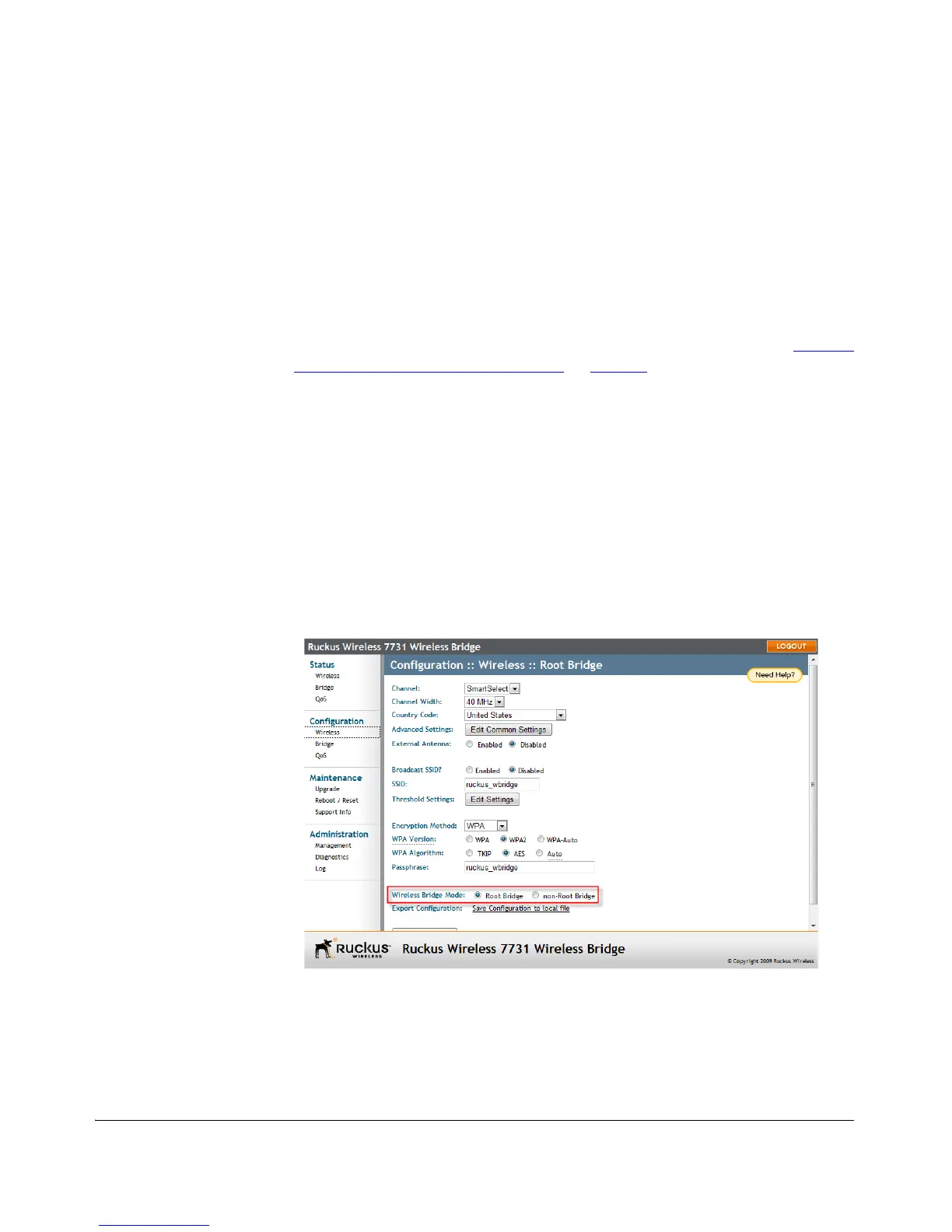
3. Go to Configuration > Wireless.
4. Next to Wireless Bridge Mode, select Root Bridge or Non-Root Bridge.
5. A warning message appears, indicating that a reboot is required. Click OK.
6. Click Update Settings. The setting changes are put into effect immediately, and
a reboot begins.
7. Once the reboot is complete, the role is reversed.
8. Repeat this procedure for each device whose role you want to change.
Figure 62. Changing the role from Root to Non-Root Bridge



 To Next Page