73
Configuring the Wireless Bridge
Configuring Wireless Security
Configuring Wireless Security
By default, the ZoneFlex 7731 Wireless Bridge uses WPA2 (WiFi Protected Access) as
its encryption and authorization method. WPA2 provides enhanced security
compared to the older WEP (Wired Equivalent Privacy) and WPA methods.
While not recommended, you can change the default security setting from WPA2 to
either WPA, WEP or Disabled.
CAUTION: Setting the encryption method to WEP or setting the WPA algorithm to
TKIP will result in decreased performance, as these settings are not supported by the
802.11n standard.
Using WEP
To use WEP as the WLAN encryption method
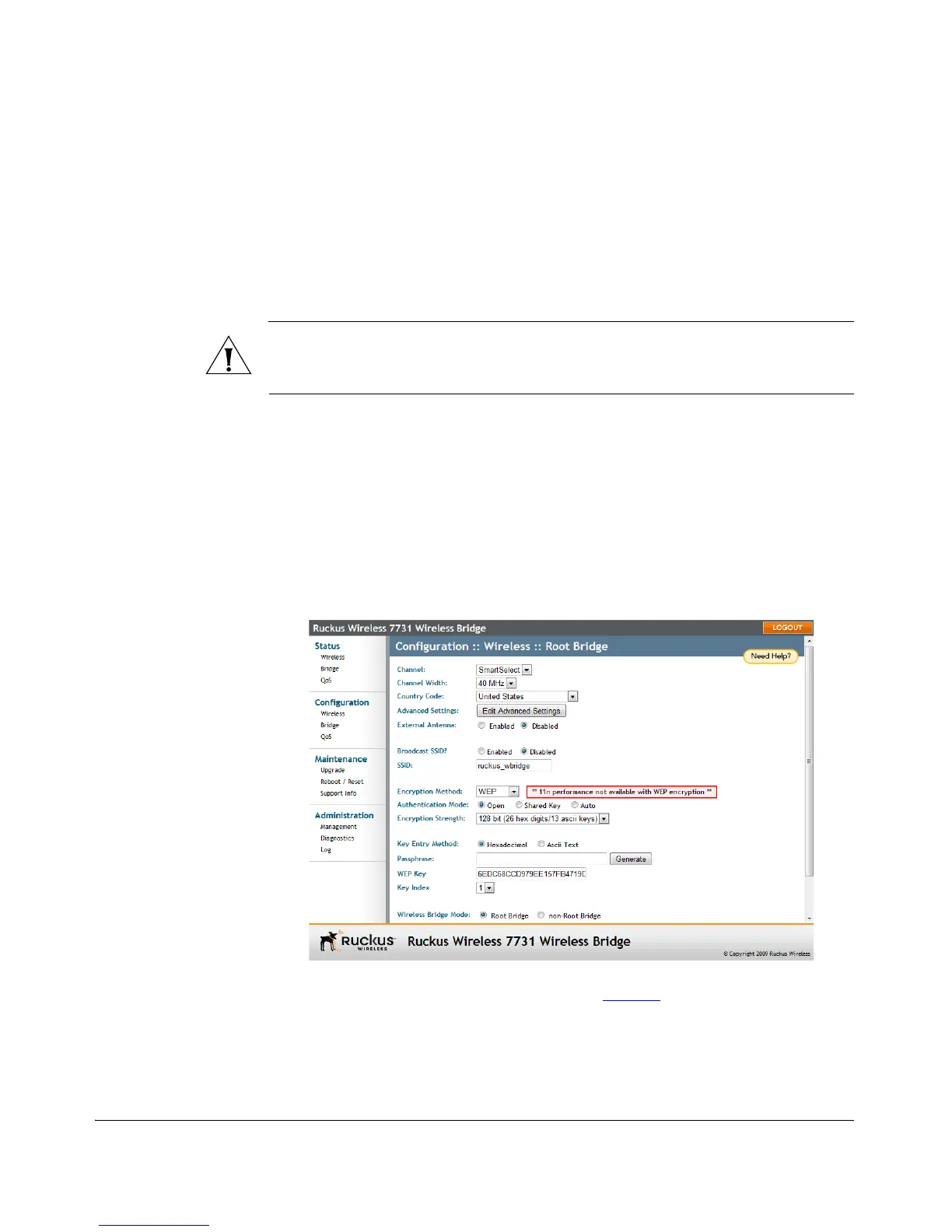
1. Go to Configuration > Wireless. The Configuration :: Wireless :: Root Bridge page
appears.
2. Click the Encryption Method menu, and then click WEP. An additional set of WEP-
specific encryption options appear on this page.
Figure 60. WEP settings
3. Review the WEP encryption settings listed in Tabl e 14
, and then make changes as
required.



 To Next Page