69
Configuring the Wireless Bridge
Configuring Bridge Settings
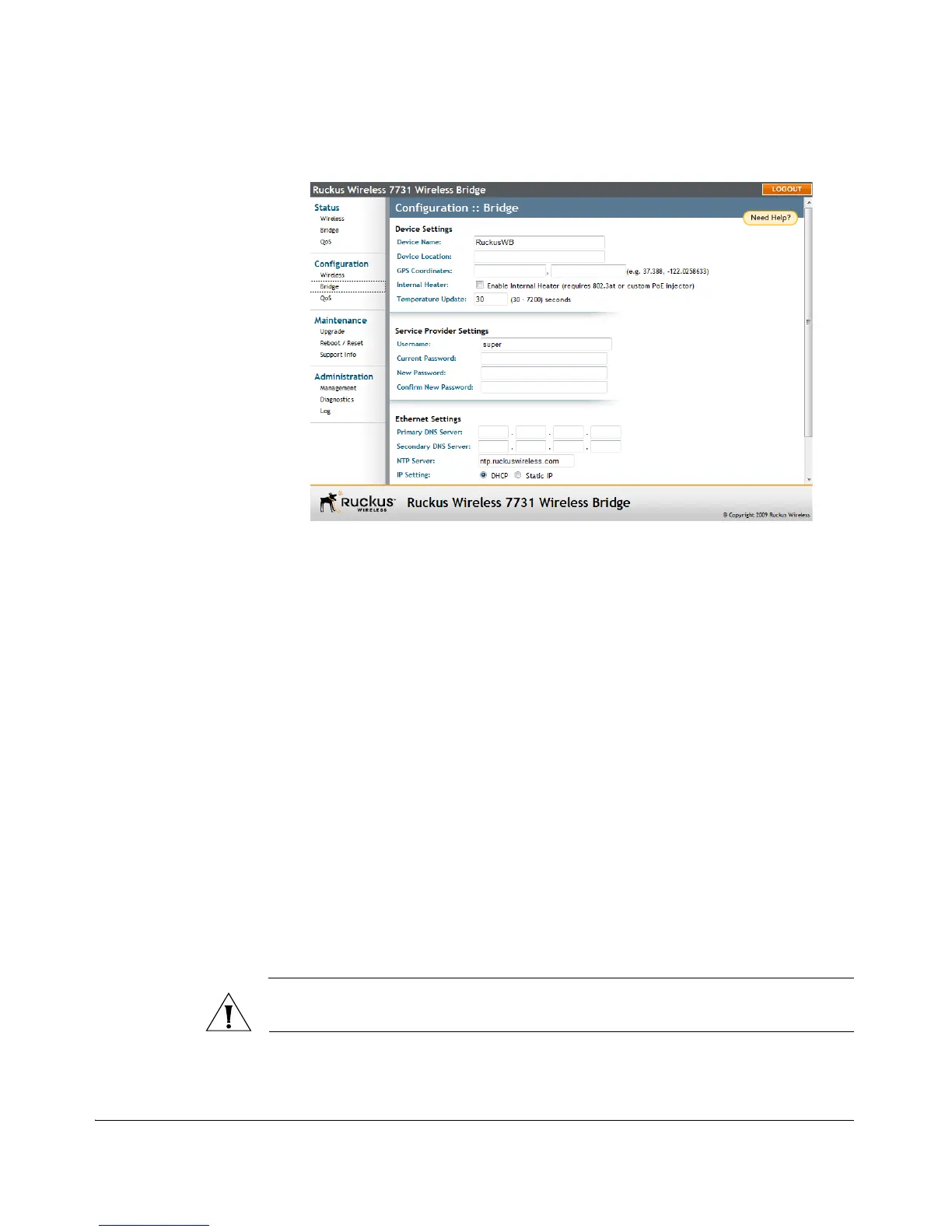
Figure 57. The Configuration :: Bridge page
Setting Device Name and Location
Assigning a unique device name and location to the bridge makes it easier to identify
the unit for network management, whether you will be managing the bridge through
SNMP, Ruckus Wireless FlexMaster server or directly through the Web interface.
1. Select and delete the text in Device Name, and replace with a unique name
(default: RuckusWB).
2. Enter a recognizable location in Device Location, such as “headquarters,” “ware-
house,” etc.
3. Entering GPS coordinates enables you to quickly identify the unit using Flex-
Master’s map feature. See your FlexMaster User Guide for more information.
Enabling the Internal Heater
The ZoneFlex 7731 Wireless Bridge includes an optional internal heater to provide
extended operating temperatures in outdoor environments with temperatures
ranging from -40 to 65
°C.
If the internal heater is included in your unit, select Enable Internal Heater and set
the interval (in seconds) at which the unit will update its temperature reading.
CAUTION: The internal heater requires using PoE as the primary power source. Do
not attempt to enable the internal heater when the unit is powered by DC only.



 To Next Page