1. Go to Configuration > Wireless or Configuration > Radio 2.4G or Configuration
> Radio 5G. The Configuration > Wireless > Common page appears.
2. Click the Wireless # tab that you want to configure. The Configuration > Wireless
> Wireless[#] page appears.
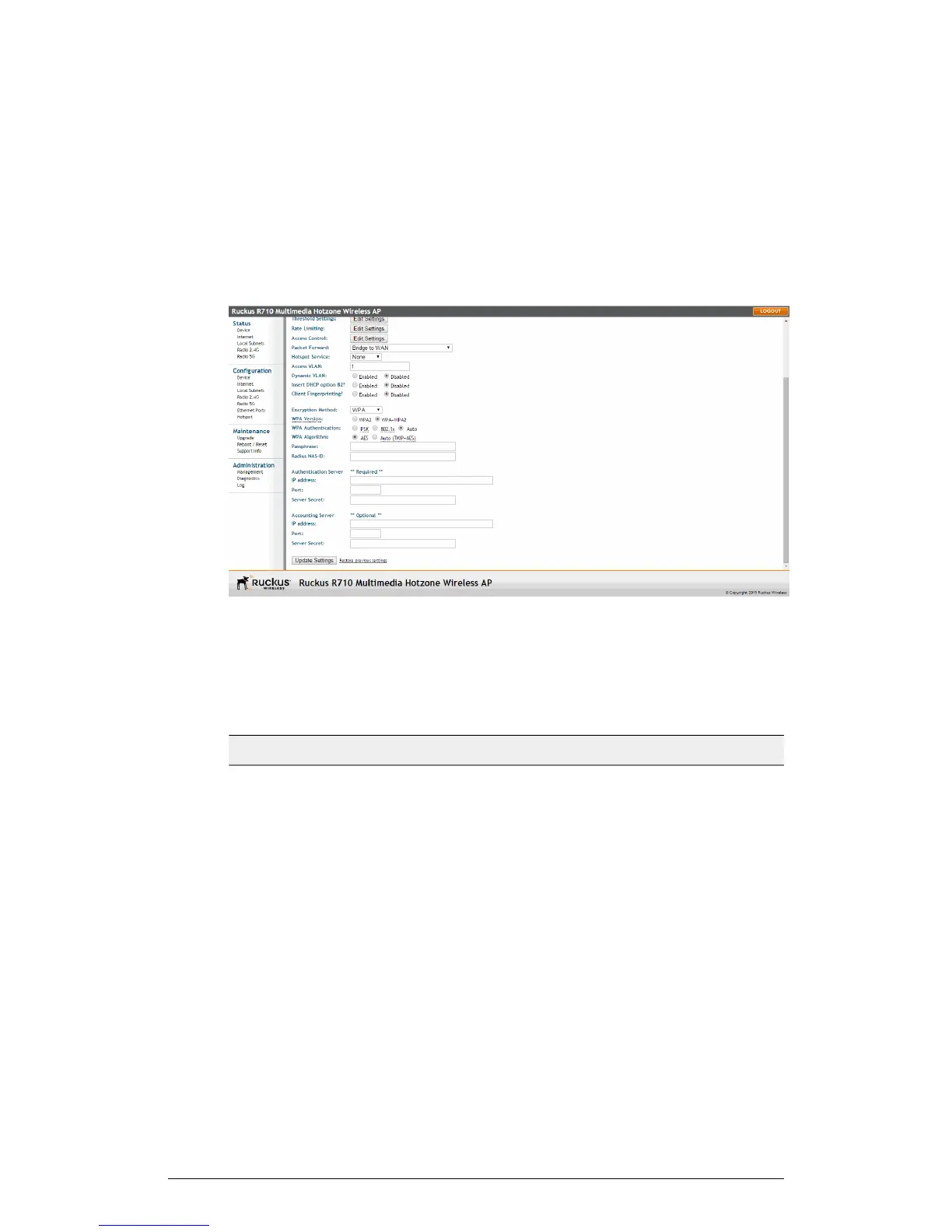
3. Select WPA from the Encryption Method menu. An additional set of WPA-specific
options appear on this page.
Figure 56: WPA settings
4. Review the encryption settings listed in the following table, and then make changes
as preferred.
Table 46: Encryption settings
DescriptionEncryption Setting
Your options are WPA2 and WPA + WPA2.
• WPA (Wi-Fi Protected Access - deprecated) was the
replacement security standard adopted by the Wi-Fi
Alliance in response to the security weaknesses of
WEP. WPA was developed as an interim measure
before ratification of the 802.11i standard, which
introduced WPA2.
• WPA2 provides stronger wireless security than WPA
and is the recommended option.
• WPA-Auto allows both WPA and WPA2 devices to
operate on the same WLAN.
WPA Version
ZoneFlex Indoor Access Point Release 104.0 User Guide
109
Configuration
Configuring the AP











 To Next Page