DescriptionElementNo.
This large area displays features, options and
indicators relevant to your menu bar choices.
Workspace5
When You Are Using a Dual-Band AP
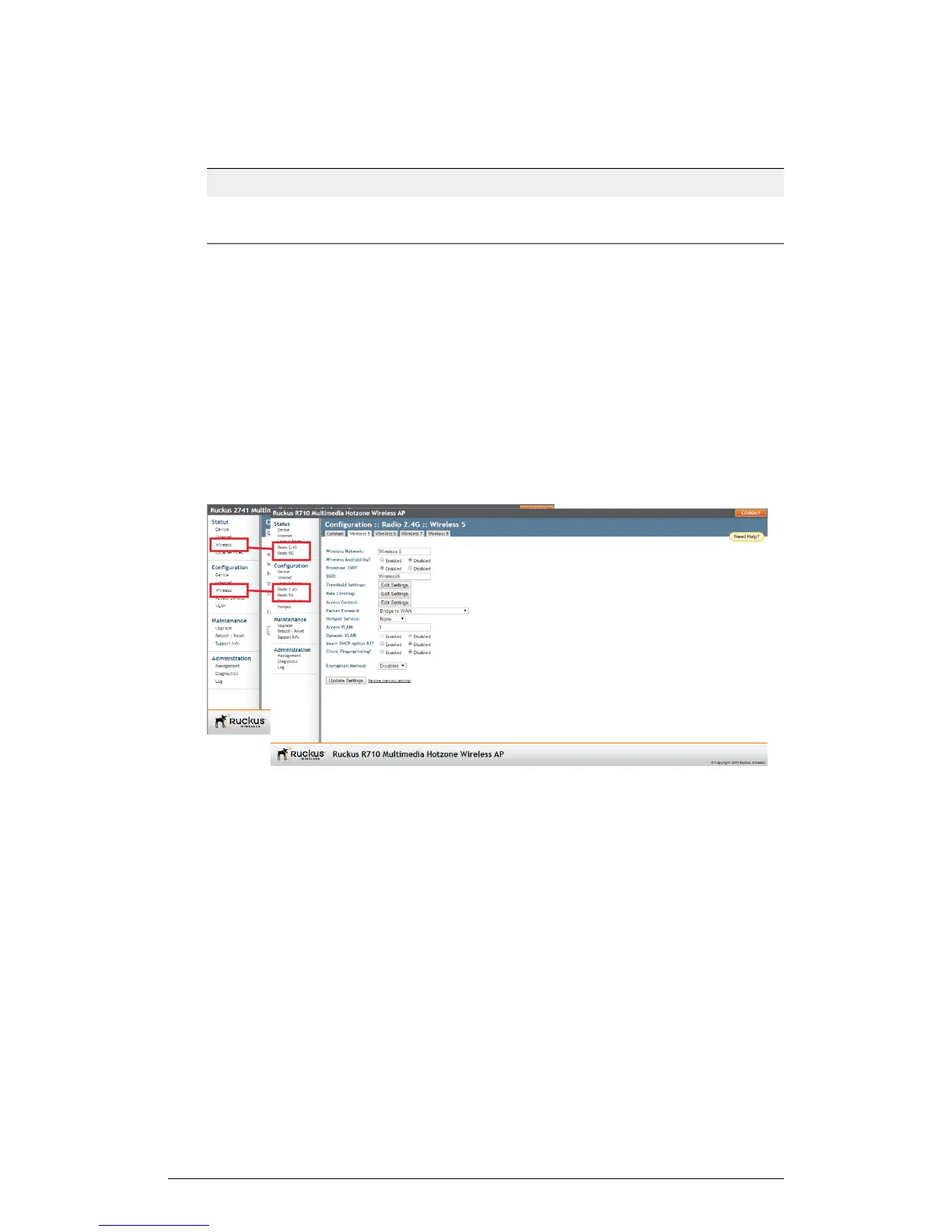
When your Ruckus Wireless AP model is a dual-band AP, note that elements on the
web interface menu are slightly different from single-band Ruckus Wireless AP models.
Dual-band APs have one 2.4 GHz radio (for 802.11b/g/n clients) and one 5 GHz radio
(for 802.11a/n/ac clients). The wireless settings for these two radios need to be configured
separately, which is why the dual-band AP web interface has the Radio 2.4G and Radio
5G menu items, instead of a single Wireless menu item in single-band models.
The following figure highlights the differences between single-radio AP and two-radio
AP menus.
Figure 46: Menu items are slightly different in single-band APs (left) and dual-band AP models
(right)
ZoneFlex Indoor Access Point Release 104.0 User Guide
89
Navigation
When You Are Using a Dual-Band AP











 To Next Page