T
RANSMISSION
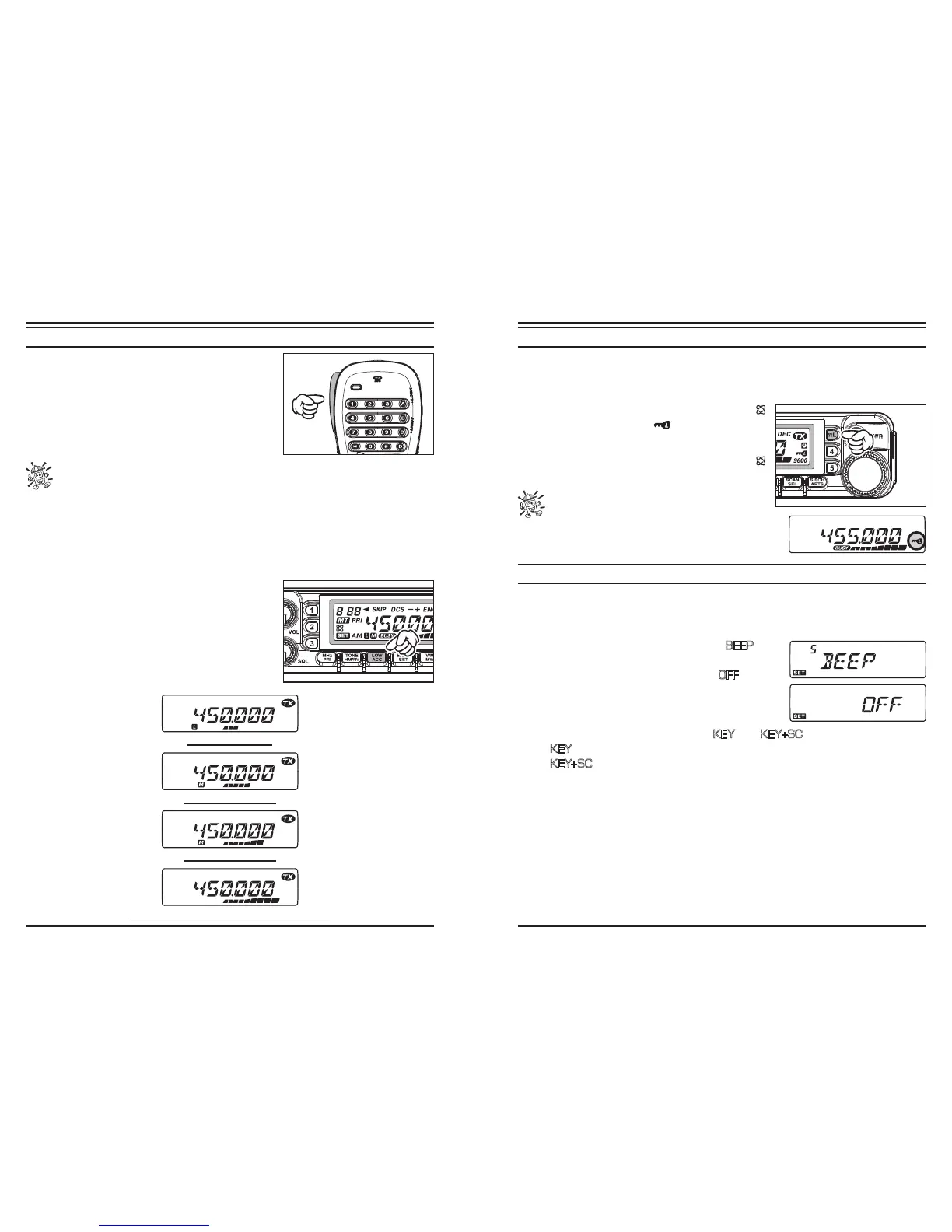
To transmit, simply close the
PTT
(Push To Talk)
switch on the microphone when the frequency is clear.
Hold the microphone approximately 25 mm (1”) from
your mouth, and speak into the microphone in a nor-
mal voice level. When your transmission is complete,
release the
PTT
switch; the transceiver will revert to
the receive mode.
When the RF power amplier heat sink rises to a factory preset temperature, the
transmit power level will be reduced to the “LOW” setting automatically to pre-
vent over-heating of the radio. If you leave transmit in this condition (even in the
“LOW” mode) for an extended period of time, the radio will be forced to return to the
receive mode.
Changing the Transmitter Power Level
You can select from among a total of four transmit power levels on your transceiver.
To change the power level, press the [
LOW
(
ACC
)]
keyto select one of four power settings. These power
levels will be stored, in memory registers, at the time
of memory storage.
During transmission, the Bar Graph will deect in the
display, according to the power output selected.
“LOW” POWER
(
5 W
)
“MID 2” POWER
(
10 W
)
“MID 1” POWER
(
20 W
)
L
OCK
F
EATURE
In order to prevent accidental frequency change or inadvertent transmission, the trans-
ceiver panel switches, microphone switches (except the
PTT
switch), and
DIAL
knob
may be locked out.
To activate the lock feature, press and hold in the [
(
L
)] key for 1/2 second. The “ ” icon will appear on
the LCD.
To disable the lock feature, press and hold in the [
(
L
)] key for 1/2 second again.
You may change the lockout combinations by
Menu #21 (LOCK).
K
EYBOARD
B
EEPER
A key/button beeper provides useful audible feedback whenever a key/button is pressed.
If you want to turn the beep off:
1. Press and hold in the [
BAND
(
SET
)] key for 1/2 second to enter the Set mode.
2. Rotate the
DIAL
knob to select Menu #5 (
BEEP
).
3. Press the [
BAND
(
SET
)] key momentarily, then rotate
the
DIAL
knob to change the setting to “
OFF
.”
4. Press the [
BAND
(
SET
)] key momentarily to save the
new setting, then press and hold in the [
BAND
(
SET
)]
key for 1/2 second to exit to normal operation.
5. To turn the beep back on again, select “
KEY
” or “
KEY+SC
(default)” in step 3 above.
KEY
: The beeper sounds when you press any key.
KEY+SC
: The beeper sounds when you press a key, or when the scanner stops.













 To Next Page