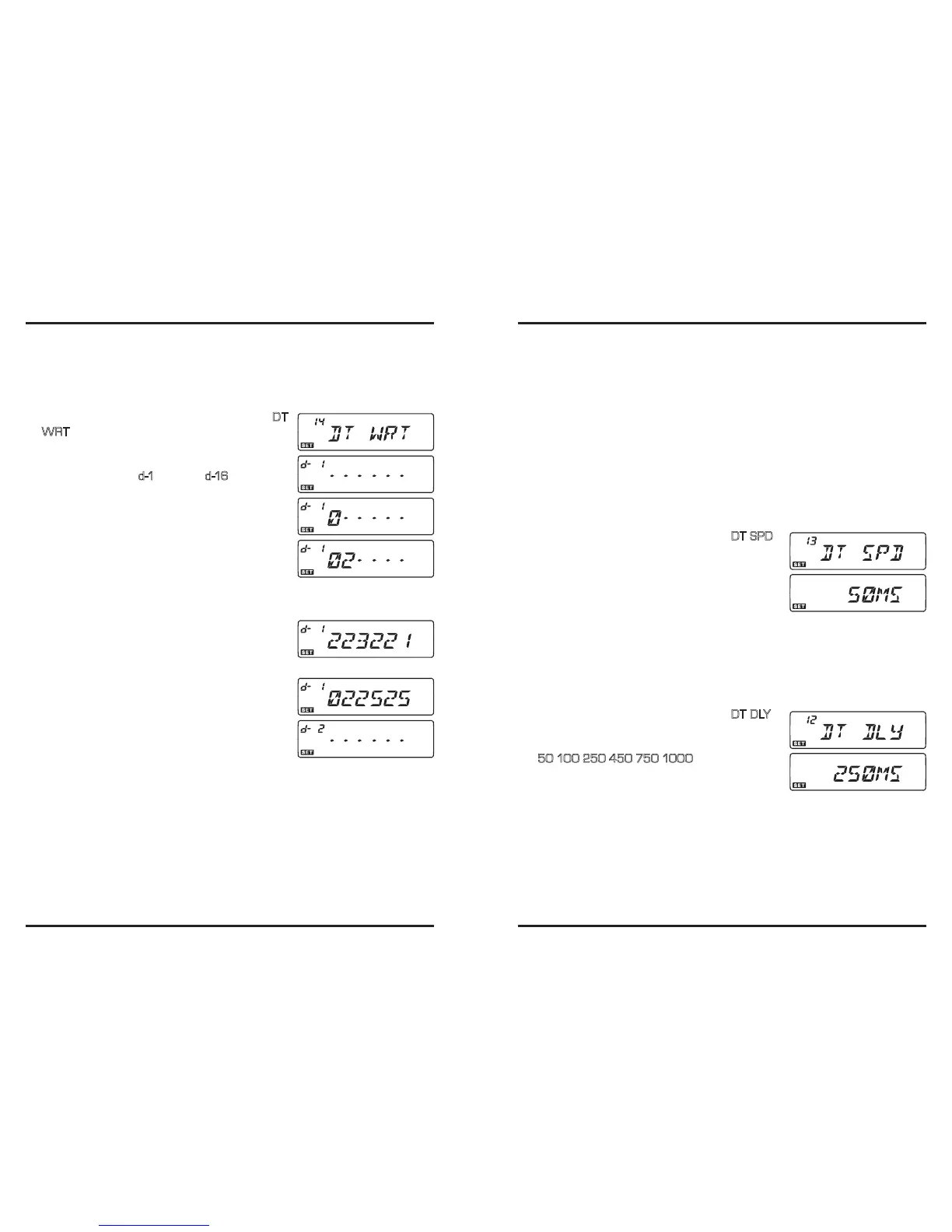
Sixteen DTMF Autodialer memories are available on the transceiver. These DTMF Auto-
dialer memories can store up to 16 digits of a telephone number for repeater autopatch or
other uses.
To load DTMF Autodialer memories, use following procedure:
1. Press and hold in the [
BAND
(
SET
)] key for 1/2 second to enter the Set mode.
2. Rotate the
DIAL
knob to select Menu #14 (
DT
WRT
).
3. Press the [
BAND
(
SET
)] key momentarily, then rotate
the
DIAL
knob to select the DTMF Autodialer memo-
ry channel number (“
d-1
” through “
d -16
”) into which
you wish store a telephone number.
4. Press the [
BAND
(
SET
)] key momentarily, then rotate
the
DIAL
knob to select the rst digit of the telephone
number you wish to store.
5. When you have selected the correct digit, press the
[
BAND
(
SET
)] key momentarily. Now, rotate the
DIAL
knob to select the second of the 16 available
numbers in this current DTMF Audodialer memory register.
6. Repeat this procedure for each digit in the telephone number. Press the [
SCAN
(
SEL
)]
key momentarily to delete any previously-stored data
after the cursor. If you make a mistake, press the mi-
crophone’s [
DWN
] key to move back to the rst digit,
then re-enter the correct number.
7. When entry of all digits is complete, press and hold in
the [
BAND
(
SET
)] key for 1/2 second to save the new
setting.
8. If you wish to store another DTMF string, rotate the
DIAL
knob to select another DTMF memory register,
then repeat steps 4 through 7 above.
9. When all required DTMF memories are lled to your satisfaction, press and hold in
the [
BAND
(
SET
)] key for 1/2 second to exit to normal operation.
To transmit the memorized telephone number, use the following procedure:
1. Press the
PTT
switch.
2. While still holding the
PTT
switch in, press the microphone’s [
UP
]/[
DWN
] key
to select the DTMF Autodialer memory channel to be transmitted then press the
[
BAND
(
SET
)] key momentarily to transmit the tone string.
Once you have pressed the [
BAND
(
SET
)] key in the above step, you can release the PTT
switch, as the Autodialer will transmit the whole DTMF string automatically.
To speed at which the DTMF digits are sent can be changed. Three speed levels are avail-
able: 50 ms (High: 10 digits per second), 75 ms (Mid: 7 digits per second), and 100 ms
(Low: 5 digits per second).
To select the speed, use the following procedure:
1. Press and hold in the [
BAND
(
SET
)] key for 1/2 second to enter the Set mode.
2. Rotate the
DIAL
knob to select Menu #13 (
DT SPD
).
3. Press the [
BAND
(
SET
)] key momentarily, then
rotate the
DIAL
knob to select the desired speed
(50/75/100ms).
4. Press the [
BAND
(
SET
)] key momentarily to save the
new setting, then press and hold in the [
BAND
(
SET
)]
key for 1/2 second to exit to normal operation.
You can also set a longer delay between the time you press the [
BAND
(
SET
)] key (with
PTT switch pressed) and the rst DTMF digit is sent.
To set a delay time, use the following procedure:
1. Press and hold in the [
BAND
(
SET
)] key for 1/2 second to enter the Set mode.
2. Rotate the
DIAL
knob to select Menu #12 (
DT DLY
).
3. Press the [
BAND
(
SET
)] key momentarily, then
rotate the
DIAL
knob to select the desired time
(
50
/
100
/
250
/
450
/
750
/
1000
ms).
4. Press the [
BAND
(
SET
)] key momentarily to save the
new setting, then press and hold in the [
BAND
(
SET
)]
key for 1/2 second to exit to normal operation.













 To Next Page