The transceiver can be used to access a repeater or base station which is congured to
provide access to the Vertex Standard WiRES™ (Wide-Coverage Internet Repeater En-
hancement System) operating in the “SRG” (“Sister Radio Group”) mode.
1. Press the [ (
L
)] key momentarily to activate the
WiRES™ access capability. The “ ” icon will appear
on the display.
2. Press and hold in the [
BAND
(
SET
)] key for 1/2 sec-
ond to enter the Set mode.
3. Rotate the
DIAL
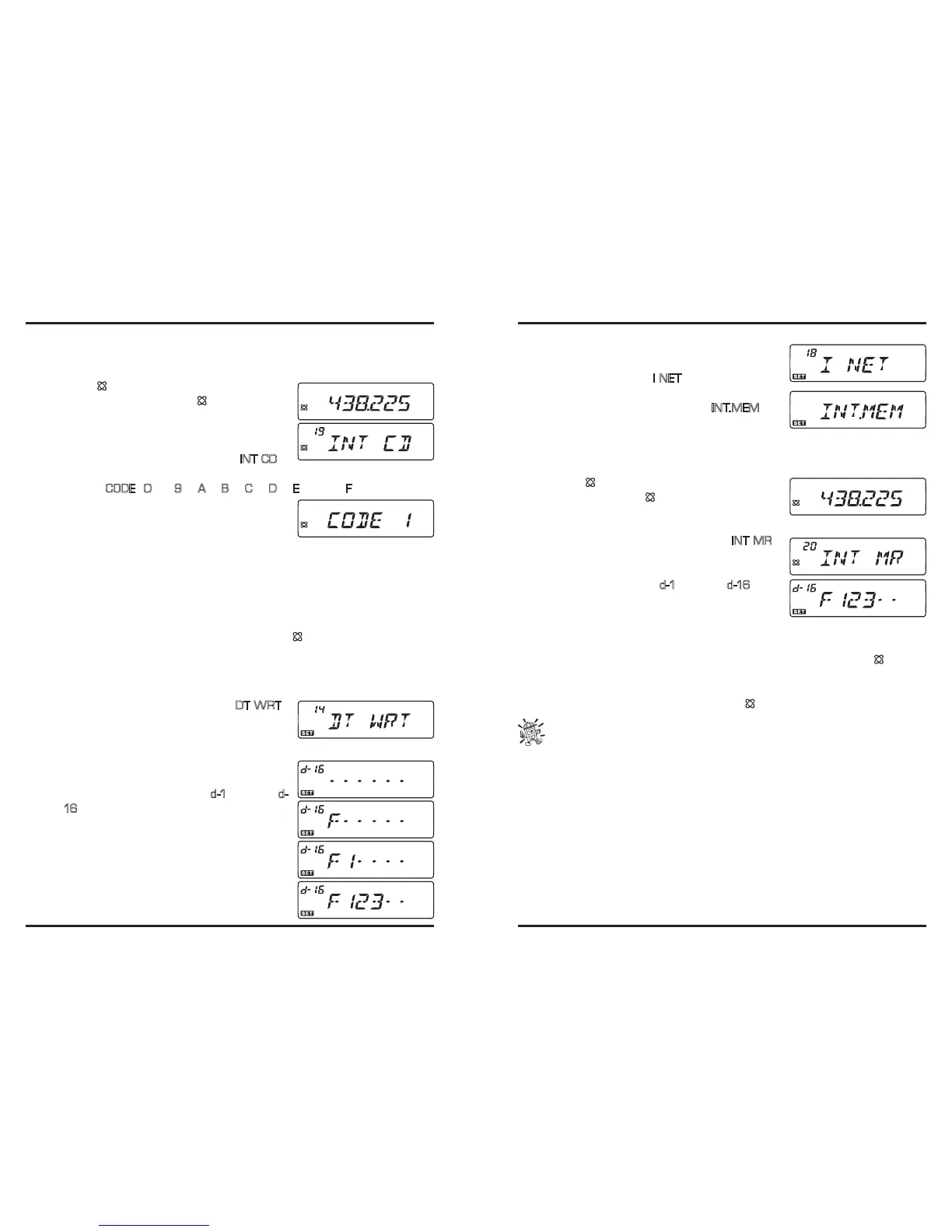
knob to select Menu #19 (
INT CD
).
4. Press the [
BAND
(
SET
)] key momentarily, then rotate the
DIAL
knob to select the ac-
cess number (
CODE
“
0
” ~ “
9
”, “
A
”, “
B
”, “
C
”, “
D
”, “
E
(*)”, or “
F
(#)”) correspond-
ing to the WiRES™ repeater you wish to establish an
Internet link with (ask your repeater owner/operator if
you don’t know the access numbers of the network).
5. Press the [
BAND
(
SET
)] key momentarily to lock in the selected access number, then
press and hold in the [
BAND
(
SET
)] key for 1/2 second to exit to normal operation.
6. With the WiRES™ capability activated (as in step 1 above), the transceiver will
generate a brief (0.1 second) DTMF tone according to your selection in step 4. This
DTMF tone is sent at the beginning of every transmission to establish or maintain the
link to the remote WiRES™ repeater.
7. To disable the WiRESTM access capability, press the [
(
L
)] key again.
You may access other Internet Linking Systems (including WiRES™ in the “FRG” mode)
that use a DTMF string for access.
1. Press and hold in the [
BAND
(
SET
)] key for 1/2 second to enter the Set mode.
2. Rotate the
DIAL
knob to select Menu #14 (
DT WRT
).
3. Press the [
BAND
(
SET
)] key momentarily, then load
the DTMF tones which you wish to use to establish an
Internet link (ask your repeater owner/operator if you don’t know the access numbers in
the network) into the desired DTMF Memory channel.
1) Rotate the
DIAL
knob to select the DTMF Autodi-
aler memory channel number (“
d-1
” through “
d-
16
”).
2) Press the [
BAND
(
SET
)] key momentarily.
3) Rotate the
DIAL
knob to select the DTMF code,
then press the [
BAND
(
SET
)] key momentarily
to move the digit.
4) Repeat step (3) above to complete the DTMF string.
5) Press and hold the [
BAND
(
SET
)] key for 1/2 sec-
ond to save the new setting, then press and hold
the [
BAND
(
SET
)] key for 1/2 second to exit to normal operation.
4. Press and hold in the [
BAND
(
SET
)] key for 1/2 sec-
ond to enter the Set mode again, then rotate the
DIAL
knob to select Menu #18 (
I NET
).
5. Press the [
BAND
(
SET
)] key momentarily, then ro-
tate the
DIAL
knob to set this Item to “
IN T.M E M
” (to
enable the alternative Internet Link, and disable the
WiRES™ SRG access option).
6. Press the [
BAND
(
SET
)] key momentarily to save the new setting, then press and hold
in the [
BAND
(
SET
)] key for 1/2 second to exit to normal operation.
7. Press the [
] key momentarily to activate the Inter-
net Link System. The “ ” icon will then appear on
the display.
8. Press and hold in the [
BAND
(
SET
)] key for 1/2 second to enter the Set mode.
9. Rotate the
DIAL
knob to select Menu #20 (
INT MR
).
10. Press the [
BAND
(
SET
)] key momentarily, then ro-
tate the
DIAL
knob to select the DTMF Autodialer
memory channel number (“
d-1
” through “
d -16
”) cor-
responding to the Internet link repeater you wish to
establish an Internet link with.
11. Press the [
BAND
(
SET
)] key momentarily to lock in the selected access number, then
press and hold in the [
BAND
(
SET
)] key for 1/2 second to exit to normal operation.
12. With the Internet link feature activated (as in step 7 above), press the [
(
L
)] key
while you are transmitting, to send out the DTMF tones according to your selection in
step 10 (to establish the link to the Internet link repeater).
13. To disable the Internet link feature, press the [ (
L
)] key again.
To return to WiRES
TM
, recall Menu #18 (I NET) then set it to “INT.COD”.













 To Next Page