R
EGULAR
M
EMORY
C
HANNEL
O
PERATION
Deleting Memories
With 1000 “Regular” memories available (except memory channel “
1
”), there frequently
are situations where you may desire to delete certain memorized frequencies. The proce-
dure for deleting a channel is quite simple:
1. Press the [
V/M
(
MW
)] key, if needed, to enter the Memory mode.
2. Press and hold in the [
V/M
(
MW
)] key for 1/2 second, then rotate the
DIAL
knob to select
the memory channel to be deleted. Note that memory channel “
1
” may not be deleted.
3. Press the [
SCAN
(
SEL
)] key momentarily. The display will revert to memory channel
“
1
.” If you rotate the
DIAL
knob to the location you just deleted, you will observe
that it is now invisible.
Note: Once deleted, the channel data cannot be recovered.
HOME Channel Memory
A special one-touch “HOME” channel
is available (one for each of the ve op-
erating bands), to allow quick recall of
a favorite operating frequency on each
band. HOME memory storage is simple
to accomplish:
1. Select the desired frequency, while operating in the VFO mode. Be sure to set up any
desired CTCSS or DCS tones, as well as any desired repeater offset. The power level
may also be set at this time, if you wish to store it.
2. Press and hold in the [
V/M
(
MW
)] key for one second. A memory number will appear
(blinking) on the display.
3. While the memory channel number is blinking, just press the [
TONE
(
HM/RV
)] key.
The frequency and other data (if any) will now be stored in the special HOME chan-
nel register.
4. You may repeat this process on the other operating bands.
5. To recall the HOME channel, just press the [
V/M
(
MW
)] key momentarily while oper-
ating in the MR mode. From the VFO mode, press the
[
V/M
(
MW
)] key twice. While you are operating on the
Home channel. an “
H
” icon will appear on the display.
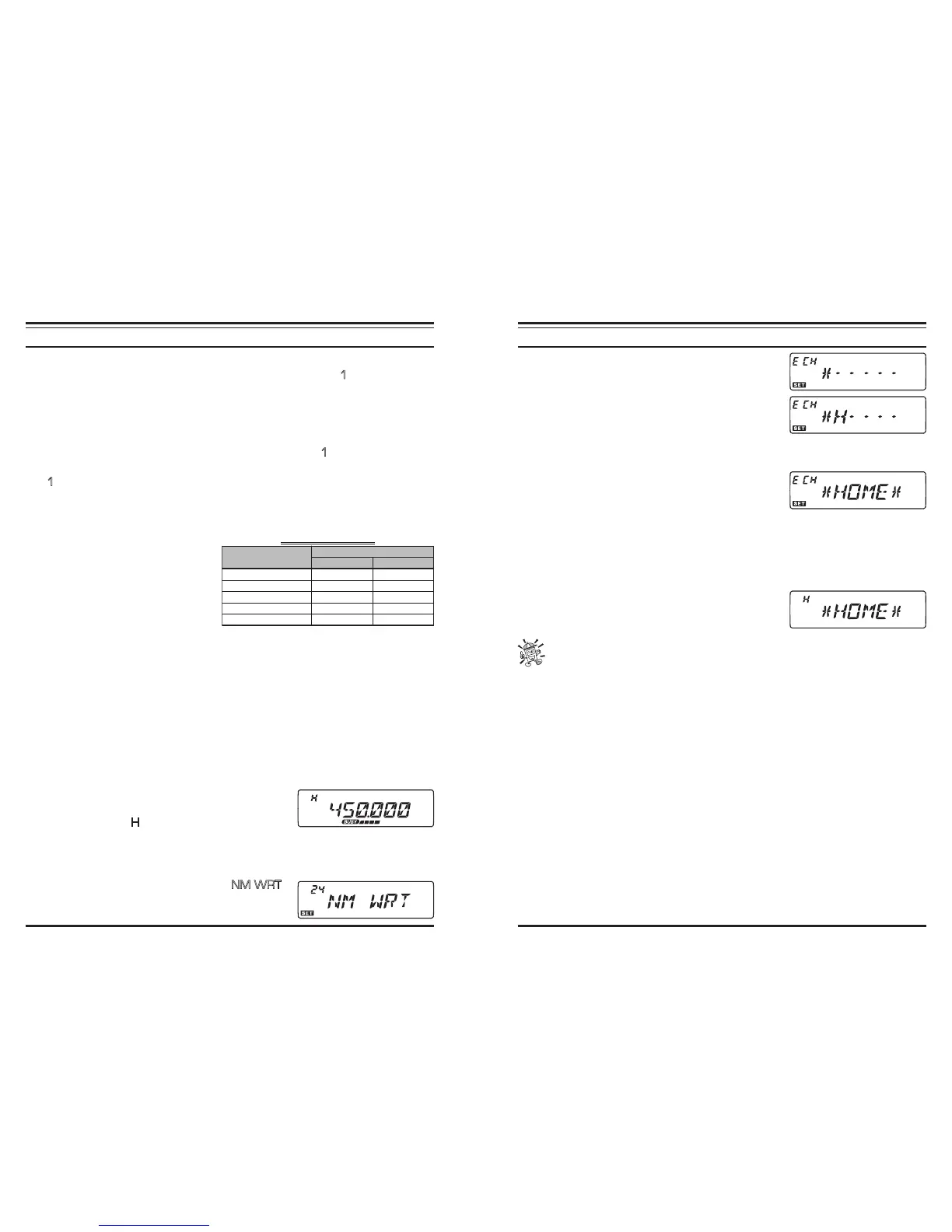
You may also append to an Alpha-numeric “Tag” to a Home channel:
1. Recall the HOME channel which you wish to append a label.
2. Press and hold in the [
BAND
(
SET
)] key for 1/2 second to enter the Set mode.
3. Rotate the
DIAL
knob to select Menu #24 (
NM WRT
).
4. Press the [
BAND
(
SET
)] key twice, then rotate the
DIAL
knob to select the rst character in the name you
B
AND
FREQUENCY
USA VERSION EXP VERSION
144 MHz Ham Band 146.520 MHz 144.000 MHz
250 MHz Band 250.000 MHz 250.000 MHz
350 MHz Band 350.000 MHz 350.000 MHz
430 MHz Ham Band 446.000 MHz 430.000 MHz
HANNELS
R
EGULAR
M
EMORY
C
HANNEL
O
PERATION
wish to store, the press the [
BAND
(
SET
)] key mo-
mentarily to move on to the next character. Letters,
numbers, and symbols are available for storage.
5. Again rotate the
DIAL
knob to select the desired let-
ter, number, or symbol, then press the [
BAND
(
SET
)]
key momentarily to move on to the next character’s
slot. If you make a mistake, press the microphone’s [
DWN
] button to move back to
the previous character’s slot, then re-select the correct letter, number, or symbol.
6. Repeat the above step to program the remaining let-
ters, numbers, or symbols of the desired label. A total
of six characters may be used in the creation of a la-
bel.
7. When you have completed the creation of the label, press the [
BAND
(
SET
)] key mo-
mentarily to save the label, then press and hold in the [
BAND
(
SET
)] key momentari-
ly for 1/2 second to normal operation.
8. When recall the Home channel which is appended an alpha-numeric “Tag” (label),
press the microphone’s [
B
] key momentarily to switch
the Home channel display between the “Frequency”
format and “Alpha-numeric Tag” format.
Menu #16 (HM/REV) allows configuration of the way you can access the
“HOME” channel.













 To Next Page