VDR-100G2/G2S Operation User Manual 30
RUT-UM-02-002_Rev. 2.0
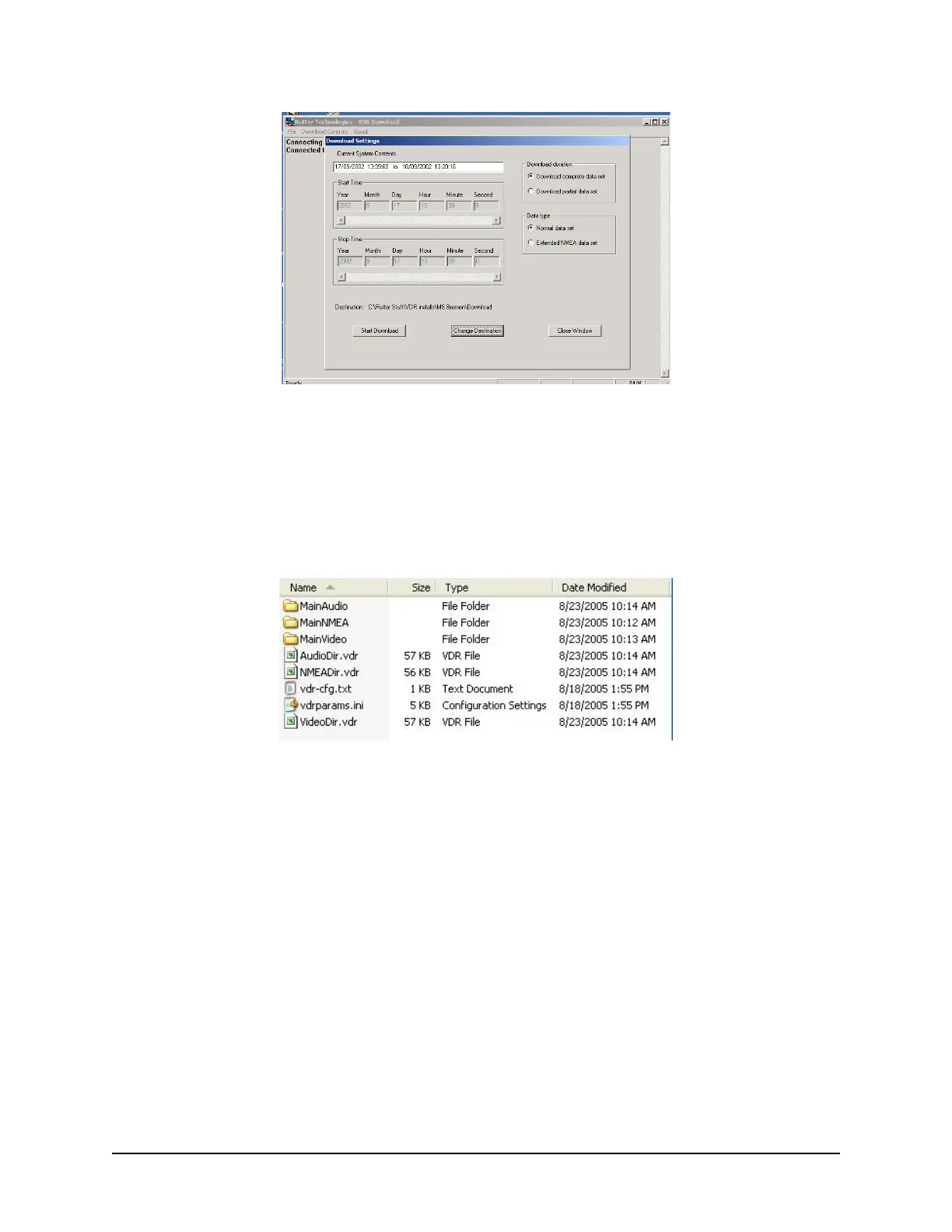
Figure 4-4 - Download Settings Window
4. Confirm that the stated download destination is correct. If it is not, press the ‘Change
Destination’ button, select the correct destination from the file window, and press ‘OK’.
5. Press the ‘Start Download’ button.
6. Confirm all settings are correct in the confirmation window and press ‘OK’ (if they are not, press
’Cancel’ and make the appropriate changes in the ‘Download Settings’ window).
Figure 4-5 - Sample Download Directory
Once a download is complete, “MainAudio”, “MainNMEA”, and “MainVideo” folders are visible. The
vdrparams.ini and vdr-cfg.txt files are also downloaded and saved to the specified download directory.
See Figure 4-5 - Sample Download Directory for an e
xample of a typical download directory.



 To Next Page