VDR-100G2/G2S Operation User Manual 49
RUT-UM-02-002_Rev. 2.0
6.9.2 Wind Information
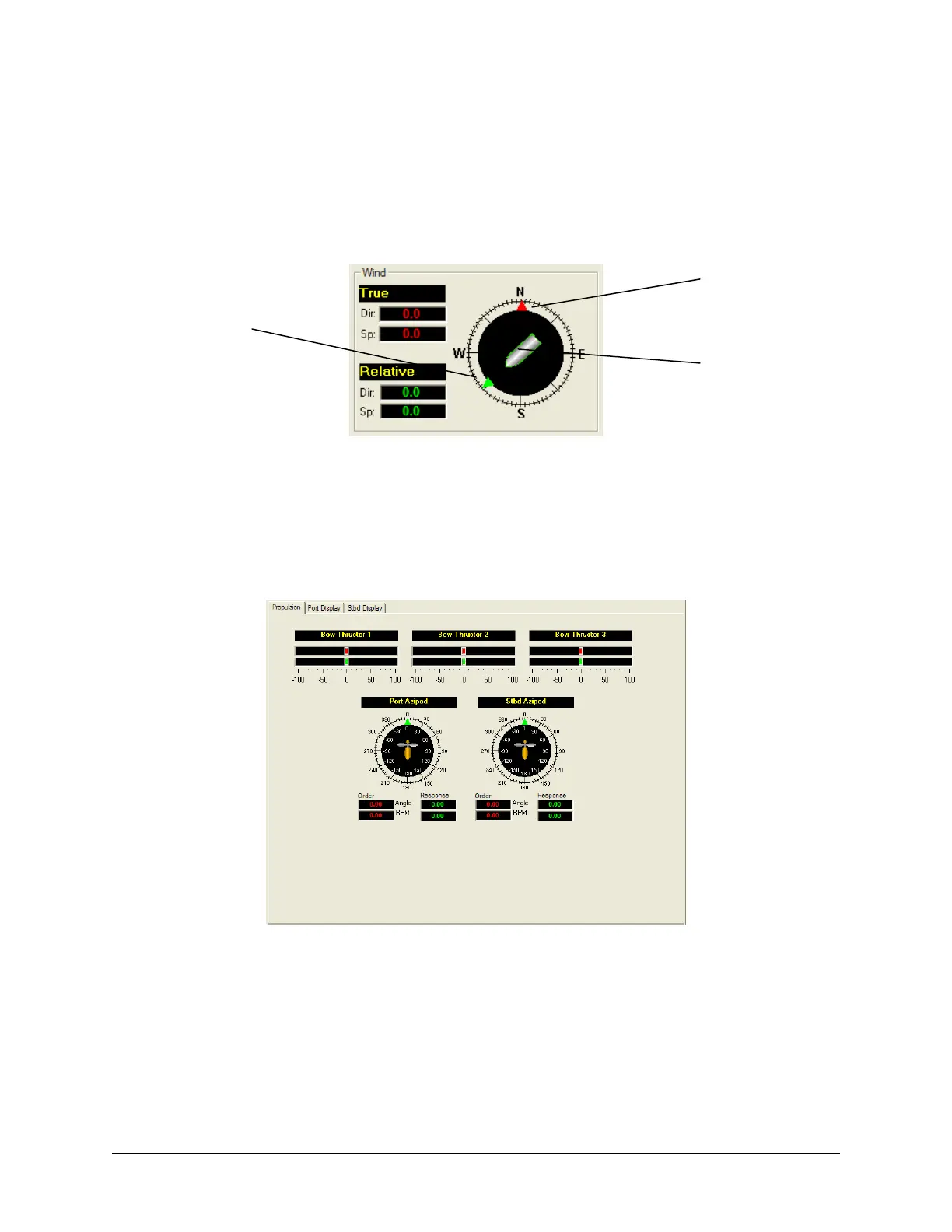
The Wind Information pane contains data regarding the wind’s True and Relative Direction (Dir) and
Speed (Sp).
A compass is also provided in order to illustrate wind direction based on ship’s heading. The red arrow
indicates True wind direction while the green arrow indicates Relative wind direction. The ship graphic
indicates the ship’s heading.
Figure 6-17 - Wind Information
6.9.2.1 Propulsion Data Tab
The Prop
ulsion Data Tab is custom designed for each individual ship according to propulsion systems,
bow thruster configuration and NMEA strings broadcast by bridge electronics. These displays are
dependant upon the VDRPlayback.ini file created for a particular ship.
Figure 6-18 – Sample Propulsion Tab
6.9.2.2 Video Channel Data Tab
Rad
ar data is captured at 15-second intervals. If multiple radar images are available for video capture,
capture times will be staggered but still allow for individual captures at 15-second intervals.
There are a number of options available when viewing the radar data:
Red Arrow –
True Wind Direction
Ship Graphic –
Ship Heading
Green Arrow –
Relative Wind Direction



 To Next Page