VDR-100G2/G2S Operation User Manual 45
RUT-UM-02-002_Rev. 2.0
6.4 Enabling Ethernet Broadcasts
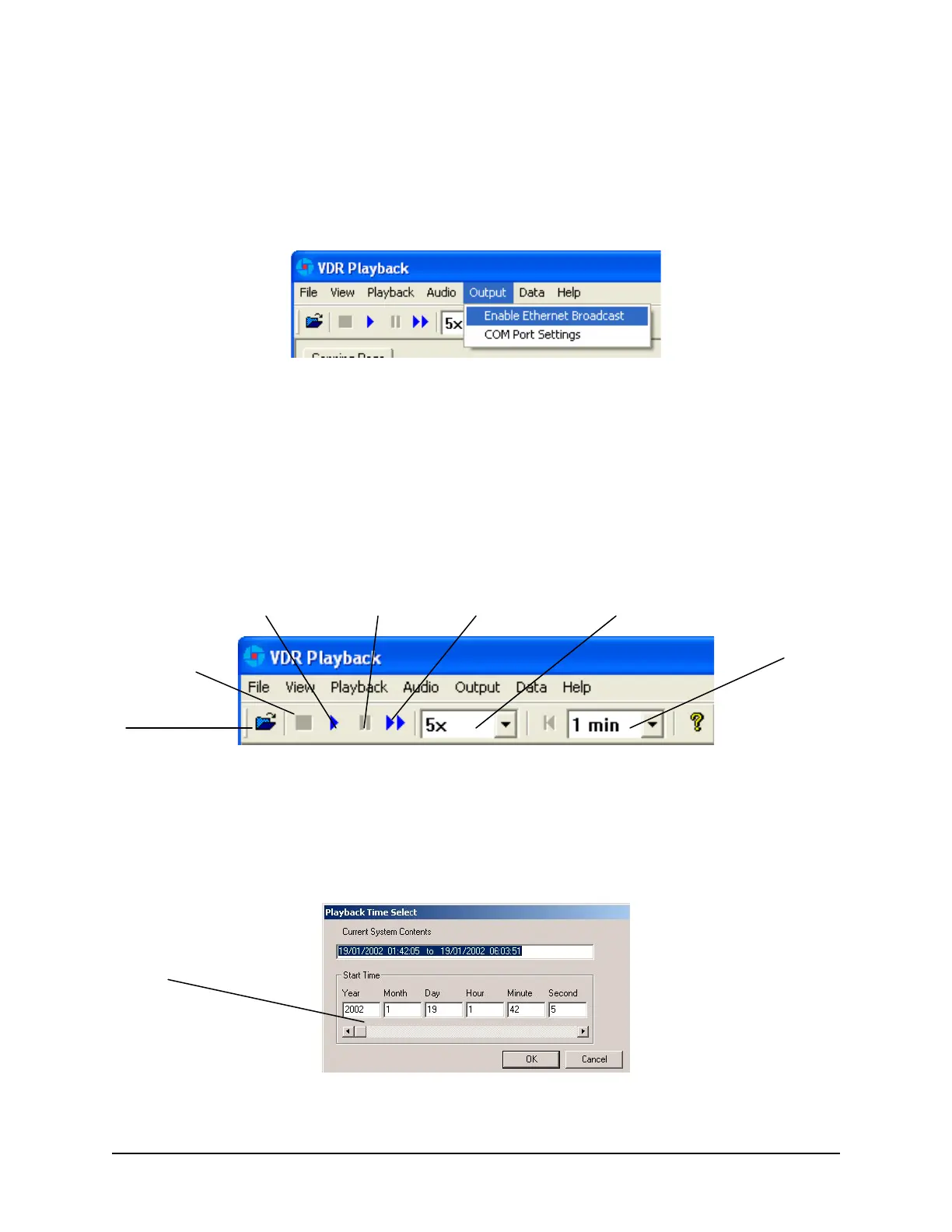
To enable the Playback software and Client PC to broadcast data across a network for use with a
separate Electronic Charting System (ECS) or software, open the ‘Output’ menu dropdown and select
“Enable Ethernet Broadcast”. If a check appears adjacent to this option, broadcasting is currently
enabled. To disable this option, ensure no check sign appears adjacent to it.
Figure 6-9 - Enabling Ethernet Broadcasting
The broadcast will occur on UDP Port 4450 and 4451. Refer to the relevant ECS manual to properly
enable a PC to receive an Ethernet broadcast from Rutter Technologies’ Playback software.
6.5 Starting the Playback
To start the data playback, complete the following steps:
1. After a set of download data has been selected for playback, choose ‘Start’ from the ‘Playback’
menu or press the ‘Play’ button located on the ‘Controls’ toolbar
Figure 6-10 - Controls Toolbar
2. A dialog box will appear asking for a password. The default password is “VDR”. The password is
case sensitive. It must be typed in the text box and the ‘OK’ button clicked
3. After entering the correct password and clicking the ‘OK’ button, a second dialog box will appear,
asking for a start time. Use the scroll bar (or enter a time in the text boxes) to select a playback
start time. Click ‘OK’ to begin the playback.
Figure 6-11 - Choose Start Time For Playback
Stop
Play Pause Fast Forward
Open
Fast Forward Rate
Start Time Scrollbar
Playback Data
Rewind Time



 To Next Page