VDR-100G2/G2S Operation User Manual 47
RUT-UM-02-002_Rev. 2.0
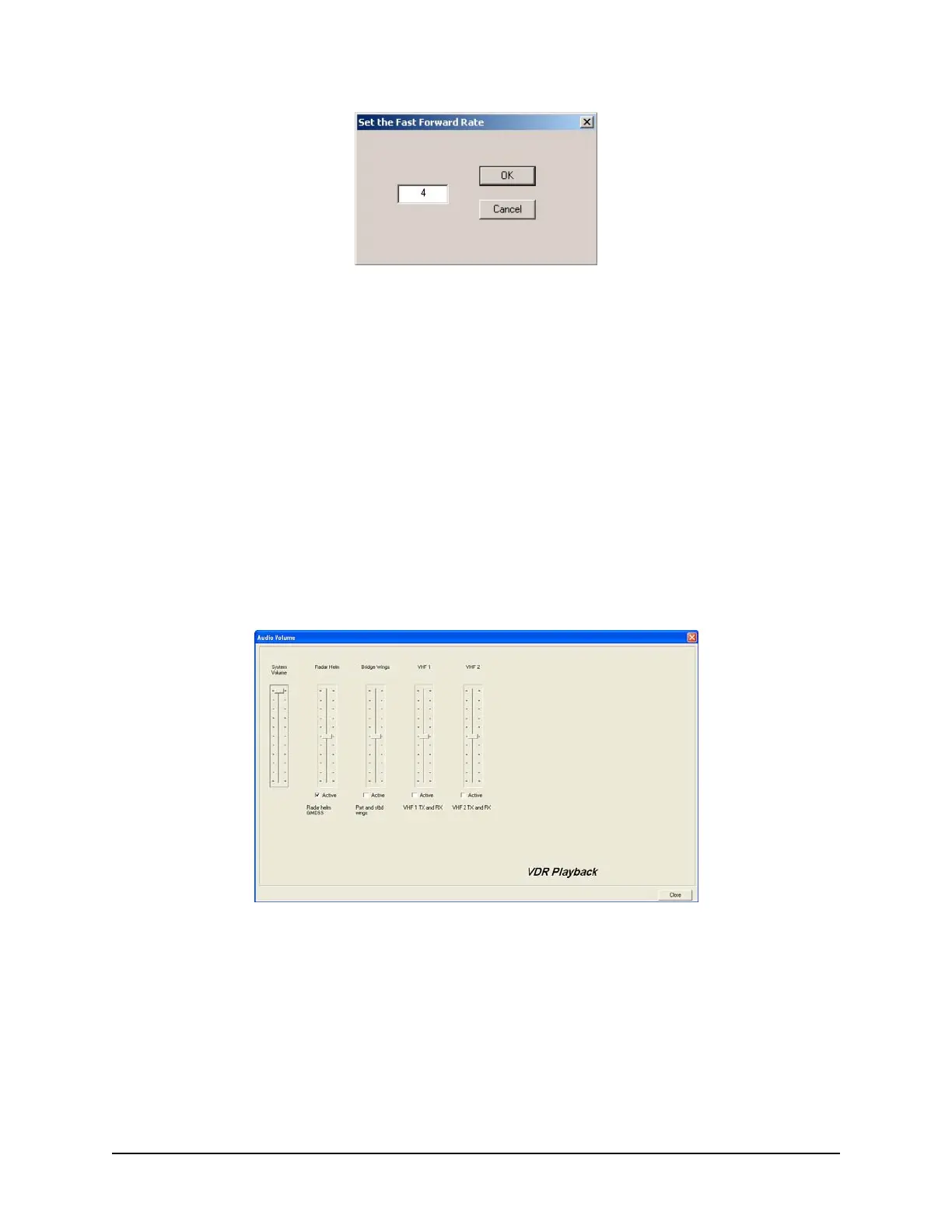
Figure 6-13 - Set Fast Forward Rate
The playback can be halted with the same time index in place by pressing the pause button. Press the
pause button a second time to continue the playback.
The Controls toolbar can also be hidden by deselecting ‘Controls’ from the ‘View’ menu. By default it is
visible therefore a check will appear adjacent to this option. Deselecting it will remove this check mark.
6.8 Audio Volume & Channel Selection
Audio data includes continuous bridge audio and radio communications. The configuration of audio will
differ between ships but is generally arranged in two (2) to four (4) banks.
Individual channels contain audio data corresponding to an area of the bridge, bridge wings, or radio
communications. Each channel may be included in the playback individually or in conjunction with other
channels. For example, a user may wish to play back audio data recorded in the centre of the bridge
while turning off external microphones where wind noise may be present.
Figure 6-14 - Audio Interface
To activate the audio portion of a playback, choose ‘Unlock Audio’ from the ‘Audio’ file menu (see Figure
6-15 – Au
dio Menu). A prompt will appear requiring a password; the default password supplied with the
VDR-100G2 is “VDR”. Press ‘OK’ to activate the audio data and make each channel in the ‘Audio’ file
menu selectable.
Once unlocked, audio data will be available for the remainder of the time playback is open. Audio can be
adjusted by opening the “Audio Volume” window (see Figure 6-14 - Audio Interface) via the “A
udio
Volume” option in the Audio file menu.



 To Next Page