VDR-100G2/G2S Operation User Manual 51
RUT-UM-02-002_Rev. 2.0
6.10 AIS Playback Tab Screen
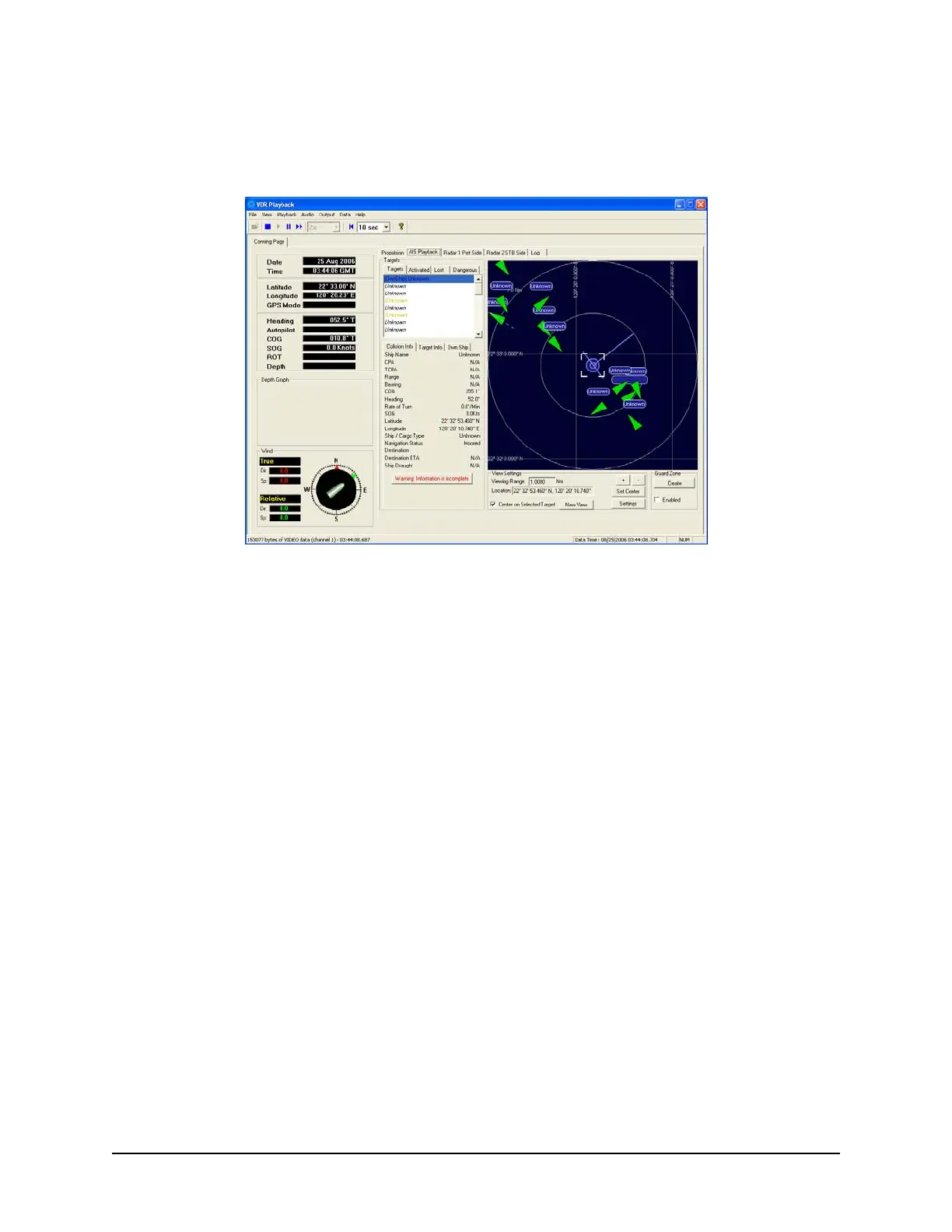
The ‘AIS Playback’ Tab Screen displays information captured from the ship’s AIS.
Figure 6-20 - AIS Playback Tab
There are a number of features available within the AIS Playback tab screen that allow a user to better
interpret the downloaded information.
6.10.1 Targets
The Targets section of the AIS Playback tab screen provides a range of information about all targets
visible in the playback window.
Targets Tab – provides a list of all ships available within the AIS view screen. If a ship’s
information becomes unavailable it remains in the list but a line is drawn through its name (it is
also added to the “Lost” tab list (see below)).
Activated Tab – provides the name of the ship selected by the user in the AIS view screen.
Lost Tab – provides a list of ships for which information is no longer available.
Dangerous Tab – provides a list of all ships that are currently on a dangerous course relative
to the user’s ship.



 To Next Page