SAM4s ER-285M Operator's and Program Manual v1.4 Service Mode Reference Guide • 115
RS-232 Communication Options
You must define devices attached to RS-232C communications ports, and the options for the
device.
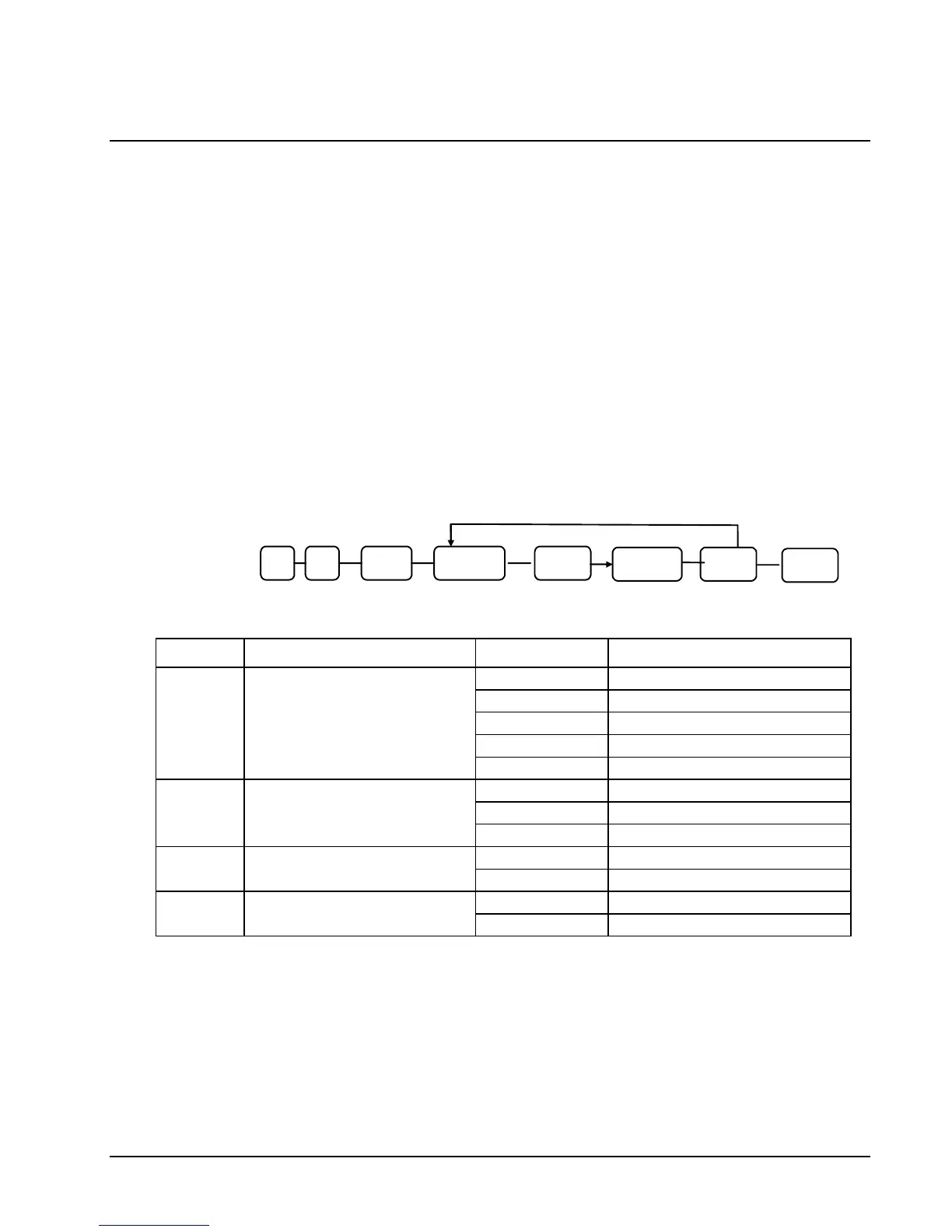
1. Turn the control lock to the S position.
2. For Port #1, enter 8 0 and press the SUBTOTAL key,
For Port #2, enter 8 1 and press the SUBTOTAL key,
For Port #3, enter 8 2 and press the SUBTOTAL key
3. Refer to the chart RS-232C option chart that follows and enter the number of the
address you wish to program (N1) and press the X/TIME key.
4. Enter the value that represents your selection (N2) and press the CASH key.
5. Repeat from step 3 for any additional options you wish to program.
6. Press CASH to exit the program
XTIME
Repeat for another
Index
N1
SUB
TOTAL
0 8
CASH N2
CASH
N1 OPTION N2 VALUE
0 9600 BPS
1 1200 BPS
2 2400 BPS
3 4800 BPS
1
Baud Rate
4 19200 BPS
0 NONE
1 ODD
2
Parity
2 EVEN
0 8 BITS
3
Data Bits
1 7 BITS
0 1 BIT
4
Stop Bits
1 2 BIT



 To Next Page