50 • Advanced Programming Instructions ER-350 Electronic Cash Register V2.1
System Option Programming
Twenty system options are provided so that you can configure the SAM4s ER-350 to your exact
requirements. Refer to the “System Option Table” on page 52 to review the system options. Read
each option carefully to determine if you wish to make any changes.
NOTE: Because after clearing memory all options settings are automatically
set to 0, and because your most likely option selections require a status setting
of 0, you do not need to program this section unless you wish to change the
default status.
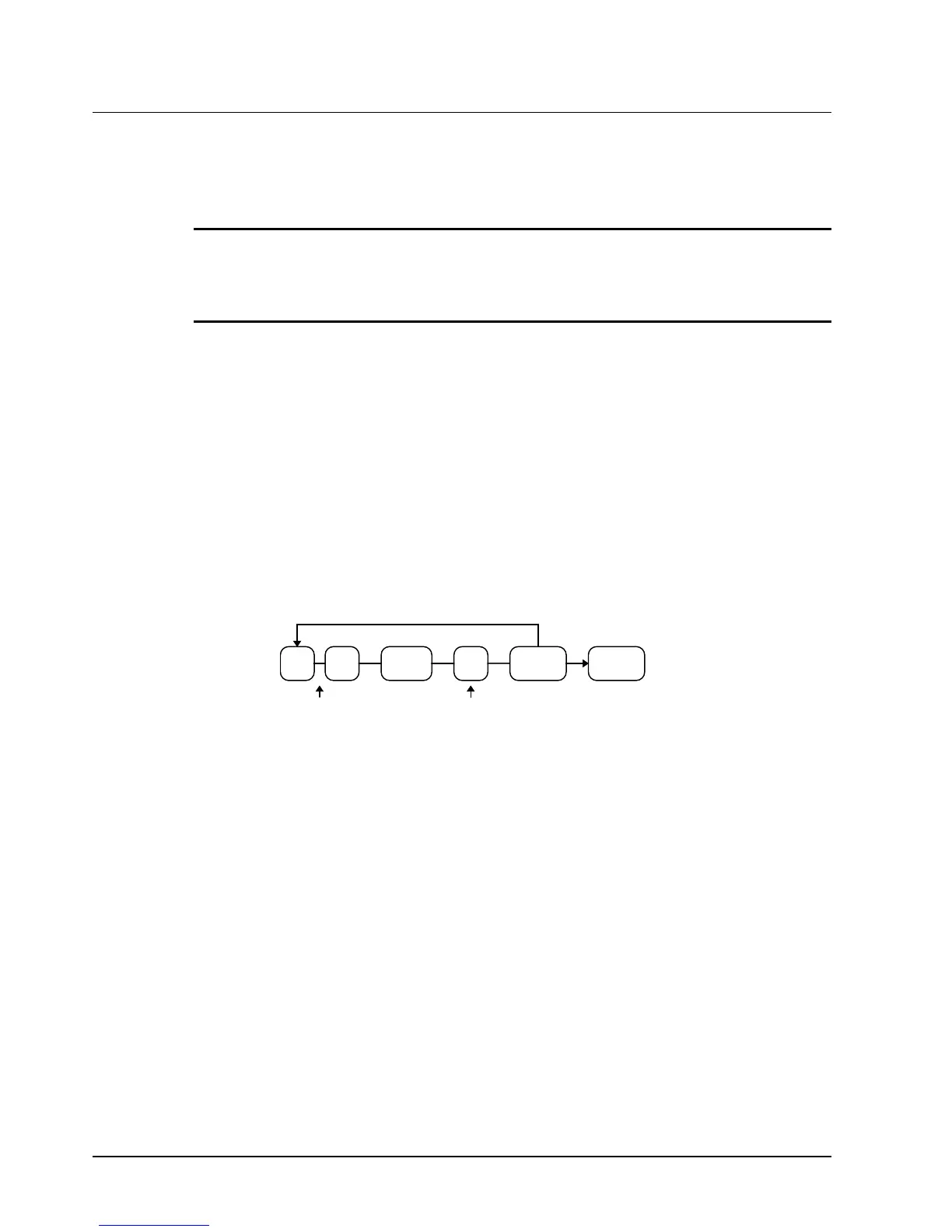
Programming a System Option:
1. Turn the control lock to the PGM position.
2. Enter the option number of the system option you wish to change. Press the RECD
ACCT key.
3. Enter the number representing the status you have selected. Press the PAID OUT key.
4. Repeat from step 3 for each system option you wish to change.
5. Press the CASH/TEND key to end programming.
System Option Flowchart
PAID
OUT
RECD
CCT
Status
CASH/
TEND
Repeat for each
System Option
Option #



 To Next Page