Viewing External Signal Sources
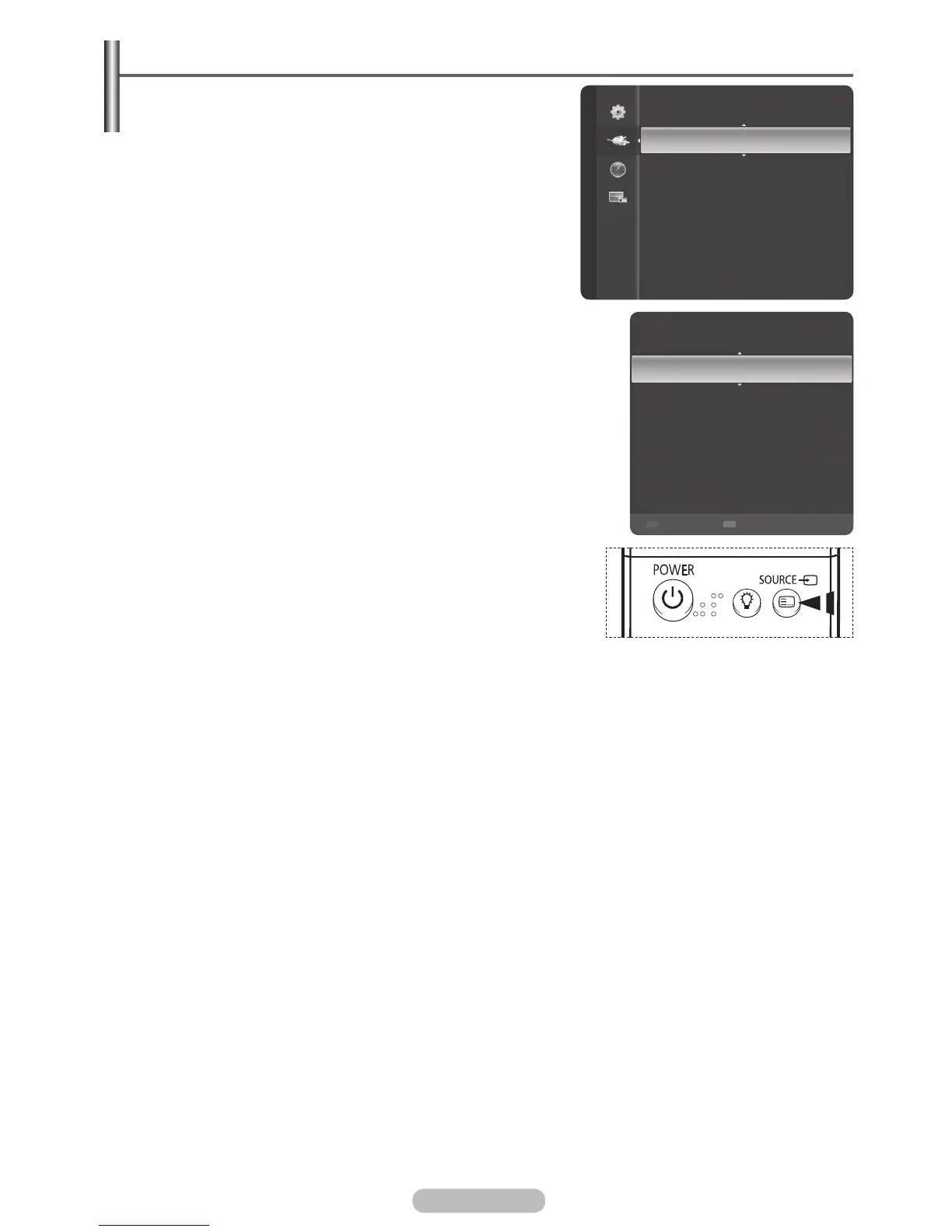
You can switch between viewing signals from connected
equipment, such as a VCR, DVD, Set-Top Box, and the TV
source (broadcast or cable).
1 Press the MENU button to display the menu.
2 Press the ▲ or ▼ button to select Input, then press the
ENTER/OK button.
3 Press the ENTER/OK button again to select Source List.
4 Press the ▲ or ▼ button to select the signal source, then
press the ENTER/OK button.
Available signal sources:
TV, AV1, AV2, S-Video,
Component1, Component2, PC, HDMI1, HDMI2/DVI,
HDMI3, USB
➢
You can select these options simply by pressing the SOURCE
button on the remote control.
Source List
Edit Name
Input
TV
AV1
----
AV2
----
S-Video
----
Component1
----
Component2
----
PC
----
Refresh Option



 To Next Page