English - 30
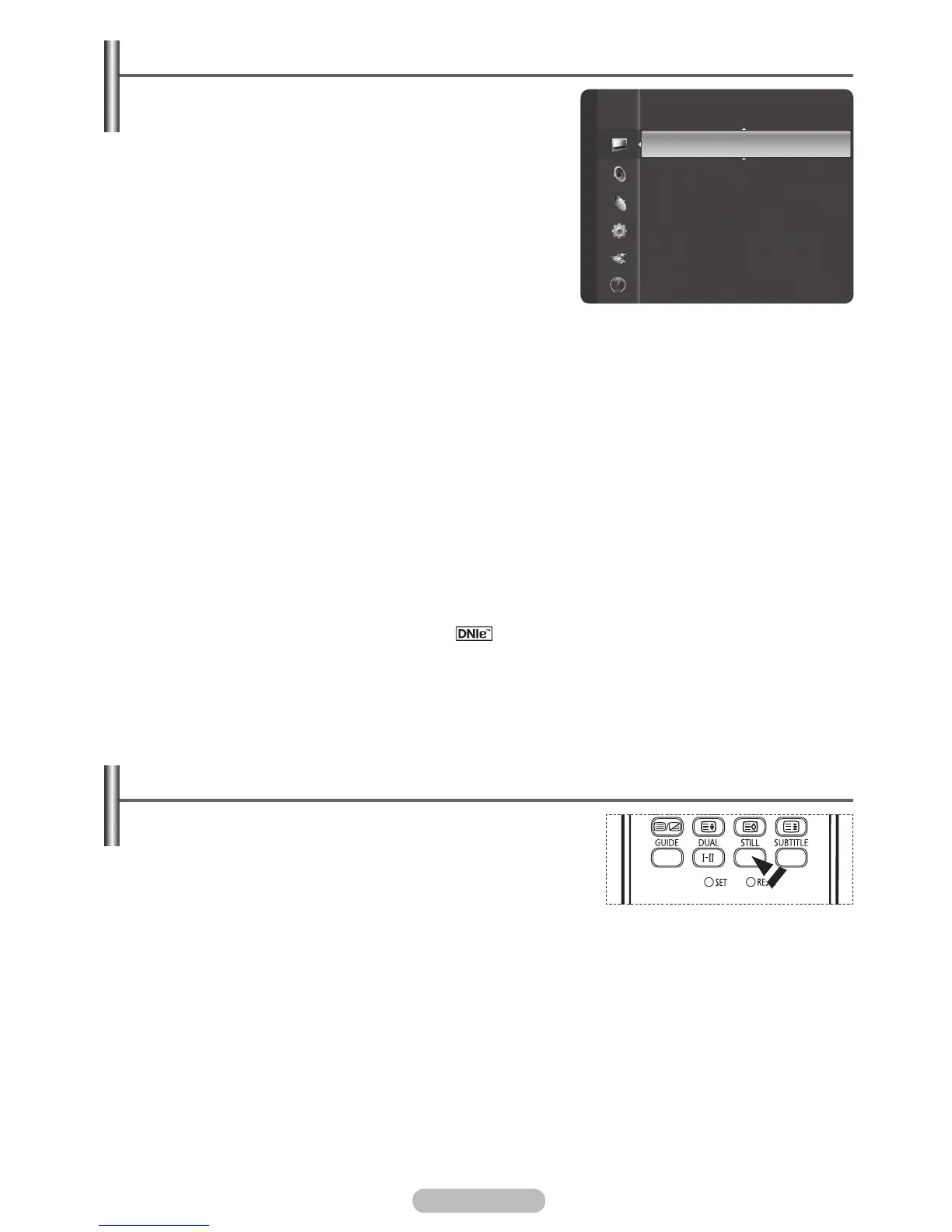
Freezing the Current Picture
You can freeze the picture when watching a television
programme simply by pressing the “STILL” button. To return to
normal viewing, press it again.
➢
This function will automatically cancel five minutes later.
BN68-01314A-00Eng.indd 30 2007-07-26 ¿ÀÈÄ 11:40:25
P
i
c
t
u
re
Detailed Settings
Size : 16:9
Digital NR : Auto
Active Colour : On
DNIe
: On
Picture Reset
Auto Motion Plus 100Hz : Low
Digital NR / Active Colourr /Auto Motion Plus 100Hz / DNIe
1 Press the MENU button to display the menu.
2 Press the ENTER/OK button to select Picture.
3 Select the required option by pressing the ▲ or ▼ button,
then press the ENTER/OK button.Available options: Digital
NR, Active Colour, Auto Motion Plus 100Hz, DNIe
4 When you are satisfied with your setting, press the ENTER/
OK button.
5 Press the EXIT button to exit.
Digital NR: Off/Low/Medium/High/Auto
If the signal received by the television is weak, you can
activate this feature to reduce any static and ghosting that
may appear on the screen.
Active Colou
r: Off/On
If you turn on this option, the colours of the sky and grass will be stronger and clearer for a more vivid
on-screen picture.
When you select Standard or Movie in Picture Mode, the Active Colour automatically changes
to Off and it is deactivated. When the Picture Mode is set to Dynamic, the Active Colour is
activated regardless of the Picture Mode setting.
DNIe: Off/On
This TV includes the DNIe function so as to provide a high visual quality. If you set DNIe to on, you
can view the screen with the DNIe feature activated. Using this function, you can view the difference
in the visual quality.
DNIe
TM
(Digital Natural Image engine)
Auto Motion Plus 100Hz: Off / Low / Medium/ High/ Demo
You can view more natural skin and text even in fast moving scenes.This function is not available in
PC mode and Game mode.
If you enable “ Auto Motion Plus 100Hz” noise may appear on the screen. If this occurs,
please set “Auto Motion Plus 100Hz” to “Off”
This feature brings you more detailed image with 3D noise reduction, detail enhancement,
contrast enhancement and white enhancement. New image compensation Algorithm gives
brighter, clearer, more detailed image to you. DNIe
TM
technology will fit every signal into your
eyes.
➢
This function is not available in PC mode.
➢
➢
➢
➢
You can use this function on main picture.When viewing
Picture in Picture, only main picture will be freezed.



 To Next Page