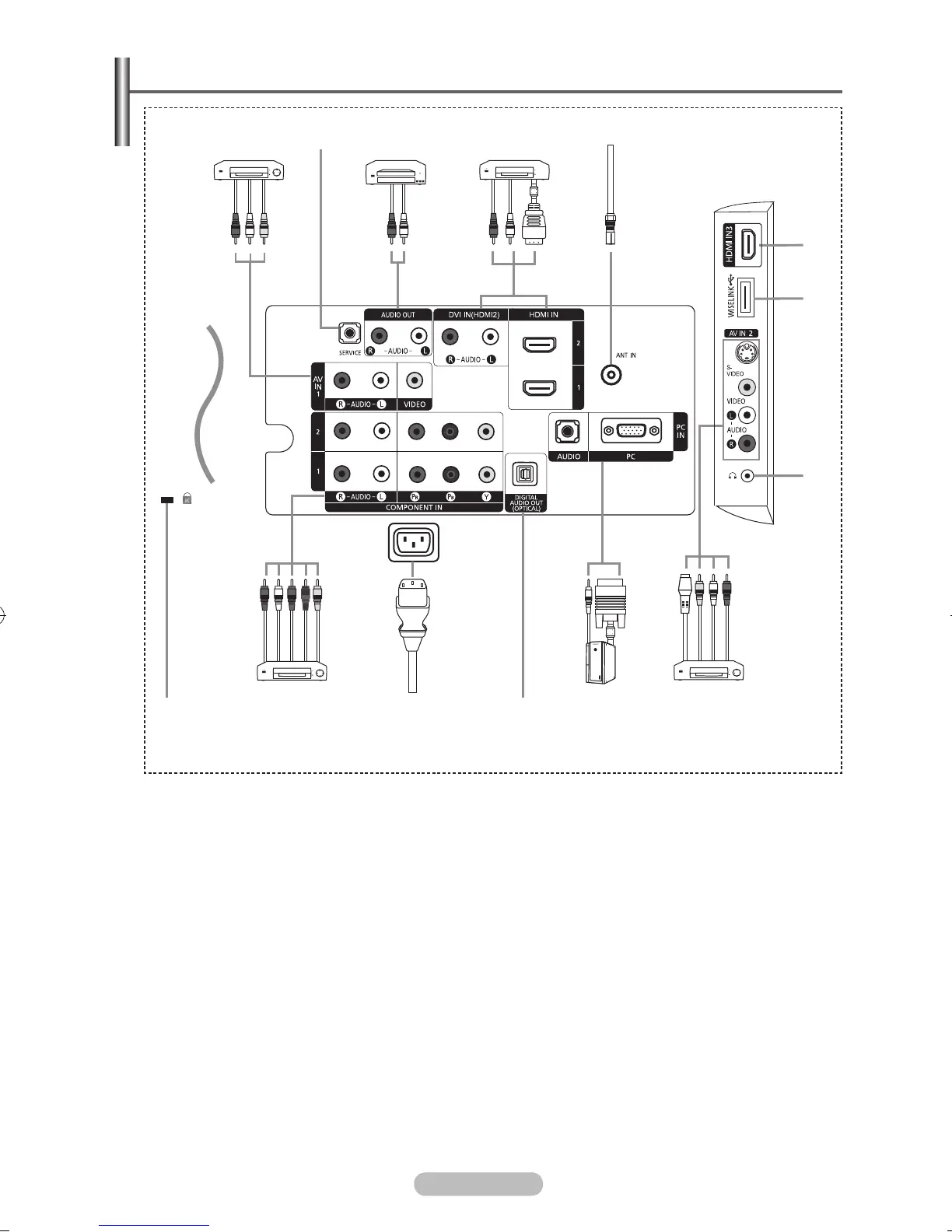
Viewing the Connection Panel
➢
Whenever you connect an external device to your TV, make sure that power on the unit is turned off.
➢
The product colour and shape may vary depending on the model.
1
VIDEO / AUDIO L/R
Video and audio inputs for external devices, such as a camcorder or VCR.
2
SERVICE
− Connector for service.
− Connect the serial jack between the electro-motion wall mount bracket and your TV when you
want to adjust the TV viewing angle using your remote control.
3
Connecting external Audio Devices
Connect RCA audio signals from the TV to an external source, such as Audio equipment.
4
HDMI IN 1, HDMI IN 2, HDMI IN 3
− Connect to the HDMI jack of a device with HDMI output. These inputs can also be used as a DVI
connection with separate analog audio inputs. An optional HDMI/DVI cable will be necessary to
make this connection. When using the optional HDMI/DVI adapter, the DVI analog audio inputs on
your TV allow you to receive left and right audio from your DVI device. (Not compatible with PC)
− When connecting this product via HDMI or DVI to a Set Top Box, DVD Player or Games Console
etc, make sure that it has been set to a compatible video output mode as shown in the table below.
Failure to observe this may result in picture distortion, image breakup or no picture.
− Do not attempt to connect the HDMI/DVI connector to a PC or Laptop Graphics Card.
(This will result in a blank screen being displayed)
1 2 3 4
3
8
➢
The product colour and shape may vary depending on the model.
Power Input
[Side Panel Jacks]
6
7
90!
@
5



 To Next Page